 As much as we love Android, the Operating System is always giving us a reason to call it quits and move on to the next shiny thing. The latest reason is a new permission known as “Activity Recognition” that shares with apps your current physical activity such as walking, running, driving or sitting. The headline here is, unlike other permissions that you can choose whether or not to share certain information with an app, this one is on by default and it cannot be disabled.
This new development was first discovered by Redditor lo________________ol, when he/she posted that they had noticed an addition to the permissions that Shazam and SoundHound require to run. Interestingly, this “Activity Recognition” permission does not show up when you install the app or update it since it is hidden under “Other” section of apps permission requests.
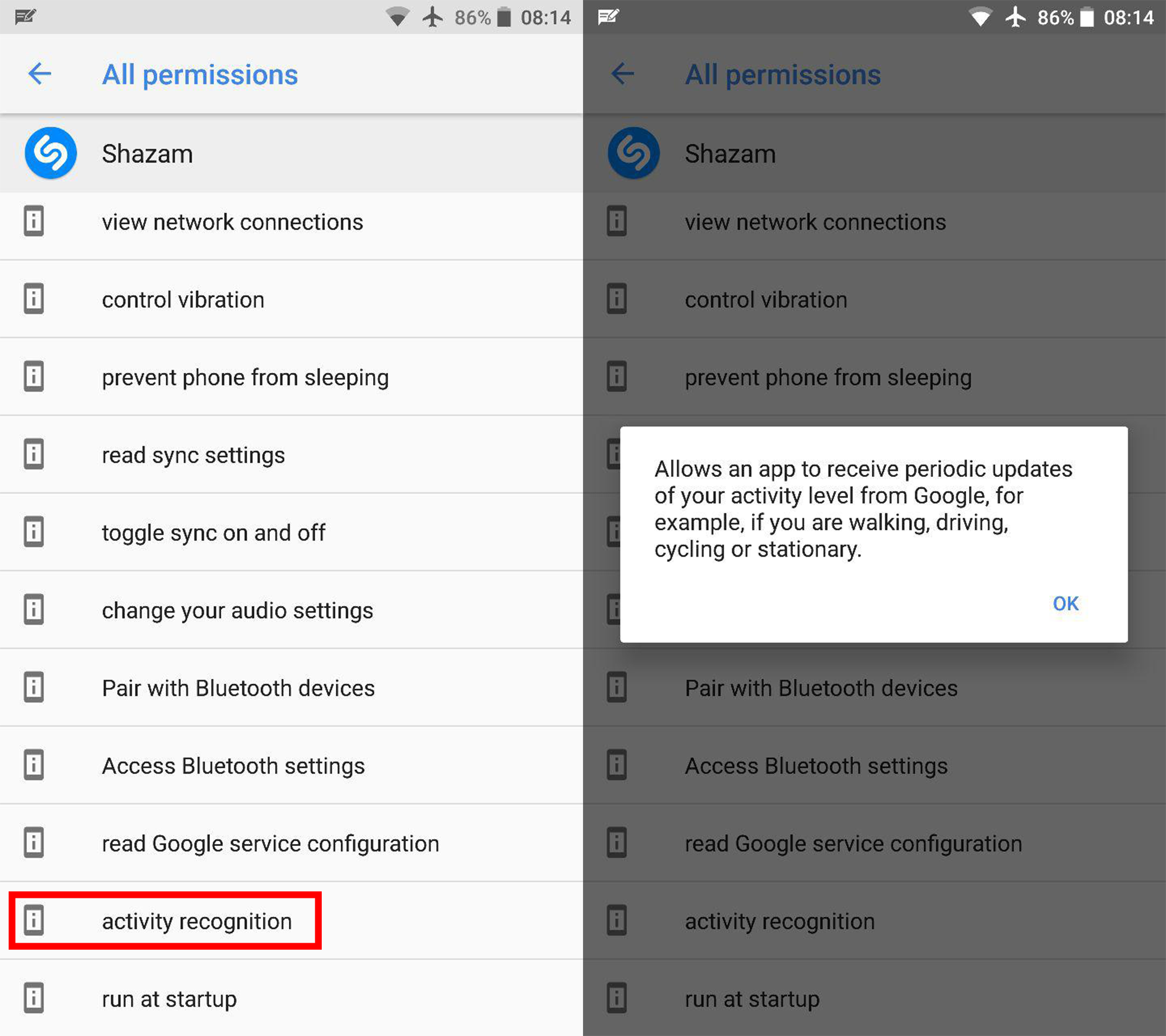
It has been discovered that the permission is tied to Google Play Services, which uses your physical sensors to determine your current physical activity. The only way to disable it in any application is to completely disable Google Play Services on your phone, which will cause many other applications to stop functioning (in addition to everything tied to your Google account to disappear).
lo________________ol explains that Google Play Services uses sensor data (e.g. gyroscope, accelerometer, orientation sensor), to make assumptions about how the phone user is acting. Apparently, Play Services appears to do this without using Body sensor data, so you cannot turn this off. Another app requests this data from the Play Services app periodically. It’s given your current status: walking, running, etc. The other app then uploads that data to their servers and “Your user experience is improved.”
If iOS users thought they had escaped, well, not so fast. iOS also allows developers to use APIs to access sensor data such as the accelerometer without the user permission.