• Latest
  • All
  • How To
lipa na mpesa

E-citizen Services Via Lipa na M-pesa: The How and The Why

June 24, 2015
Period Tracker

Period Tracker: An App That Prioritizes Simplicity and Privacy

July 11, 2026
How to Block Muse Image From Downloading and Remixing Your Reels

Meta Halts Muse Image After Outcry Over Risks of AI-Generated Content

July 11, 2026
Biggest Taxpayers Remain a Small Group of Formal Businesses, KRA Data Shows

Biggest Taxpayers Remain a Small Group of Formal Businesses, KRA Data Shows

July 11, 2026
How to Block Muse Image From Downloading and Remixing Your Reels

Muse Image: How to Block Others From Generating AI Content Using Your Instagram Posts

July 11, 2026
DHgate Tablet Cases deals
African Game Studios Can Now Apply for Google’s New $1 Million Fund

Google Tightens Play Store Terms Around Data, Sharing, and Billing

July 10, 2026
IEBC Owns Up to Cracks in 2022’s Dispute Resolution Process, Eyes Fixes Before 2027

IEBC Owns Up to Cracks in 2022’s Dispute Resolution Process, Eyes Fixes Before 2027

July 10, 2026
Emissions test

New Bill Would Force Kenyan Motorists to Test Vehicle Emissions Every Year

July 9, 2026
SpaceXAI Grok 4.5

Elon Musk Rebrands xAI as SpaceXAI and Launches Grok 4.5

July 9, 2026
KOKO Networks Puts Its Ethanol Empire Up For Sale

KOKO Networks Puts Its Ethanol Empire Up For Sale

July 8, 2026
Betting

New Betting Rules Let Families Request Gambling Bans for Loved Ones

July 8, 2026
Vodafone’s 55% Stake Gives It Control Over Safaricom Boardroom

Vodafone’s 55% Stake Gives It Control Over Safaricom Boardroom

July 8, 2026
Starlink

Starlink Suspends New Signups Across 7 Kenyan Counties as Capacity Fills Up

July 8, 2026
Techweez | Tech News, Reviews, Deals, Tips and How To
  • News
  • Entertainment
  • Reviews
  • Features
  • Editorial
No Result
View All Result
Techweez | Tech News, Reviews, Deals, Tips and How To
  • News
  • Entertainment
  • Reviews
  • Features
  • Editorial
No Result
View All Result
Techweez | Tech News, Reviews, Deals, Tips and How To
No Result
View All Result

E-citizen Services Via Lipa na M-pesa: The How and The Why

Eric Wainaina by Eric Wainaina
June 24, 2015
in News
Reading Time: 3 mins read
269
1
lipa na mpesa

The Kenyan government has been keen on delivering services to citizens through different platforms and especially the internet. To this effect, the government revamped the e-citizen portal seeking to act as a centralized hub for all government services.

So What is E-Citizen?

The government has thus taken into account the needs of citizens and worked towards fitting them in a new digital based public service system. Through the system called the eCitizen portal, Kenyans can access information and services provided by their government

Which Government departments are on E-Citizen?

Some of the government departments involved include the National Transport and Safety Authority (NTSA), Department of Immigration, Ministry of Lands and the State Law Office, under the office of the Attorney General. There plans to add more services onto this portal.

.

What Services Are Accessible? 

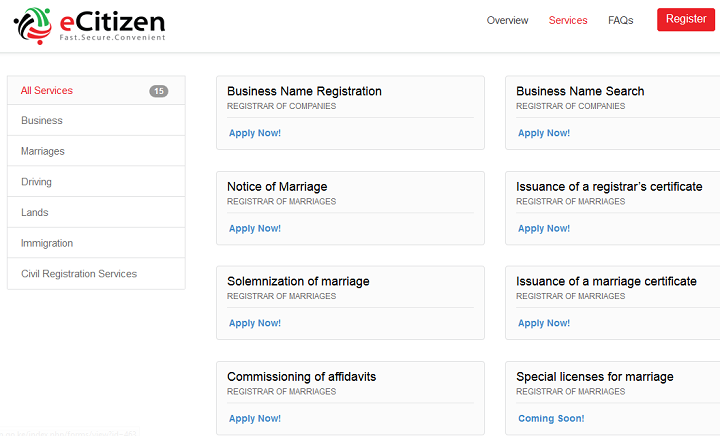
The E-citizen portal currently offers 15 different services to Kenyans  bundled under business, marriage, driving, land, immigration and civil registration services.
E-citizen Services KenyaHow Do I use E-Citizen?

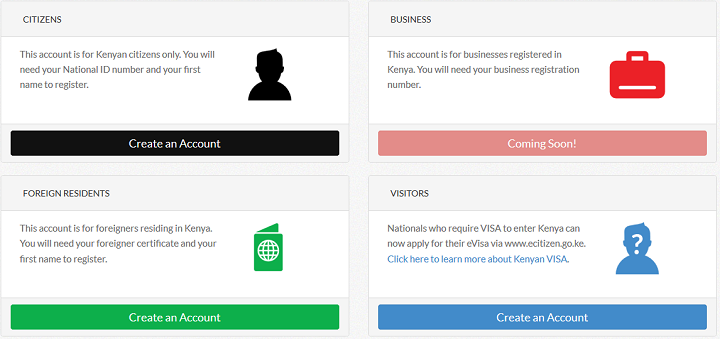
Using the Portal is pretty easy. First one has to create an account based on if they are a Kenyan Citizen, Visitor, Foreigner or Business. For Citizens, the process is a four-step authentication. It prompts the system to ask for  your ID number and first name, it fetches the details used to apply for the ID number including the photo. It then prompts to input your ID number, email address and phone number and on verification, prompts you to input your mobile phone number for which a code is sent to input and are done with the verification.  The final stage involves adding a photo, if you do not want your ugly ID photo on there and you are set to go. You can then begin applying for the services available.
e-citizen registrationPayments?

In the 2015/16 budget, the Cabinet secretary for finance outlined an ambitious planned aimed at digitizing payments within the government.  The CS announced an allocation of Kshs. 1.9 billion, earmarked for the digitization of 100 inbound payment service transactions for the government by the end of 2015. The government has been implementing e-government services through the e-citizen portal and digitization of the payments was one of the pillars of ensuring success of the portal. In addition, digital payments allow for faster service delivery, reduction in transaction costs as well as safeguard government revenues.

The E-citizen portal continues to gain users with an announcement of over 400,000 Kenyans registered on the platform with 8,000 transactions performed. Revenue collections averaged Kshs. 10 Million daily. One of the core aspects in ensuring the success of the platform is the ability to integrate payments into the service offerings. The E-citizen portal is able to accept payments from up-to 13 service providers key among them Safaricom’s Mobile Money service M-pesa.

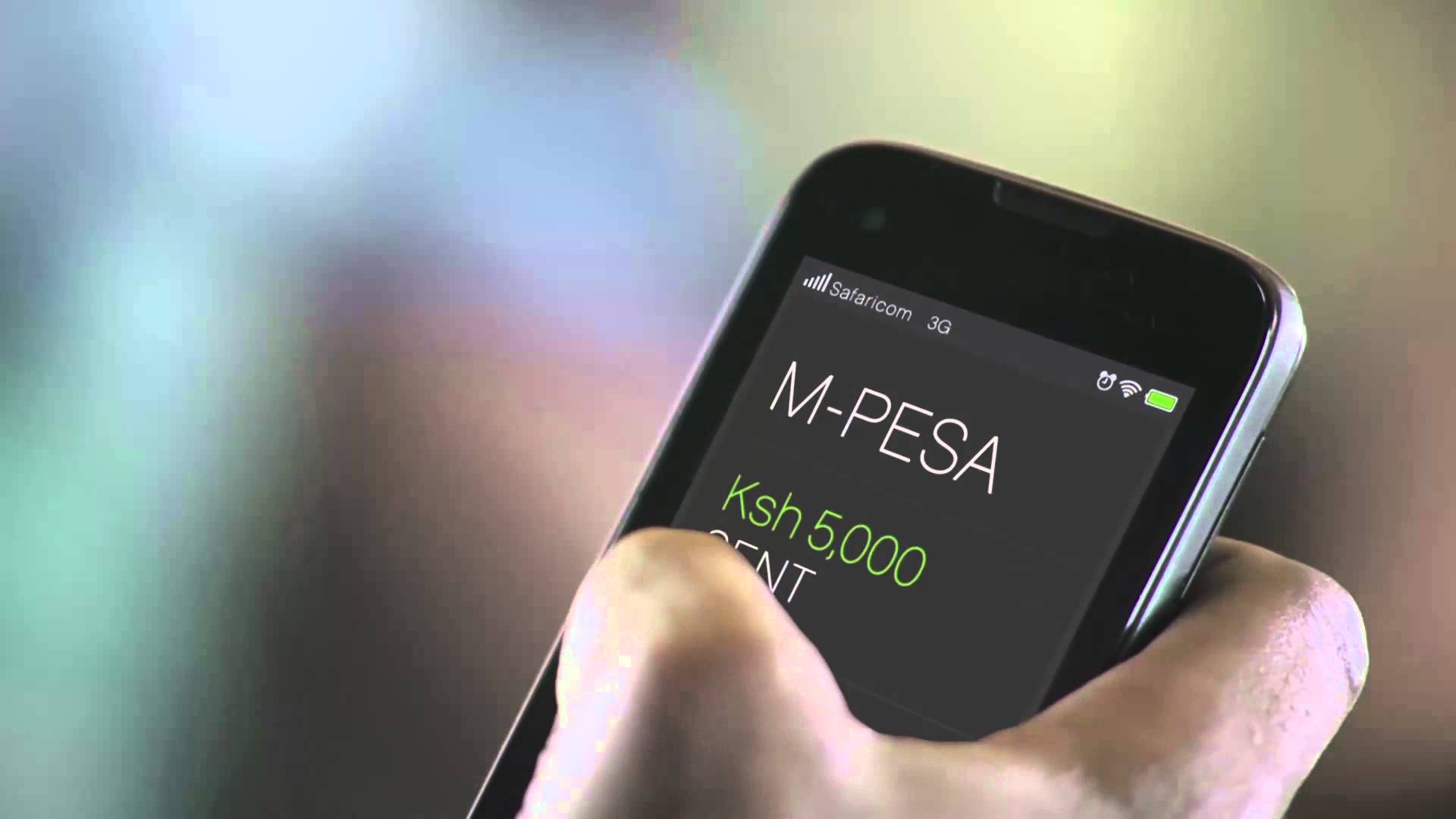
Lipa na M-pesa

In readiness for government payments, Safaricom also previously launched the M-pesa payments cards for the settlement of government services and taxes. The debit cards and point of sale terminals were to allow customers to pay for the services thereby easing transactions and sealing loopholes. The government was also able to procure an M-pesa pay bill number 206206, which will allow for customers to pay for goods and services using the Lipa na M-pesa merchant service.  Lipa na M-pesa service has 49,413 Lipa na M-pesa agents and 11.6 billion worth of payments done on the platform monthly

How Do I Actually Pay Via Lipa na M-pesa?

Assuming you want t0 search a business name using the portal, navigate to all services, it ushers in all the 15 services offered by the module. Alternatively, you can click on the business tab to access the same. After conducting the search, an invoice is generated for the service offered and the cost.

This then ushers you to the payment options. For payments, once can choose between M-pesa, debit card, credit card or prepaid cards. The other option available is the eCitizen agent.  Choose the M-pesa payment option and follow the steps below.

Step 1: Go to M-PESA on your phone

Step 2: Select Lipa na M-pesa option in the drop-down

Step 3: Select the Pay Bill option

Step 4:  Enter the business number 206206

Step 5: asks for account number, which is automatically generated based on the service you used.

Step 6: Enter the amount, which was generated as an invoice.

Step 7: Enter M-pesa Pin Number and Press Send

Step 8: Confirmation message from M-pesa and you are set!

After the payments, confirm on the portal of the completion of the task and wait for feedback.  The portal provides proper tracking mechanisms for services, which we shall cover extensively in a subsequent post.


Tags: M-PesaSafaricom
SendShare153Tweet96
Eric Wainaina

Eric Wainaina

Eric writes on business, govt policy and enterprise tech.

Related Posts

Vodafone’s 55% Stake Gives It Control Over Safaricom Boardroom

Vodafone’s 55% Stake Gives It Control Over Safaricom Boardroom

July 8, 2026
Nokia

Labor Court Sets Tougher Bar for Firing Workers as Redundant

June 30, 2026
Safaricom

CMA Exempts Vodafone Kenya From Mandatory Safaricom Takeover Offer After 55% Stake Deal

June 30, 2026
Djibril Tobe Arrival Signals Ambition as Airtel Kenya Targets Safaricom Market Share

Djibril Tobe: Profile on Airtel Kenya’s New MD Charged With Narrowing the Gap to Safaricom

July 1, 2026
My OneApp

Safaricom Makes My OneApp Data-Free With Latest Update

June 22, 2026
Safaricom

Safaricom Nears 60 Million Subscribers as Kenya Hits 84.1 Million Mobile Lines

June 22, 2026

Latest

Period Tracker

Period Tracker: An App That Prioritizes Simplicity and Privacy

July 11, 2026
How to Block Muse Image From Downloading and Remixing Your Reels

Meta Halts Muse Image After Outcry Over Risks of AI-Generated Content

July 11, 2026
Biggest Taxpayers Remain a Small Group of Formal Businesses, KRA Data Shows

Biggest Taxpayers Remain a Small Group of Formal Businesses, KRA Data Shows

July 11, 2026
How to Block Muse Image From Downloading and Remixing Your Reels

Muse Image: How to Block Others From Generating AI Content Using Your Instagram Posts

July 11, 2026
African Game Studios Can Now Apply for Google’s New $1 Million Fund

Google Tightens Play Store Terms Around Data, Sharing, and Billing

July 10, 2026
IEBC Owns Up to Cracks in 2022’s Dispute Resolution Process, Eyes Fixes Before 2027

IEBC Owns Up to Cracks in 2022’s Dispute Resolution Process, Eyes Fixes Before 2027

July 10, 2026

Best devices

Best Infinix Phones of 2025

Best Infinix Phones of 2025: Budget Prices With Premium Features

December 31, 2025

The Best Infinix Accessories Worth Buying in 2025

November 26, 2025

Best Budget Wireless Earbuds To Buy in Kenya (2025)

October 8, 2025

Samsung Galaxy A36 5G vs Samsung Galaxy A56 5G: Comparison Review

August 29, 2025

Infinix Hot 60 Pro+ vs Infinix Hot 60i: Comparison Review

August 22, 2025

Best Budget Smartwatches To Buy in Kenya 2025

February 13, 2025

Techweez is where tomorrow’s tech stories break today, thanks to intelligent analysis, real-world insight, and visionary storytelling.

Follow Us

Editorials

Period Tracker: An App That Prioritizes Simplicity and Privacy

Inside Bumble, the Dating App Where Women Call the Shots

Locket: Photo Sharing App With No Feed, No Likes, and No Algorithms

Couple Joy: A Long-Distance Dating App That Builds Intimacy in Small Daily Acts

Airbuds: The App That Turns Your Music Into a Social Feed

Kenya Might Need to Crack Down on Wealth Porn Like China

More News

New Bill Would Force Kenyan Motorists to Test Vehicle Emissions Every Year

Elon Musk Rebrands xAI as SpaceXAI and Launches Grok 4.5

KOKO Networks Puts Its Ethanol Empire Up For Sale

New Betting Rules Let Families Request Gambling Bans for Loved Ones

Vodafone’s 55% Stake Gives It Control Over Safaricom Boardroom

Starlink Suspends New Signups Across 7 Kenyan Counties as Capacity Fills Up

  • Terms Of Use
  • Techweez Brand
  • Privacy & Policy
  • Contact Us

© 2024 Techweez - Palahala Media Group may earn a commission when you buy through links on our sites.
A Palahala Media Group Brand. All rights reserved.
.

Welcome Back!

Login to your account below

Forgotten Password?

Retrieve your password

Please enter your username or email address to reset your password.

Log In

Add New Playlist

Techweez | Tech News, Reviews, Deals, Tips and How To
Crunchy Cookies 🍪 Ahead!

Hey there! Just a heads-up: we're big fans of cookies - both the digital and edible kind! 🍪 We use our cookies and some from third parties to ensure your browsing experience on our site is smooth sailing and secure.


But wait, there's more! We also use cookies to gather stats and insights on how you navigate our site. It's like getting a behind-the-scenes peek at your digital adventures!


Don't worry, you're in control. You can adjust your cookie settings anytime to suit your preferences. Feeling curious? Dive into our Privacy Policy for all the juicy details. Happy browsing! 🚀

Functional Always active
Listen, this legal stuff is about as exciting as watching paint dry. But it basically says we only use your stuff for what you asked us to do, and nobody else gets to peek!
Preferences
The technical storage or access is necessary for the legitimate purpose of storing preferences that are not requested by the subscriber or user.
Statistics
It's those sneaky cookie crumbs websites leave behind to count visitors, like counting ants at a picnic! Totally harmless, just for fun facts. The technical storage or access that is used exclusively for anonymous statistical purposes. Without a subpoena, voluntary compliance on the part of your Internet Service Provider, or additional records from a third party, information stored or retrieved for this purpose alone cannot usually be used to identify you.
Marketing
Hey there! Just letting you know we use some fancy gizmos to remember your preferences. This way, we can show you ads that are, well, not completely bananas.
Manage options Manage services Manage {vendor_count} vendors Read more about these purposes
Make cookies
{title} {title} {title}
Techweez | Tech News, Reviews, Deals, Tips and How To
Crunchy Cookies 🍪 Ahead!
To provide the best experiences, we use technologies like cookies to store and/or access device information. Consenting to these technologies will allow us to process data such as browsing behavior or unique IDs on this site. Not consenting or withdrawing consent, may adversely affect certain features and functions.
Functional Always active
Listen, this legal stuff is about as exciting as watching paint dry. But it basically says we only use your stuff for what you asked us to do, and nobody else gets to peek!
Preferences
The technical storage or access is necessary for the legitimate purpose of storing preferences that are not requested by the subscriber or user.
Statistics
It's those sneaky cookie crumbs websites leave behind to count visitors, like counting ants at a picnic! Totally harmless, just for fun facts. The technical storage or access that is used exclusively for anonymous statistical purposes. Without a subpoena, voluntary compliance on the part of your Internet Service Provider, or additional records from a third party, information stored or retrieved for this purpose alone cannot usually be used to identify you.
Marketing
Hey there! Just letting you know we use some fancy gizmos to remember your preferences. This way, we can show you ads that are, well, not completely bananas.
Manage options Manage services Manage {vendor_count} vendors Read more about these purposes
Make cookies
{title} {title} {title}
No Result
View All Result
  • News
  • Reviews
  • Features
  • Editorial
  • Automotive
  • Entertainment

© 2024 Techweez - Palahala Media Group may earn a commission when you buy through links on our sites.
A Palahala Media Group Brand. All rights reserved.
.