Safaricom has since replaced the Big Box 2 that was announced in 2018. The replacement is the Ematic Android TV Box that went live a couple of days. Of course, it is available for purchase from Masoko at a little under KES 7000. The big question is if this is a worthy upgrade and whether you should pick it for your streaming needs.
| Specs | Ematic Android TV Box |
|---|---|
| OS | Android TV 9 |
| Resolution support | Up to 4K |
| Certifications | Google, Netflix |
| CPU | Amlogic S905X: A quad core ARM Cortex A53 |
| GPU | ARM Quad 64-bit Cortex-A53 up to 1.5GHz |
| RAM | 2 GB |
| Storage | 8 GB |
| Bluetooth | Yes, 4.2 |
| DRM | Playready, Widevine |
| Wi-Fi | Dual-band Wi-Fi 802.11 ac/b/g/n |
| Interface and ports | 2 x USB 2.0 ports, 1 X TF (MicroSD) card slot, 1 X HDMI 2.0a port, 1 x 10/100 Ethernet (RJ45) port |
| Google Assistant | Yes |
| Chromecast | Yes |
| Price | KES 6879 |
We are going to look into that in this short review. And in summary, this is an excellent device, and although it has a couple of limitations or issues, they do not get into the way of enjoying its features.
I have been using it for a week as my primary box, so this assessment is based on that period. of course, extensive use cases might come at a later date, but I don’t think my experience is bound to change in the future.
Related: Safaricom Big Box 2: Is it a Worthy Second Attempt?
Right off the bat, let’s start with the unboxing and set-up process.
Unboxing and Set-Up

The Ematic TV Streaming device comes in a relatively bigger box than what I have seen rivals do.
In the package is the device itself, an HDMI cable (it is long enough – longer than what you would get from Xiaomi Mi Box 3 or S), a power adapter, a remote, and two AAA batteries, as well as literature that you do not need to read.
Related: 10 Months With the Xiaomi Mi Box 3: Is it A Worthy Purchase in 2019?
Hooking up the device to the TV is quite straightforward: connect the box to power, and then using the HDMI cable, link it to one of your TV’s HDMI socket.
Make sure you know the HDMI port used so that you can navigate to it at the sources.
The remote links up to the box via Bluetooth.

I did not need to set it the remote up: it connected automatically – but that was not all (more of that in a minute).
The following set-up steps are normal and similar to setting a new phone, Android TV takes the same approach. However, it is easier if you have your phone with you: just open the Google App and say ‘set up my device.’ The app will guide you and in less a minute, it will be up and running.
Worth noting is that your phone and the Ematic streaming box have to be connected to the same Wi-Fi network.
The box has an ethernet socket too, so if you need a stronger connection, you may want to use it. still, I chose Wi-Fi because I do not want to clutter my TV console with cables.
After that, you will be greeted with the same old Android TV interface.
One last thing about the packaging is that it has been customized for the Kenya market (Ematic boxes are also sold in other regions). The box showcases popular apps such as Showmax and DStv Now. Safaricom has for some time been working with Showmax toward offering Showmax bundle. The product is still active to date.
Ports

You get two USB ports, an ethernet port, a microSD card socket, an HDMI opening, and an outlet for an AV signal. And that’s that.
Some of you have been asking if the device has a SIM slot, and the answer is no. I get why customers would want the slot to be there because the device is being distributed by Safaricom, and that previous boxes from the carrier had an opting to pop in a SIM card.

Hardware overview: The Box and Remote

I will be doing a lot of comparisons to the Mi Box 3, which I have been using religiously for nearly two years now.
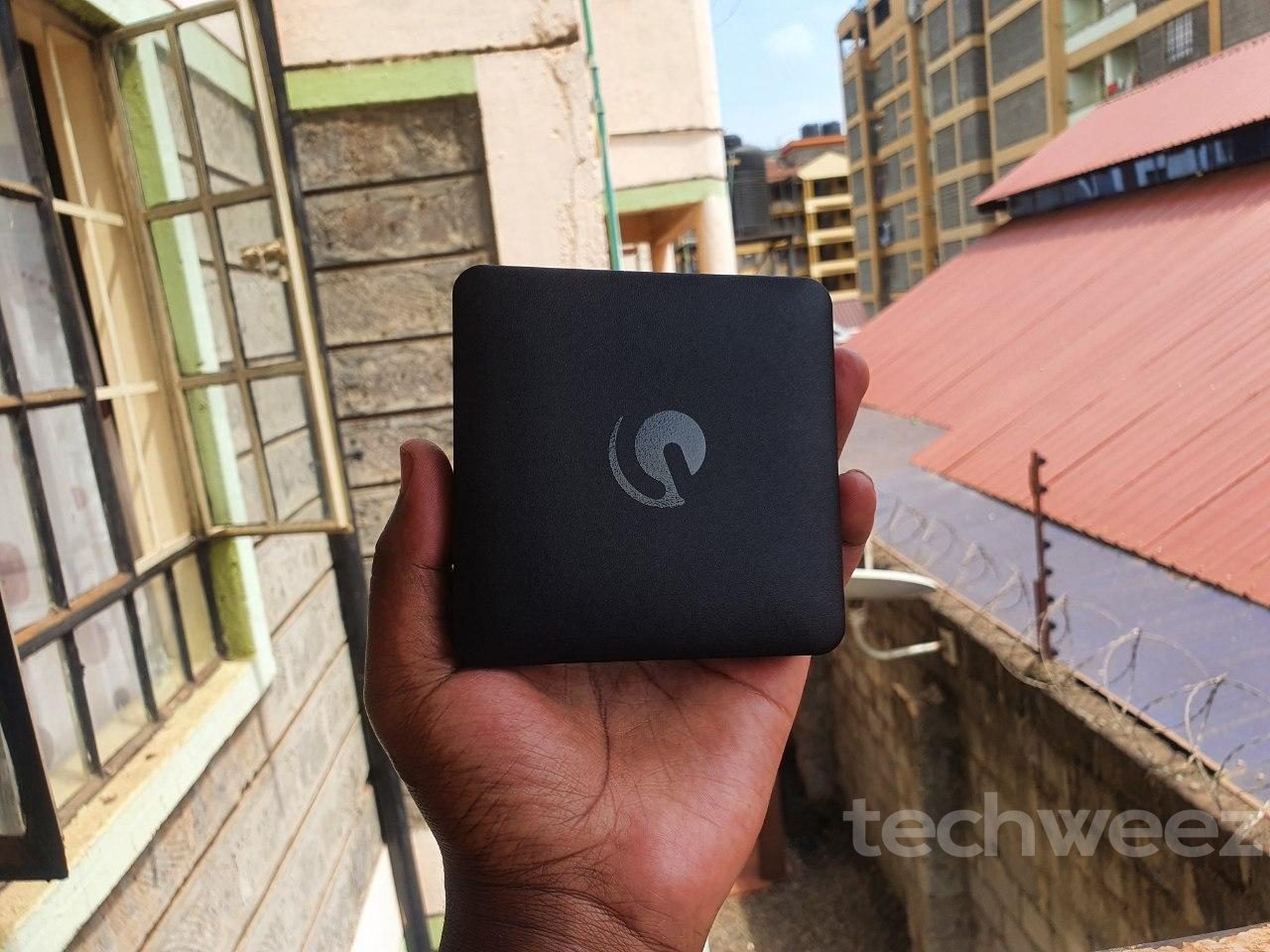
The Ematic TV Box is sizeable, slightly larger than the Mi Box 3/S. It is constructed from plastic. For the most, it is light and subtle enough for it to chill in your console without realizing it is there (it emits light from a single LED to notify you about its connection status – blue for ON, red for STANDBY).
There is nothing wrong with its hardware presentation at this point. However, I should point out that the Xiaomi Box is built better with tighter tolerances and it does all that while keeping a smaller footprint.
The remote is another peripheral that I think rivals do better. It feels cheap, and buttons are not as click-y like what I have been used to. You can hear them squeak especially when you navigating through something really fast. Not a big deal, but the issue is there nonetheless.
In terms of button placement, I am glad that there are a couple of hotkeys that you can take advantage of: YouTube, Netflix, and Google Play. We have seen this presentation before, where TV box manufacturers include hot buttons, probably after linking up with streaming service provides such as Netflix and Prime Video.
Software, Settings and Streaming Experience
The Ematic TV Box ships with Android 9 Pie. This a step under the latest Android TV 10, but it is not such a big deal for you to miss out on any features.
For context, the Big Box 2 is still running Nougat (version 7), and rivals such as the Mi Box 3 are stuck on Android 8 Oreo.
The interface is quite family. The home screen is filled with shortcuts, which you can add, remove, or reorder.
The shortcuts also give users content previews. This is something you can see with the likes of YouTube and film streaming apps.
On the whole, there is no new visual change with this setup. If you are familiar with Android TV, then you should be right at home with the software presentation.
There are a couple of things to note: the device can comfortably push 4K streams.
It also supports Dolby audio, so if you have a decent home theatre set, the audio from the streaming box should be up to modern standards.
Ematic says the device supports the latest HDR standards. There is no additional detail about supported standards, so I can only believe what they tell us. Also, my TV is not HDR-capable, so I cannot test this claim.
The software experience/performance is smooth, although not as fast as what you get with the likes of Tizen and webOS for Samsung and LG TVs, respectively. As shown in the linked spec sheet, you get a quad-core CPU and two-gigs of RAM that should be satisfactory for day to day operations.
Oh, it is also equipped with Chromecast. However, the majority of modern Android TV boxes have this feature, but we are glad it is here if you want to cast content to your TV.
Google Assistant

If you like talking to your device using Google Assistant, then you should know the Ematic TV streaming box does this well. I say well because the Mi Box 3 has Google Assistant, but it’s terrible.
You need to set it up first by bringing the remote 30 cm or less close to the box, and pressing the Vol Down button and the Enter key to enter into pairing mode. After it connects, you can then use the Assistant to give your TV voice commands.
I have come to use it frequently especially when searching for YouTube videos. The default keyboard app in the YouTube TV app is chaotic and slow – and this is something we hope Google will fix in the future.
So, does the Assistant work as advertised? Absolutely.
Apps
You should note that the device does not ship with any extra app or bloat. All you get are a couple of Google apps and nothing more. You can then download the apps you need from the Play Store.
If you have a challenge getting your best apps, worry not: just get the APKs from reputable sources such as APKMirror, load them to a flash drive, and install them using a file manager app such as Solid Explorer (which works well on Android TV).
Another way of getting your best apps is sharing the APKs to your Drive storage, and access them using a file manager app that allows the addition of cloud storage accounts. Again, Solid Explorer does this quite well.
Exit
Safaricom needed this box badly considering the Big Box 2 was getting out of date and is still overpriced. The Ematic Box fills that gap: it is cheaper, works well and the overall experience is actually pretty good. We just wish it got here earlier.
Of course, it is affiliated to Safaricom, so for the moment, you will only get it from Masoko.
There are many other boxes out there, including the Mi Box 3 and S by Xiaomi. They are priced slightly higher, are built better and have a much better remote. However, the Ematic Box makes a case for itself by being cheaper, ships with Android TV 9 (the Mi Box 3 is still running Oreo), and supports 4K streams with HDR if you have a qualifying TV. These are some compelling features that I am certain will appeal to many people.
Safaricom is fronting the product for customers who use its extensive fibre network. It makes sense because more and more people are getting to enjoy a smart TV experience.
Read: Kenyans Use Home Fibre and Zuku the Most As Mobile Data Subscriptions Drop
Finally, if you have any of modern smart TVs by LG or Safaricom, you are better off without an Android TV streaming box the OSes are much better and faster. However, there people like yours truly who love Android TV because we can do much more, like install apps that deal with annoying YouTube ads. If that is you, then the Ematic 4K Ultra HD Android TV Box is a good choice.