

• Latest
  • All
  • How To
Recover Inaccessible Files from Damaged CD/DVD

Recover Inaccessible Files from Damaged CD/DVD

June 4, 2014
East Africa’s Tech Budgets Are Quietly Funding the Taxman, Not the Digital Economy

East Africa’s Tech Budgets Are Quietly Funding the Taxman, Not the Digital Economy

June 23, 2026
WhatsApp

Will Cathcart Steps Down as WhatsApp Head After Seven Years

June 23, 2026
My OneApp

Safaricom Makes My OneApp Data-Free With Latest Update

June 22, 2026
Safaricom

Safaricom Nears 60 Million Subscribers as Kenya Hits 84.1 Million Mobile Lines

June 22, 2026
DHgate Tablet Cases deals
FIFA World Cup 2026

Trionda Ball and Referee Cams Deliver First Major Tech Moments at World Cup 2026

June 19, 2026
Couple Joy: A Long-Distance Dating App That Builds Intimacy in Small Daily Acts

Couple Joy: A Long-Distance Dating App That Builds Intimacy in Small Daily Acts

June 19, 2026
KRA Extends Working Hours for Tax Return Filing as Deadline Nears

KRA Extends Working Hours for Tax Return Filing as Deadline Nears

June 18, 2026
viewers Desert DSTV, GOtv, StarTimes as Kenyan Pay TV Market Loses 73.2% of Subscribers

Kenyans’ Exodus From DSTV Continues, as Pay TV Sector Loses Over 85K Subscribers

June 19, 2026
Anthropic Claude

Claude Users Face Service Disruptions as Anthropic Suspends Fable 5

June 18, 2026
How mobile money agents grew into kenya's financial spine but the bank doesnt die

M-Pesa, Airtel Money Hit Over 600K Mobile Money Agents in Kenya

June 18, 2026
Kenya Internet Bandwidth Jumps to 28,130 Gbps: SEACOM Leads with 53% Quarter Growth

SEACOM 53.3% Bandwidth Growth Pushes Kenya’s Total Internet Capacity to 28,130 Gbps

June 18, 2026
The AI Gold Rush Goes Public

The AI Gold Rush Goes Public

June 17, 2026
Techweez | Tech News, Reviews, Deals, Tips and How To
  • News
  • Entertainment
  • Reviews
  • Features
  • Editorial
No Result
View All Result
Techweez | Tech News, Reviews, Deals, Tips and How To
  • News
  • Entertainment
  • Reviews
  • Features
  • Editorial
No Result
View All Result
Techweez | Tech News, Reviews, Deals, Tips and How To
No Result
View All Result

Recover Inaccessible Files from Damaged CD/DVD

Alex Fintch by Alex Fintch
June 4, 2014
in Editorial
Reading Time: 4 mins read
259
0

Optical storage media, such as CD, DVD are frequently used for storing files permanently since they are portable and do not require much to spend on. These inexpensive digital media are fragile and often get scratched when used frequently or roughly. Your computer fails to read over scratched CDs and DVDs, and then you no longer be able to access your files. Well, you can still use such discs as coasters placed on your table. However, you certainly do not want them to be used that way. Keep a backup of the files written on such fragile media, as they cause data inaccessibility when used excessively.

Excessive Usage of CD DVD

Amongst a range of data storage devices available in the market, optical storage media like CD/DVD are most frequently used as a means of permanent storage. In other words, the files written on such a media are stored permanently; you cannot delete a file on a CD or DVD once written. Another point in favor of such media is that they are inexpensive as well as easily available. You can easily write around 4.5 GB of data on a single layer DVD with a CD/DVD writing tool. In fact, even Windows operating systems include CD burning wizard that enables you doing it very easily.

Nature of Scratches on CD DVD

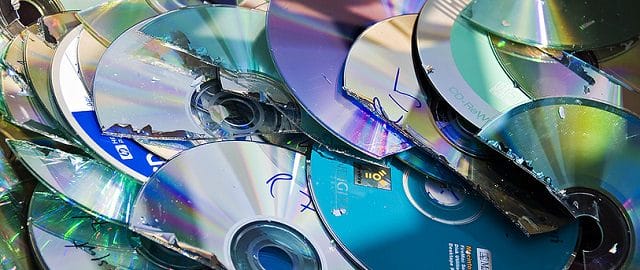
These optical data storage media often get scratch marks when used excessively. In fact, the scratches on a CD/DVD are not only due to their rough usage, but they are also due to its continuous motion over the read/write lens. And when it gets highly scratched, your computer fails to play it, and therefore you lose all the files.

.

If you have practical experience of playing scratched optical media, you must be familiar be the nature of scratches and you can easily predict that whether or not the CD or DVD will be played. Keeping this theory in view, we have analyzed that the perpendicular scratches do not cause as much trouble as the ones that are along the spiral. In case your media has more number of latter scratches, you may not be able to access data stored on it, as your PC is not going to play it.

PC Fails to Read Scratched CD DVD

You must have noticed a fact that your PC used to play scratched discs in the early age, but it fails to read them now. Have you ever wondered why it is so? Let me tell you why it did that earlier, but fails to do now. Your PC played all the scratched CDs or DVDs for you earlier since the lens inside the DVD-ROM reading/writing optical media was new, and it lost its ability to do the job with the time and extent of usage. The scenario also verifies that playing a scratched CD DVD is harmful for your computer as well as for the media.

Recover Data from Over-scratched CD DVD

When it comes to recover data from over-scratched CD DVD, I must say that it is not as easy as recovering lost or deleted files from a hard drive, SD card, or a flash memory device, as the computer must be able to read the media first. If it does that for you, go for CD DVD data recovery with Stellar Phoenix CD DVD Data recovery software. The software got the ability to recover inaccessible data from damaged CDs and DVDs. For detailed information on how this software does that for you, go through the below section.

CD Data Recovery

Recovery Using CD DVD Data Recovery Software

Stellar Phoenix CD DVD Data Recovery software is a proficient data recovery tool that enables recovering inaccessible files from damaged (i.e. highly scratched) or improperly burnt CDs and DVDs, keeping the contents of the files unaffected. The software scans the disc thoroughly, and then lists its contents in a tree structure as the result. You can see preview of these files with a single click. I recommend going through each folder on the disc carefully and seeing if its contents are accessible.  Now, select all the folders that contain data to be recovered, and then go for recovery.

For efficient CD DVD data recovery with Stellar Phoenix CD/DVD Data Recovery software, put the following steps into practice:

  1. Play the media (CD or DVD) on your PC and run Stellar Phoenix CD/DVD Data Recovery.home screen
  2. On the software interface, under Optical Media Recovery tab, select the disc played, and then click Continue button.
  1. The software will scan the disc thoroughly, and then list its contents as a tree in the left pane. Select a folder in the tree to reveal its contents in the bottom right pane.Preview of recoverable files
  1. Select a file in the list of contents shown in the bottom right pane to watch its preview.

You can save the scan information by clicking the Save Scan button. Besides, the mask button enables searching for a particular file.

  1. To save all folders, click Select All button, and then click Recover button to start recovery.
  2. For selected folders’ recovery, select the respective folders, and then click Recover button.
  3. Select a location to save the recovered files, and then click OK.

With the aforementioned steps, you are done recovering inaccessible files from damaged or improperly burnt CD/DVD.


SendShare153Tweet96
Alex Fintch

Alex Fintch

Related Posts

East Africa’s Tech Budgets Are Quietly Funding the Taxman, Not the Digital Economy

East Africa’s Tech Budgets Are Quietly Funding the Taxman, Not the Digital Economy

June 23, 2026
WhatsApp

Will Cathcart Steps Down as WhatsApp Head After Seven Years

June 23, 2026
My OneApp

Safaricom Makes My OneApp Data-Free With Latest Update

June 22, 2026
Safaricom

Safaricom Nears 60 Million Subscribers as Kenya Hits 84.1 Million Mobile Lines

June 22, 2026
FIFA World Cup 2026

Trionda Ball and Referee Cams Deliver First Major Tech Moments at World Cup 2026

June 19, 2026
Couple Joy: A Long-Distance Dating App That Builds Intimacy in Small Daily Acts

Couple Joy: A Long-Distance Dating App That Builds Intimacy in Small Daily Acts

June 19, 2026

Latest

East Africa’s Tech Budgets Are Quietly Funding the Taxman, Not the Digital Economy

East Africa’s Tech Budgets Are Quietly Funding the Taxman, Not the Digital Economy

June 23, 2026
WhatsApp

Will Cathcart Steps Down as WhatsApp Head After Seven Years

June 23, 2026
My OneApp

Safaricom Makes My OneApp Data-Free With Latest Update

June 22, 2026
Safaricom

Safaricom Nears 60 Million Subscribers as Kenya Hits 84.1 Million Mobile Lines

June 22, 2026
FIFA World Cup 2026

Trionda Ball and Referee Cams Deliver First Major Tech Moments at World Cup 2026

June 19, 2026
Couple Joy: A Long-Distance Dating App That Builds Intimacy in Small Daily Acts

Couple Joy: A Long-Distance Dating App That Builds Intimacy in Small Daily Acts

June 19, 2026

Best devices

Best Infinix Phones of 2025

Best Infinix Phones of 2025: Budget Prices With Premium Features

December 31, 2025

The Best Infinix Accessories Worth Buying in 2025

November 26, 2025

Best Budget Wireless Earbuds To Buy in Kenya (2025)

October 8, 2025

Samsung Galaxy A36 5G vs Samsung Galaxy A56 5G: Comparison Review

August 29, 2025

Infinix Hot 60 Pro+ vs Infinix Hot 60i: Comparison Review

August 22, 2025

Best Budget Smartwatches To Buy in Kenya 2025

February 13, 2025

Techweez is where tomorrow’s tech stories break today, thanks to intelligent analysis, real-world insight, and visionary storytelling.

Follow Us

Editorials

Couple Joy: A Long-Distance Dating App That Builds Intimacy in Small Daily Acts

Airbuds: The App That Turns Your Music Into a Social Feed

Kenya Might Need to Crack Down on Wealth Porn Like China

Techweez and Gearhaus Score BAKE Awards 2026 Nominations

Death by AI: Opportunities That Were Disrupted by Automation

CBK Approved 200+ Digital Lenders, But That’s Not the Real Story

More News

KRA Extends Working Hours for Tax Return Filing as Deadline Nears

Kenyans’ Exodus From DSTV Continues, as Pay TV Sector Loses Over 85K Subscribers

Claude Users Face Service Disruptions as Anthropic Suspends Fable 5

M-Pesa, Airtel Money Hit Over 600K Mobile Money Agents in Kenya

SEACOM 53.3% Bandwidth Growth Pushes Kenya’s Total Internet Capacity to 28,130 Gbps

The AI Gold Rush Goes Public

  • Terms Of Use
  • Techweez Brand
  • Privacy & Policy
  • Contact Us

© 2024 Techweez - Palahala Media Group may earn a commission when you buy through links on our sites.
A Palahala Media Group Brand. All rights reserved.
.

Welcome Back!

Login to your account below

Forgotten Password?

Retrieve your password

Please enter your username or email address to reset your password.

Log In

Add New Playlist

Techweez | Tech News, Reviews, Deals, Tips and How To
Crunchy Cookies 🍪 Ahead!

Hey there! Just a heads-up: we're big fans of cookies - both the digital and edible kind! 🍪 We use our cookies and some from third parties to ensure your browsing experience on our site is smooth sailing and secure.


But wait, there's more! We also use cookies to gather stats and insights on how you navigate our site. It's like getting a behind-the-scenes peek at your digital adventures!


Don't worry, you're in control. You can adjust your cookie settings anytime to suit your preferences. Feeling curious? Dive into our Privacy Policy for all the juicy details. Happy browsing! 🚀

Functional Always active
Listen, this legal stuff is about as exciting as watching paint dry. But it basically says we only use your stuff for what you asked us to do, and nobody else gets to peek!
Preferences
The technical storage or access is necessary for the legitimate purpose of storing preferences that are not requested by the subscriber or user.
Statistics
It's those sneaky cookie crumbs websites leave behind to count visitors, like counting ants at a picnic! Totally harmless, just for fun facts. The technical storage or access that is used exclusively for anonymous statistical purposes. Without a subpoena, voluntary compliance on the part of your Internet Service Provider, or additional records from a third party, information stored or retrieved for this purpose alone cannot usually be used to identify you.
Marketing
Hey there! Just letting you know we use some fancy gizmos to remember your preferences. This way, we can show you ads that are, well, not completely bananas.
Manage options Manage services Manage {vendor_count} vendors Read more about these purposes
Make cookies
{title} {title} {title}
Techweez | Tech News, Reviews, Deals, Tips and How To
Crunchy Cookies 🍪 Ahead!
To provide the best experiences, we use technologies like cookies to store and/or access device information. Consenting to these technologies will allow us to process data such as browsing behavior or unique IDs on this site. Not consenting or withdrawing consent, may adversely affect certain features and functions.
Functional Always active
Listen, this legal stuff is about as exciting as watching paint dry. But it basically says we only use your stuff for what you asked us to do, and nobody else gets to peek!
Preferences
The technical storage or access is necessary for the legitimate purpose of storing preferences that are not requested by the subscriber or user.
Statistics
It's those sneaky cookie crumbs websites leave behind to count visitors, like counting ants at a picnic! Totally harmless, just for fun facts. The technical storage or access that is used exclusively for anonymous statistical purposes. Without a subpoena, voluntary compliance on the part of your Internet Service Provider, or additional records from a third party, information stored or retrieved for this purpose alone cannot usually be used to identify you.
Marketing
Hey there! Just letting you know we use some fancy gizmos to remember your preferences. This way, we can show you ads that are, well, not completely bananas.
Manage options Manage services Manage {vendor_count} vendors Read more about these purposes
Make cookies
{title} {title} {title}
No Result
View All Result
  • News
  • Reviews
  • Features
  • Editorial
  • Automotive
  • Entertainment

© 2024 Techweez - Palahala Media Group may earn a commission when you buy through links on our sites.
A Palahala Media Group Brand. All rights reserved.
.





