





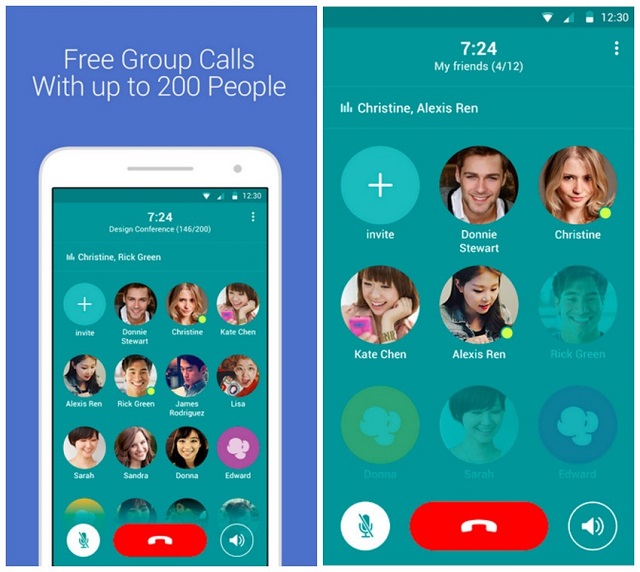
 Ever missed 200 of your friends and decided to call all of them? I haven’t and I am not sure I will but Japanese Messaging app Line has introduced an Android Application that lets you add upto 200 participants into a single telephone call. The application called Popcorn Buzz seeks to replace the paid version of conference calls. In a statement, Line Corp said the app offers a powerful group call functionality that accommodates both personal and business usage and is free for all. The application will run Android 4.0 or higher with the same app coming to iOS alongside a video chat feature.
200 people in a call is a difficult thing especially in holding meaningful conversations. Skype allows one to make a group call with up to 25 participants which still proves to be a difficult task. To make the call to 200 of your friends, create a group within the Application and give it a name. Add participants to the call by sending invitations either via Line, email or social networks. Each group will have a unique url that will allow for the sending via text, email or social network. Once all the participants join the group, press the dial button and the group call begins. To be able to identify who is talking, the application gives a green light on the profile picture of the user addressing the rest of you. i.e 199 other participants. The person who initiated the call has a yellow circle over their profile picture. Calls can only be made over WiFi, 3G, and 4G networks.
Line has over 65 applications under is belt totaling to 800 million downloads.








