

• Latest
  • All
  • How To
Bank to Mobile Money Charges Are Coming Back But At A Lower Rate

Six Essential Steps to Protect Your Safaricom Personal Data Online

February 1, 2023
Senate Bill Seeks to End IEBC Polling Station Livestreams for 2027 Elections

Senate Bill Seeks to End IEBC Polling Station Livestreams for 2027 Elections

July 29, 2026
Cars in port awaiting clearing

Court Gives Car Dealers 60 More Days Before NTSA Can Seize Unregistered Vehicles

July 29, 2026
Meta CEO Mark Zuckerberg

Meta Is Selling an Open AI Future. There’s Just One Problem

July 29, 2026
Moto Nzuri

Moto Nzuri, the New Bioethanol ATM Picking Up Where KOKO Left Off

July 29, 2026
DHgate Tablet Cases deals
Gmail Logo

How to Change Gmail’s Undo Send Window From 5 Seconds to 30 Seconds

July 29, 2026
Apple Upgrade

Apple Wants You to Stop Buying iPhones and Start Renting Them

July 28, 2026
Bingo E2

Bingo Unveils E2 Electric Vehicle With Swappable Batteries and 440 km Range

July 28, 2026
AI

Kenya AI Policy Draft Released for Public Consultation

July 28, 2026
X Money Launches in the US as X Takes First Step Toward an “Everything App”

X Money Launches in the US as X Takes First Step Toward an “Everything App”

July 28, 2026
Anne Kinuthia-Otieno

Anne Kinuthia-Otieno Steps Down as Airtel Money Kenya MD After 5 Years

July 28, 2026
CXMT

Chinese RAM Chip Giant CXMT Raises $8.5 Billion in Record IPO

July 27, 2026
Google Street View

How Kenya Became One of Africa’s Best-Mapped Countries on Google Street View

July 27, 2026
Techweez | Tech News, Reviews, Deals, Tips and How To
  • News
  • Entertainment
  • Reviews
  • Features
  • Editorial
No Result
View All Result
Techweez | Tech News, Reviews, Deals, Tips and How To
  • News
  • Entertainment
  • Reviews
  • Features
  • Editorial
No Result
View All Result
Techweez | Tech News, Reviews, Deals, Tips and How To
No Result
View All Result

Six Essential Steps to Protect Your Safaricom Personal Data Online

Kenn Abuya by Kenn Abuya
February 1, 2023
in Features
Reading Time: 5 mins read
269
0

Online fraud cases are on the rise in Kenya, taking many forms such as identity theft, SIM swaps, hacking, and data leaks. This can be attributed to the growth in internet penetration and advancements in technology. Social media users on platforms such as Facebook, Twitter, and Tiktok frequently hear about such cases quite a lot.

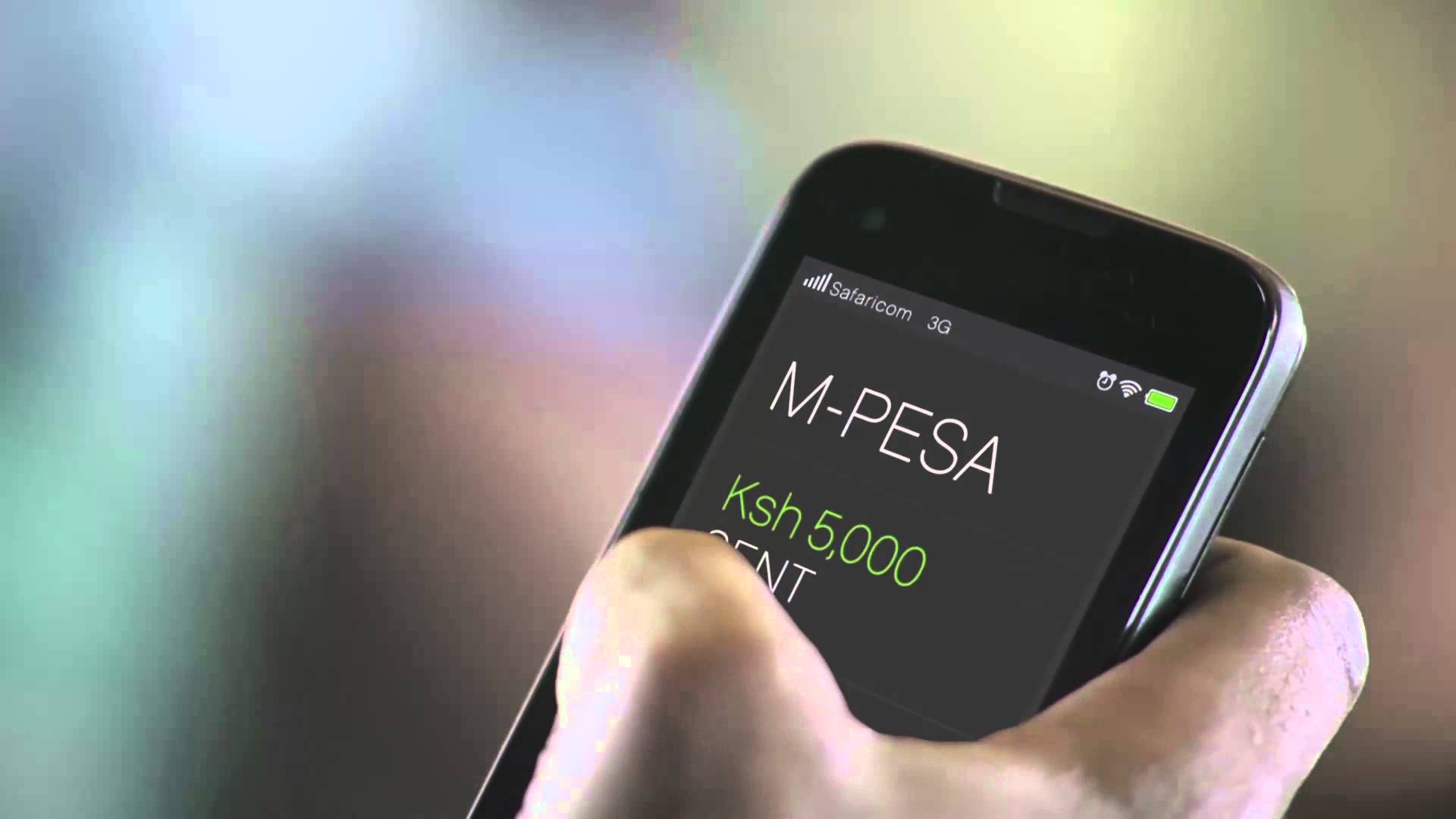
Kenya, being a leader in mobile technology, is also one of the most targeted countries in terms of mobile fraud, which also captures other areas such as mobile money/banking scams. This makes a lot of sense because the country is known for its strides in mobile money (M-PESA, Airtel Money, and many other bank-related wallets) that have made the entire industry very attractive to fraudsters.

Admittedly, thousands of people have lost money to these cons, either through no fault of their own, or by basic social engineering.

It has also been noted that some Kenyans do not take care of their online security, and inadvertently give intruders personal information, which they then use to complete their fraudulent tasks such as illegal SIM replacements and wiping mobile money wallets clean.

However, how can users protect themselves from these cases? There are six points that Safaricom customers, in this case, need to be aware of.

.
  1. Safaricom customers who use social media platforms for customer care purposes must be aware of the telco’s social media handles. These handles are verified on both Twitter and Facebook. It also means that you only need to engage verified handles, and any other account that does not have a blue checkmark is obviously trying to scam you. We say this because we have seen a ton of bots/fake social media handles that masquerade as being official Safaricom handles; they even go as far as sending direct messages to social media users asking for personal details such as their phone numbers for additional assistance. Beware, because they clearly have ulterior motives. You can also report them so social media platforms can deactivate them – although they have a tendency of coming up every other day. Luckily, and in recent months, Safaricom bots on Twitter have substantially disappeared, which is a good thing because they often target customers on a daily basis.
  2. Safaricom will only call you on 0722000000. Any other number is not owned by Safaricom customer care agents and is likely attempting to scam you. Just take extra care and verify which number is calling you.
  3. In a case where a fraudster has attempted to reach out to you via a text or call, make sure you do not dial any numbers or combination of numbers and special characters as this could see you lose money in your M-PESA wallet.
  4. After doing that, make sure you report the fraudulent number by forwarding it to 333. Safaricom will investigate its authenticity and ban it from its network.
  5. Make sure that you can only replace your SIM card at a Safaricom Care Shop, and not at M-PESA agents. The shops have an added layer of security that you cannot find at an M-PESA outlet. This, however, can be a challenge in case a Shop is far away from your home, and you likely need to replace a lost SIM card in a timely manner – but the added friction is actually the entire point because it makes it impossible for a wrong party to do a replacement without your knowledge. To set this feature up, dial *100#100#.
  6. Last year, the Communications Authority of Kenya compelled telcos to ensure that their customers’ information was properly documented. To this end, carriers encouraged their customers to do so, and this exercise was completed towards the end of 2022. At the same time, carriers such as Safaricom allowed customers to check which numbers had been registered with their IDs, and those that did not match their records could be reported. You can still do this to date by dialing *106#. From the menu, you can see numbers registered using your credentials, and those that do not match can be reported. Once investigated, Safaricom will then deactivate them. Why is this important? Well, because SIM card registration exercises were so lax before, and any diligent fraudster could use fake/stolen documents to register a SIM card for crime purposes. If that happens, then the police can trace the number to you, even if you have nothing to do with a reported crime.

According to Mutua Mutuku, an advocate and data compliance specialist, Kenyans need to be aware of how to protect themselves using several measures.

“Making strong passwords: create unique passwords rather than the cliché birthdays, your mother’s middle name, your best friend’s name, where you went to high school, and so on. These passwords should be a mix of lower and upper case letters, numbers, and symbols. In the connected world we are in, one should avoid oversharing by being cautious when publicizing your location, place of residence or job, birthday, or other sensitive information on social media. Hackers or fraudsters can use this information for social engineering purposes and gain access to your personal accounts,” says Mutua Mutuku.

Kenyans also need to remember that they can breach their own right to privacy through:

  1. Sharing of personal information online like your contact details, identification, etc.
  2. Use of devices that access online networks, such as phones, TVs, wearable devices, and computers.
  3. Registering your personal details in meetings or when getting into buildings or estates.
  4.  Loyalty cards at various places, such as supermarkets, airlines, hotels, and other hospitality areas.
  5. Information shared with the state such as passports, identity cards, birth certificates, and academic information.
  6. Being captured by closed-circuit television (CCTV).

Overall, Safaricom customers should be aware of the official social media handles and only engage with verified accounts. Scammers often create fake social media handles and ask for personal information. Also, customers should report fraudulent numbers by forwarding them to 333. SIM card replacement should only be done at a Safaricom Care Shop for added security. The CA further asked telcos were required to properly document customer information and that customers can check which numbers are registered with their ID by dialing *106#. Finally, report numbers that do not match your records to avoid being linked to a crime you didn’t commit.


Tags: Safaricom
SendShare151Tweet95
Kenn Abuya

Kenn Abuya

Kenn Abuya is a friend of technology, with bias in enterprise and mobile tech. Share your thoughts, tips and hate mail at [email protected]

Related Posts

X Money Launches in the US as X Takes First Step Toward an “Everything App”

X Money Launches in the US as X Takes First Step Toward an “Everything App”

July 28, 2026
Hustler Fund on MPESA app

How to Pay Hustler Fund Loan Using Bonga Points

July 23, 2026
PesaLink

Kenyan Banks Cut PesaLink Transfer Fees to Challenge M-Pesa Dominance

July 21, 2026
Esther Waititu

Esther Waititu to Exit Safaricom as Chief Financial Services Officer in July

July 21, 2026
Safaricom Home Fiber

Safaricom Lands Affordable Housing Internet Deal Across Kenya

July 18, 2026
Airtel Africa

Airtel Loses Tariff Fight as CAK Clears Safaricom’s 10-Cent Pricing War

July 17, 2026

Latest

Senate Bill Seeks to End IEBC Polling Station Livestreams for 2027 Elections

Senate Bill Seeks to End IEBC Polling Station Livestreams for 2027 Elections

July 29, 2026
Cars in port awaiting clearing

Court Gives Car Dealers 60 More Days Before NTSA Can Seize Unregistered Vehicles

July 29, 2026
Meta CEO Mark Zuckerberg

Meta Is Selling an Open AI Future. There’s Just One Problem

July 29, 2026
Moto Nzuri

Moto Nzuri, the New Bioethanol ATM Picking Up Where KOKO Left Off

July 29, 2026
Gmail Logo

How to Change Gmail’s Undo Send Window From 5 Seconds to 30 Seconds

July 29, 2026
Apple Upgrade

Apple Wants You to Stop Buying iPhones and Start Renting Them

July 28, 2026

Best devices

Best Infinix Phones of 2025

Best Infinix Phones of 2025: Budget Prices With Premium Features

December 31, 2025

The Best Infinix Accessories Worth Buying in 2025

November 26, 2025

Best Budget Wireless Earbuds To Buy in Kenya (2025)

October 8, 2025

Samsung Galaxy A36 5G vs Samsung Galaxy A56 5G: Comparison Review

August 29, 2025

Infinix Hot 60 Pro+ vs Infinix Hot 60i: Comparison Review

August 22, 2025

Best Budget Smartwatches To Buy in Kenya 2025

February 13, 2025

Techweez is where tomorrow’s tech stories break today, thanks to intelligent analysis, real-world insight, and visionary storytelling.

Follow Us

Editorials

Forest: The App That Kills a Tree Every Time You Check Your Phone

Unsolved Hidden Mystery Games Is Worth Playing If You Can Handle the Wait

Period Tracker: An App That Prioritizes Simplicity and Privacy

Inside Bumble, the Dating App Where Women Call the Shots

Locket: Photo Sharing App With No Feed, No Likes, and No Algorithms

Couple Joy: A Long-Distance Dating App That Builds Intimacy in Small Daily Acts

More News

Bingo Unveils E2 Electric Vehicle With Swappable Batteries and 440 km Range

Kenya AI Policy Draft Released for Public Consultation

X Money Launches in the US as X Takes First Step Toward an “Everything App”

Anne Kinuthia-Otieno Steps Down as Airtel Money Kenya MD After 5 Years

Chinese RAM Chip Giant CXMT Raises $8.5 Billion in Record IPO

How Kenya Became One of Africa’s Best-Mapped Countries on Google Street View

  • Terms Of Use
  • Techweez Brand
  • Privacy & Policy
  • Contact Us

© 2024 Techweez - Palahala Media Group may earn a commission when you buy through links on our sites.
A Palahala Media Group Brand. All rights reserved.
.

Welcome Back!

Login to your account below

Forgotten Password?

Retrieve your password

Please enter your username or email address to reset your password.

Log In

Add New Playlist

Techweez | Tech News, Reviews, Deals, Tips and How To
Crunchy Cookies 🍪 Ahead!

Hey there! Just a heads-up: we're big fans of cookies - both the digital and edible kind! 🍪 We use our cookies and some from third parties to ensure your browsing experience on our site is smooth sailing and secure.


But wait, there's more! We also use cookies to gather stats and insights on how you navigate our site. It's like getting a behind-the-scenes peek at your digital adventures!


Don't worry, you're in control. You can adjust your cookie settings anytime to suit your preferences. Feeling curious? Dive into our Privacy Policy for all the juicy details. Happy browsing! 🚀

Functional Always active
Listen, this legal stuff is about as exciting as watching paint dry. But it basically says we only use your stuff for what you asked us to do, and nobody else gets to peek!
Preferences
The technical storage or access is necessary for the legitimate purpose of storing preferences that are not requested by the subscriber or user.
Statistics
It's those sneaky cookie crumbs websites leave behind to count visitors, like counting ants at a picnic! Totally harmless, just for fun facts. The technical storage or access that is used exclusively for anonymous statistical purposes. Without a subpoena, voluntary compliance on the part of your Internet Service Provider, or additional records from a third party, information stored or retrieved for this purpose alone cannot usually be used to identify you.
Marketing
Hey there! Just letting you know we use some fancy gizmos to remember your preferences. This way, we can show you ads that are, well, not completely bananas.
Manage options Manage services Manage {vendor_count} vendors Read more about these purposes
Make cookies
{title} {title} {title}
Techweez | Tech News, Reviews, Deals, Tips and How To
Crunchy Cookies 🍪 Ahead!
To provide the best experiences, we use technologies like cookies to store and/or access device information. Consenting to these technologies will allow us to process data such as browsing behavior or unique IDs on this site. Not consenting or withdrawing consent, may adversely affect certain features and functions.
Functional Always active
Listen, this legal stuff is about as exciting as watching paint dry. But it basically says we only use your stuff for what you asked us to do, and nobody else gets to peek!
Preferences
The technical storage or access is necessary for the legitimate purpose of storing preferences that are not requested by the subscriber or user.
Statistics
It's those sneaky cookie crumbs websites leave behind to count visitors, like counting ants at a picnic! Totally harmless, just for fun facts. The technical storage or access that is used exclusively for anonymous statistical purposes. Without a subpoena, voluntary compliance on the part of your Internet Service Provider, or additional records from a third party, information stored or retrieved for this purpose alone cannot usually be used to identify you.
Marketing
Hey there! Just letting you know we use some fancy gizmos to remember your preferences. This way, we can show you ads that are, well, not completely bananas.
Manage options Manage services Manage {vendor_count} vendors Read more about these purposes
Make cookies
{title} {title} {title}
No Result
View All Result
  • News
  • Reviews
  • Features
  • Editorial
  • Automotive
  • Entertainment

© 2024 Techweez - Palahala Media Group may earn a commission when you buy through links on our sites.
A Palahala Media Group Brand. All rights reserved.
.