




Walk into any IT department on a Tuesday afternoon and you’ll witness the same scene: project managers juggling spreadsheets, team leads playing resource Tetris with calendars, and someone inevitably double-booked across three critical projects. Sound familiar?
Here’s the reality. Your brilliant developers and technical talent shouldn’t spend 40% of their time figuring out who’s available for what project. Yet that’s exactly what happens when you’re relying on outdated resource management software approaches. The right tools don’t just track people and projects. They transform how your entire organization plans, executes, and delivers.
Let’s explore seven IT resource management solutions that actually solve these problems instead of creating new ones.
What Makes IT Resource Management Different
Before diving into specific tools, let’s address why IT resource management demands specialized attention. Your technical teams aren’t interchangeable units. They’re specialists with distinct skill sets, varying project commitments, and complex dependencies that standard project management tools barely scratch the surface of handling.
Research from the Project Management Institute reveals that organizations understanding project management value see significantly higher success rates in project delivery. The gap between knowing and implementing remains substantial though.
The 7 Best IT Resource Management Tools Worth Your Investment
1. eResource Scheduler- Enterprise Resource Management Software
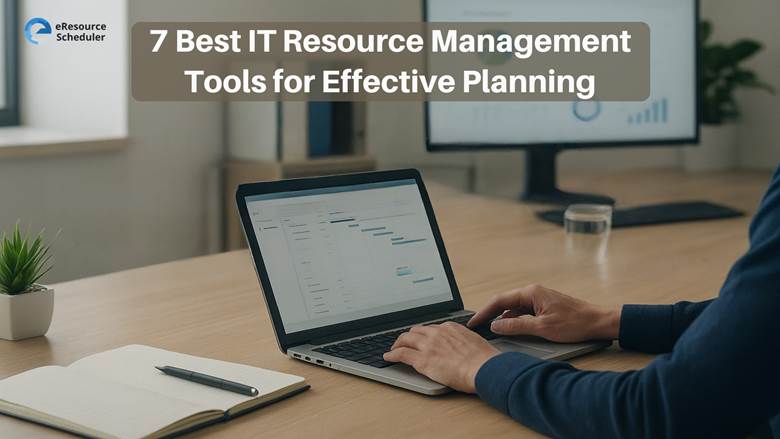
When you need comprehensive visibility across your entire resource ecosystem without the enterprise software headaches, eResource Scheduler delivers exactly that. eResource Scheduler gives you Gantt-style views showing real-time availability, workloads, financials, and time-offs in one intelligent interface.
What sets eResource Scheduler apart? It doesn’t force you into rigid workflows. Instead, it adapts to how your IT teams actually work. Drag-and-drop scheduling, cloning for repetitive tasks, bulk edits when projects shift, and recurring bookings all happen in seconds rather than hours.
Your A-players get matched to the right projects through skill filters and real-time visibility. No more overlaps, no more last-minute scrambling, no more wasted talent sitting idle while critical projects stall. The built-in timesheet functionality tracks actual work against planned effort, which means your estimates improve over time and billing becomes accurate instead of approximate.
Key Features
- Visual Resource Planning – Gantt-style interface displays real-time availability, workloads, skills, and time-offs across your entire resource pool, making planning intuitive rather than complicated
- Lightning-Fast Scheduling – Drag-and-drop functionality combined with cloning, bulk edits, and recurring bookings eliminates manual scheduling chaos and speeds up resource allocation dramatically
- Precision Time Tracking – Built-in timesheets compare planned versus actual effort, ensuring billing accuracy while helping you refine future project estimates with concrete historical data
- Strategic Analytics Dashboard – Real-time insights into resource utilization, capacity forecasting, and performance metrics enable proactive decision-making instead of reactive firefighting
What You’ll Miss Without eResource Scheduler
- Breaking free from the 80/20 rule where only a few team members carry the workload while others remain underutilized across projects
- Sharing resources seamlessly with the help of an employee scheduling app across departments without conflicts, overlaps, or the confusion that typically accompanies cross-functional project work
- Starting every project with the right team size and skill mix based on actual availability rather than hopeful assumptions
- Customizing the platform to match your unique organizational structure, roles, and access levels without needing developer resources
2. Smartsheet
Smartsheet feels like a spreadsheet but functions as a comprehensive project and resource management platform rolled into one. The familiar grid interface reduces the learning curve for teams comfortable with Excel, while delivering far more sophisticated planning capabilities underneath. Whether you follow Agile sprints, Waterfall phases, or hybrid approaches, the platform bends to match your methodology instead of forcing you into rigid workflows.
Key Features
- Flexible Interface Options – Spreadsheet-like grid view provides familiar navigation while also offering Gantt, calendar, and card views to match different planning preferences
- Advanced Workflow Automation – Build complex approval chains and conditional logic for resource requests without requiring developer resources or custom coding
- Real-Time Collaboration – Multiple team members can update resource assignments simultaneously with changes reflecting instantly across all views and connected dashboards
- Extensive Integration Library – Connects with major platforms including Jira, Salesforce, Microsoft Teams, and Slack to centralize resource data from disparate systems
Limitations to Consider
- Steep Learning Curve – While the grid interface looks familiar, unlocking advanced features and automation requires significant time investment and sometimes formal training
- Performance Issues at Scale – Teams managing large resource pools or complex project portfolios report noticeable lag when working with extensive datasets
- Limited Accessibility Features – Users with disabilities may find the platform lacks comprehensive accessibility options compared to more modern alternatives
- Spreadsheet Mindset Required – Teams expecting traditional resource management interfaces may find the spreadsheet-centric approach counterintuitive at first
3. Resource Guru
Resource Guru delivers straightforward resource planning without overwhelming teams with unnecessary complexity. The timeline view groups and sorts by person automatically, giving you instant visibility into everyone’s workload. Saved filters let you return to specific views in one click, which speeds up routine planning considerably.
Key Features
- Simplified Scheduling Interface – Clean timeline view automatically groups resources by person, providing clear workload visibility without information overload or configuration complexity
- Non-Human Resource Management – Book and track equipment, meeting rooms, vehicles, and tools alongside team members using the same intuitive scheduling interface
- Customizable Availability Settings – Manage exceptions for overtime, asymmetric work weeks, and unplanned absences with granular day-level availability controls
- Affordable Entry Pricing – Cost-effective plans for small teams with basic resource scheduling needs make it accessible for startups and growing organizations
Limitations to Consider
- Restricted Project Features – Projects can’t be broken into tasks, milestones, or phases, limiting visibility for complex initiatives requiring detailed planning and tracking
- Basic Reporting on Lower Tiers – Entry-level plans lack reporting capabilities entirely, with downloadable reports only available on mid-tier subscriptions and in-app insights on premium plans
- No Time-Off Requests – Users can add absences but there’s no built-in workflow for requesting and approving time off, requiring manual coordination outside the platform
- Manual Holiday Setup – Unlike competitors that automatically import country-specific holidays, Resource Guru requires manual entry of company holidays and observances
4. Forecast
Forecast combines artificial intelligence with resource management to predict capacity needs before they become problems. The platform uses historical project data to improve accuracy over time, making estimates progressively better as your team completes more work.
The real-time insights dashboard provides continuous visibility into resource usage, project progress, and budget consumption. Teams can adjust plans dynamically based on actual performance rather than waiting for end-of-week reports.
Key Features
- AI-Powered Forecasting – Machine learning algorithms analyze historical data to predict project timelines and resource requirements with improving accuracy over time
- Real-Time Project Insights – Live dashboards show current resource allocation, budget consumption, and project health metrics for immediate decision-making
- Automated Time Tracking – Captures work hours automatically through integrations, reducing administrative burden while ensuring accurate billing and utilization data
- Resource Utilization Reports – Detailed analytics reveal which team members are overbooked or underutilized, enabling proactive workload rebalancing
Limitations to Consider
- Limited Pre-Built Integrations – Compared to more established platforms, the integration library covers fewer tools, potentially requiring manual data transfers
- Pricing Concerns – Some users report that pricing changes and plan restructuring have made the platform less affordable over time
- Ongoing Bug Issues – User feedback indicates persistent technical issues that can disrupt workflows and reduce confidence in the platform
- Learning Curve for AI Features – Maximizing the machine learning capabilities requires understanding how to train the system and interpret its predictions effectively
5. Toggl Plan
Toggl Plan delivers visual resource management through an interface that prioritizes simplicity over feature bloat. The timeline view stands out as particularly well-executed, offering drag-and-drop functionality that makes schedule adjustments feel natural.
Colour-coded tasks combined with team timelines and overview panels create clear visibility into everyone’s schedule and capacity.
Key Features
- Interactive Timeline View – Drag-and-drop interface with color-coding provides intuitive visual planning that makes team schedules and task distribution immediately clear
- Workload Distribution Tools – Easily identify capacity issues and rebalance assignments to prevent burnout and ensure even workload distribution across team members
- Collaborative Planning – Team members can view their assignments and update availability, creating transparency and reducing scheduling conflicts through shared visibility
- Simple User Experience – Minimal learning curve means teams can start planning effectively within minutes rather than requiring extensive training or onboarding
Limitations to Consider
- No Task Dependencies – Lacks relationships between tasks, which creates challenges for teams relying on sequential workflows where one task must complete before another begins
- Limited Advanced Features – Focuses on visual planning basics rather than comprehensive resource analytics, forecasting, or financial tracking capabilities
- Scaling Challenges – May become unwieldy for larger organizations managing complex project portfolios with extensive resource requirements and cross-functional dependencies
- Integration Ecosystem – While covering major tools, the integration library is smaller compared to more established platforms with broader third-party connections
6. Hive
Hive positions itself as the centralized hub for managing projects, tasks, and resources simultaneously. The platform appeals to teams seeking an all-in-one solution rather than cobbling together multiple specialized tools.
Key Features
- Unified Resource View – Single interface displays team allocation, availability, and task assignments, eliminating the need to switch between multiple systems for resource information
- Utilization Analytics – Detailed reports analyze how teams spend time, identifying productivity patterns and opportunities for workflow optimization and efficiency gains
- Flexible Workflow Customization – Adapt project and resource management processes to match your team’s unique needs rather than forcing teams into rigid predefined workflows
- Integrated Time Tracking – Built-in time capture ensures accurate project costing, billing, and future planning based on actual effort rather than estimates alone
Limitations to Consider
- Feature Overload – The comprehensive feature set can overwhelm new users, requiring significant time investment to understand and configure the platform effectively
- Performance with Large Datasets – Teams managing extensive projects or large resource pools may experience slower load times during peak usage periods
- Customization Complexity – While flexibility is valuable, achieving the ideal configuration often requires trial and error plus ongoing maintenance as needs evolve
- Pricing for Full Functionality – Advanced features including resource management capabilities are typically reserved for higher-tier plans, increasing costs for smaller teams
7. Productive.io
Productive.io merges sales, resource planning, and finances into one business management platform designed specifically for agencies. The scheduling feature provides that critical bird’s-eye view of all tasks and team assignments.
Key Features
- All-in-One Business Management – Combines sales pipeline, resource scheduling, and financial tracking in a single platform, eliminating data silos between departments
- Comprehensive Task Visibility – Scheduling view displays all assignments and team allocations at once, making workload distribution and capacity planning straightforward
- Real-Time Profitability Tracking – Monitor project margins and financial health continuously rather than waiting for end-of-month reports to reveal budget issues
- Client Management Integration – Connect sales opportunities directly to resource planning and project execution for seamless transitions from proposal to delivery
Limitations to Consider
- Agency-Specific Focus – Platform design prioritizes agency workflows, which may not align perfectly with internal IT departments or product development teams
- Steeper Learning Curve – Integrating multiple business functions into one platform creates complexity that requires dedicated onboarding time and ongoing training
- Price Point – Comprehensive functionality comes with higher subscription costs that may be prohibitive for smaller teams or organizations with limited budgets
- Feature Redundancy – Teams already using specialized tools for sales or finance may find overlap creates unnecessary duplication rather than streamlined efficiency
Choosing the Right Tool for Your IT Team
The best resource management software isn’t the one with the longest feature list. It’s the one your team will actually use consistently because it solves your specific pain points without creating new headaches.
Start by identifying your primary challenge. Are projects constantly understaffed? Do you struggle with visibility across departments? Is billing accuracy costing you revenue? Different tools excel at different problems.
Questions to Ask Before Committing
How complex are your project structures? If you’re managing straightforward client work with clear boundaries, simpler tools like Resource Guru or Toggl Plan might suffice. For intricate IT implementations with dependencies, phases, and multiple stakeholders, you’ll want something more robust.
What’s your team’s technical comfort level? Some platforms require significant training investment before delivering value. Others, like eResource Scheduler, prioritize intuitive interfaces that teams can master quickly without extensive documentation or support tickets.
Making Resource Management Work Long-Term
Implementing new software is the easy part. Actually transforming how your team plans and allocates resources requires cultural shifts alongside technical ones.
Evaluate based on your actual pain points rather than feature checklists.
Whatever you choose, make the decision soon. Every day you spend wrestling with inadequate resource planning is a day your team could have spent delivering actual value. The cost of delay compounds faster than you realize.
FAQs
1. What is IT resource management software?
A tool that helps plan, allocate, and track your technical team’s workload, skills, and availability for efficient project delivery.
2. How does eResource Scheduler differ from other tools?
It combines real-time visibility, skill-based allocation, and intuitive scheduling without forcing rigid workflows, reducing idle time and project delays.
3. Can small IT teams benefit from these platforms?
Yes. Tools like Resource Guru and Toggl Plan offer affordable, easy-to-use options for smaller teams, while scalable solutions serve larger, complex organizations.
4. Do these tools integrate with existing systems?
Most platforms, including Smartsheet and Forecast, connect with Jira, Slack, Teams, and other tools to centralize project and resource data.
5. What’s the fastest way to see results?
Start with your biggest pain points—visibility, allocation, or billing—and pick a tool your team can adopt quickly. eResource Scheduler offers a 14-day free trial to test impact immediately.