




Shop around for a proxy and you hit the same wall on every provider’s website. There are three or four products with similar names, the prices are miles apart, and nobody stops to tell you why one gigabyte costs several times more than another.
The good news is that the whole thing rests on one simple idea. Once you get it, the price list starts to make sense and you can work out which type you need without a sales call.
First, what a proxy does
A proxy is a middleman. Your request goes to the proxy, the proxy passes it to the website, and the website replies to the proxy. The site never sees your own IP address. It sees the proxy’s.
Every proxy type does this. What separates residential, mobile and data-center proxies is where that borrowed address comes from.
It matters because an IP address is not anonymous in the way people assume. Each one belongs to a network with a registered owner, and a website can look that owner up in a few milliseconds. The answer tells it whether the visitor is sitting on a hosting company’s network, a home broadband line or a mobile carrier. Many sites treat those three very differently.
Data center proxies: fast, cheap and easy to spot
A datacenter proxy uses an address owned by a hosting or cloud company. Picture a server in a rack, not a laptop on a kitchen table.
That brings two real advantages. Server connections are quick and stable, and the addresses are plentiful, so this is the cheapest type per gigabyte.
The catch is obvious once you think about it. Ordinary people do not browse the web from server racks. Online shops, social networks and search engines know this, so they are quick to throw a CAPTCHA at datacenter traffic or block it outright. The addresses also tend to sit in neighbouring ranges, which means one ban can wipe out a whole batch at once.
Use them when the site you are working with does not care who is asking, and speed or cost matters most.
Residential proxies: the address of a real home
A residential proxy uses an address that an internet provider has assigned to a household. It is the same kind of address your own router gets from your home fibre connection.
To a website, a request from one of these looks like a normal person at home. That is the whole point. Residential proxies are usually sold as a large rotating pool, so each request can leave from a different home address, or you can hold on to one address for a while. Providers call that second option a sticky session.
The other big draw is location. Because the addresses belong to real homes in real places, you can often pick a country, a region or even a city. That is how a business checks what a product costs for a shopper in Nairobi versus one in London, or what a search results page looks like from another town.
You pay for all this. Residential bandwidth costs more per gigabyte than datacenter bandwidth, and the speed depends on the home connection behind each address.
Use them when you need to look like an everyday visitor: price checks, search ranking checks, ad verification and collecting public data from sites that turn datacenter traffic away.
Mobile proxies: the hardest ones to block
A mobile proxy uses an address from a mobile carrier’s 3G, 4G or 5G network. Think of the address your phone has when you switch off Wi-Fi and use your Safaricom or Airtel data bundle.
Here is the detail that makes them special. Carriers do not have enough addresses to give every phone its own, so they put many subscribers behind a single public address at the same time. Engineers call this carrier-grade NAT.
For a website, that creates a headache. Block one mobile address and you may lock out a crowd of genuine customers who happen to share it. So most sites go easy on mobile traffic, and that leniency is exactly what you are paying for.
And you do pay. Mobile is normally the most expensive type per gigabyte, and speed moves up and down with the network.
Use them when you are testing a mobile app, checking how ads appear to phone users, working with social platforms, or dealing with the few sites that refuse everything else.
The three types side by side
| Datacenter | Residential | Mobile | |
|---|---|---|---|
| Who owns the IP | Hosting or cloud company | Home internet provider | Mobile carrier |
| How strict sites react | Often blocked or challenged | Treated like a home visitor | Treated most leniently |
| Speed | Fastest | Good, varies by connection | Varies with the network |
| Price per GB | Lowest | Middle | Highest |
| Good first use | Bulk jobs on relaxed sites | Prices, SEO, ads, public data | Apps, social, stubborn sites |
If you want the longer version, ProxyEmpire has a detailed guide to the differences between residential, mobile and datacenter proxies, with a task-by-task table showing which type to try first for each job.
How to pick one without overthinking it
Three questions will get you most of the way.
Does the site care who is visiting? Plenty of sites do not. If a cheap datacenter address gets you the page every time, there is no reason to pay more. If you start seeing CAPTCHAs, empty pages or error codes, move up to residential.
Do you need to be in a specific place? If “somewhere in the right country” is enough, any type can work. If you need a particular city, or want to see what subscribers on one mobile network see, you are looking at residential or mobile.
How much data will you actually use? Most proxies are billed by the gigabyte, so the size of each request matters as much as the headline price. A script that fetches only the page’s HTML uses a fraction of the data a full browser burns loading every image and video. Load a few of your target pages, note the average size, and multiply by the number of requests you plan to make in a day. That number tells you more about your real bill than any pricing page.
One more thing. You do not have to marry a single type. A lot of teams send the easy requests through datacenter proxies, switch to residential when a site pushes back, and keep mobile for the handful of targets that block everything else.
A few common mix-ups
“A proxy is just a VPN.” Not quite. A VPN app usually wraps all the traffic from your device in an encrypted tunnel to one server. A proxy is normally set up for a specific app, browser or script, and commercial proxy services are built around large pools of addresses you can switch between.
“Residential proxies cannot be detected.” The address will look like a home, yes. But sites also watch how fast requests arrive, what your browser says about itself and whether the behaviour looks human. Send a thousand identical requests a second and no address will save you.
“The most expensive type is the best.” Mobile is the hardest to block, not the best at everything. Paying mobile rates to download pages that a datacenter address would have fetched without complaint is money down the drain.
Keep it clean
Whichever type you choose, use it for lawful work and stay within the terms of the sites you visit. Proxies are everyday tools for price research, SEO, ad checks and testing. They are not a license to do things you would not do from your own connection.
The short version
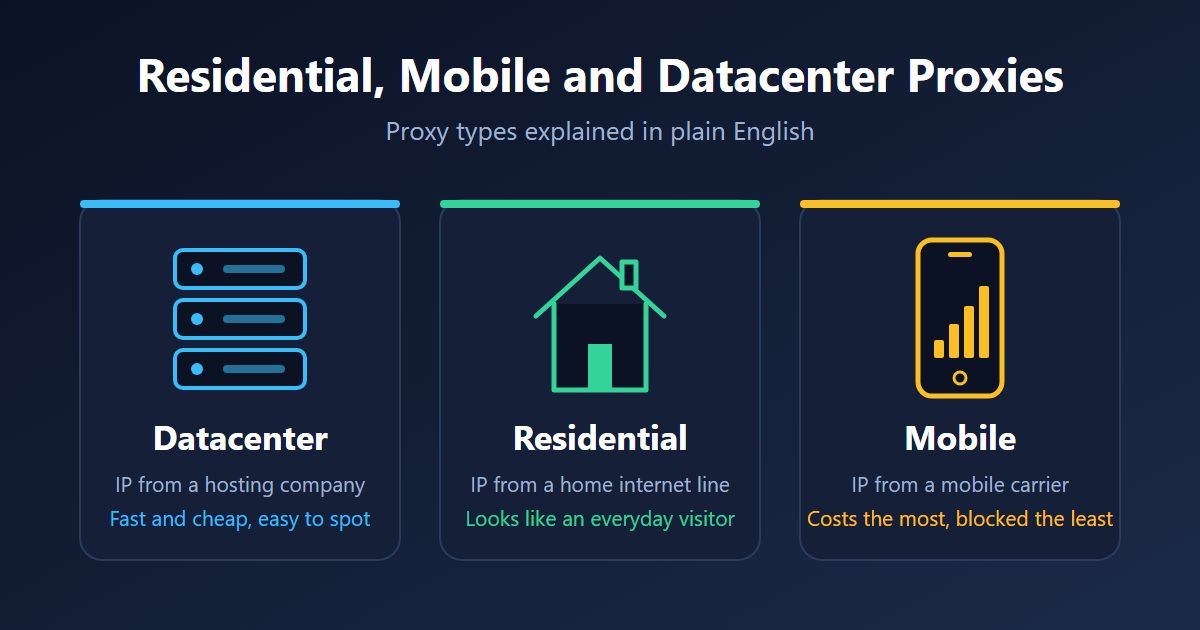
Datacenter proxies borrow an address from a server farm: fast and cheap, but easy for websites to recognize. Residential proxies borrow one from a real home, which makes them the sensible default for most projects. Mobile proxies borrow one from a phone network, cost the most, and get blocked the least.
Start with the cheapest type that gets the job done, test it on the real pages you care about, and only move up when the results tell you to.