

• Latest
  • All
  • How To
google verify account

FRP Bypass on Android: From Preparation to Final Unlock

April 15, 2025
China Kills Meta’s $2 Billion Manus Deal: How The Deal Unravelled

China Kills Meta’s $2 Billion Manus Deal: How The Deal Unravelled

June 15, 2026
UK Bans Social Media For Under-16s, Joining a Growing Global Push

UK Bans Social Media For Under-16s, Joining a Growing Global Push

June 15, 2026
Huduma Kenya call centre open till 9 Pm

New! Huduma Centre Services Halted After Data Centre Loses Power

June 15, 2026
Big Brother is Watching as Kenya Joins the CCTV Surveillance Club

Big Brother is Watching as Kenya Joins the CCTV Surveillance Club

June 15, 2026
How to Download and Verify Your NTSA eLogbook

How to Verify an NTSA eLogbook Is Not Fake

June 15, 2026
Outside Enterprise Allegedly Used Gemini to Build Massive Phishing Operation

Google Sues Scammers Using Gemini to Build Fake Government and Brand Sites

June 13, 2026
SpaceX

SpaceX Debuts at $2.1 Trillion Valuation in Largest IPO Ever

June 13, 2026
Elon Musk

Elon Musk Becomes World’s First Trillionaire

June 13, 2026
Who Will Win The World Cup According to Prediction Models

Who Will Win The World Cup According to Prediction Models

June 12, 2026
Airbuds: The App That Turns Your Music Into a Social Feed

Airbuds: The App That Turns Your Music Into a Social Feed

June 13, 2026
How a Remote IMEI Kill Switch Is Shaking Up the Stolen iPhone Market Worldwide

Following London Success, Apple Deploys Global Killswitch Feature to Eliminate Stolen iPhones Market

June 12, 2026
CS Mbadi clarifies: June 30 remains tax deadline; nil return may shift to January 31

Kenya’s June 30 Tax Deadline Remains, But Nil Returns Deadline May Move to Jan 31

June 12, 2026
Techweez | Tech News, Reviews, Deals, Tips and How To
  • News
  • Entertainment
  • Reviews
  • Features
  • Editorial
No Result
View All Result
Techweez | Tech News, Reviews, Deals, Tips and How To
  • News
  • Entertainment
  • Reviews
  • Features
  • Editorial
No Result
View All Result
Techweez | Tech News, Reviews, Deals, Tips and How To
No Result
View All Result

FRP Bypass on Android: From Preparation to Final Unlock

Samuel K Itotia by Samuel K Itotia
April 15, 2025
Reading Time: 6 mins read
322
0

Introduction

To protect user data if the phone is lost or stolen, Android smartphones have Factory Reset Protection (FRP). FRP requires the original Google account credentials after a reset to ensure only the legitimate owner may access it. While vital for security, this functionality can sometimes be a barrier.

Imagine buying a used phone with FRP activated or factory resetting and forgetting your account data. In such circumstances, only overcoming FRP can restore access. It may seem not easy, but contemporary tools and procedures make it easier. This post covers how to safely and legally bypass FRP to unlock Android phones without losing data or functionality.
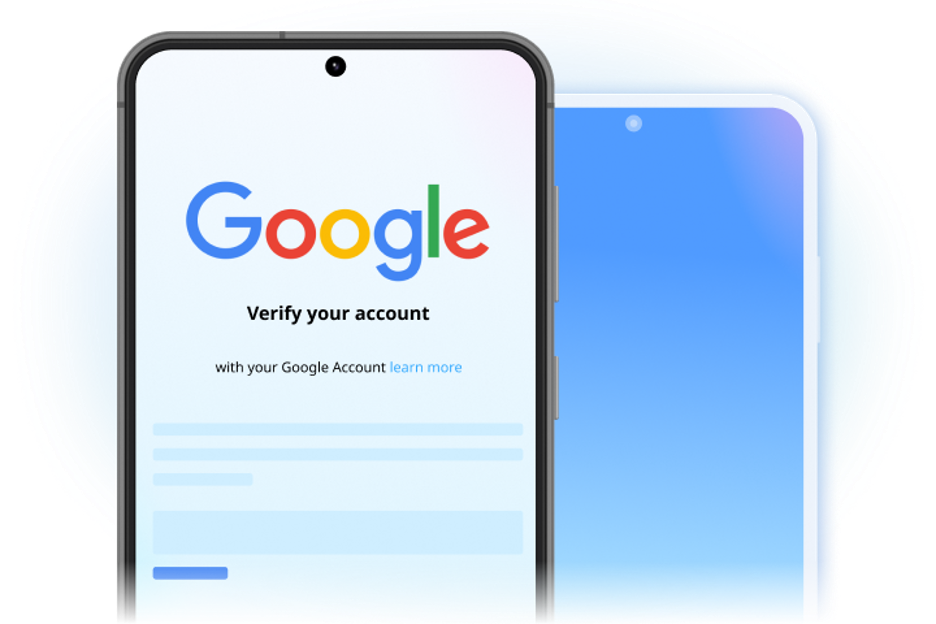
google verify account

Understanding FRP

Google’s Factory Reset Protection (FRP) activates automatically when you connect to a Google account on an Android device. Android 5.1 (Lollipop) and higher automatically enable this capability when adding a Google account. It prevents unwanted access to a device after a factory reset, especially in theft.

After a reset, FRP locks the device and requires the same Google account credentials. Even if a thief wipes the gadget clean, they can’t use or sell it without the login. FRP protects data by linking device reset behavior to Google’s server-side authentication.

This lock may also affect legitimate users. FRP locks can result in losing Google account login data after a reset. Pre-owned Android device customers may be stuck if the prior owner didn’t delete their Google account. Simply resetting an account without unlinking it can lock you out. Knowing how and when FRP activates is crucial to solving or avoiding the problem.
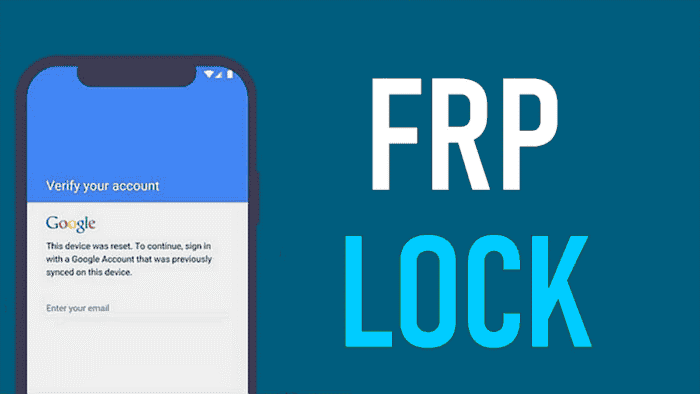
frp unlock

Pre-Bypass Preparation

For success, the correct setting must be created before starting the FRP bypass process. Get a reputable FRP bypass program like Dr.Fone – Screen Unlock (Android), a working computer (Windows or Mac), and a suitable USB cord. Ensure your Android device has at least 50% battery for uninterrupted processing.

Next, fine-tune your configuration environment. Firmware downloads and verification require a reliable internet connection. The right USB drivers for your device model are also crucial. These drivers enable phone-computer communication. If your device is partially accessible, USB debugging can simplify the process, but it’s optional.

Moreover, data security and legal understanding are also important. Use accessible tools or cloud services to back up any recoverable data on the device. Make sure you own the device before continuing. Read regional laws and manufacturer policies. Skipping this necessary diligence can cause issues. An organized setup improves your chances of bypassing FRP safely.

Professional FRP Bypass Techniques

Bypassing Android FRP involves knowledge of various methods and tools. This section discusses professional FRP bypass methods, including software-based and manufacturer-specific methods and their pros and cons.​

1. Software-Based Methods

1.1. Recommended Solution: Dr.Fone – Screen Unlock (Android)

Dr.Fone – Screen Unlock lets you bypass Google account verification without a password. It supports Samsung (such the Galaxy S24 running Android 14), Xiaomi, Oppo, and Vivo. Users with different technical skills can use the software because of its simple interface and step-by-step instructions.​

Key Features:

  • Supports several brands and models.
  • Removes Google account verification without credentials.​
  • Works on rooted and unrooted devices.​

Step-by-Step Guide to Bypass FRP Using Dr.Fone:

Preparation:

  • Download and install Dr.Fone Full Toolkit for Windows or Mac.​
  • Install all required drivers.​
  • Since FRP bypass may delete data, back up crucial files.​

Process:

Follow the steps below to use the Android phone unlocker: 

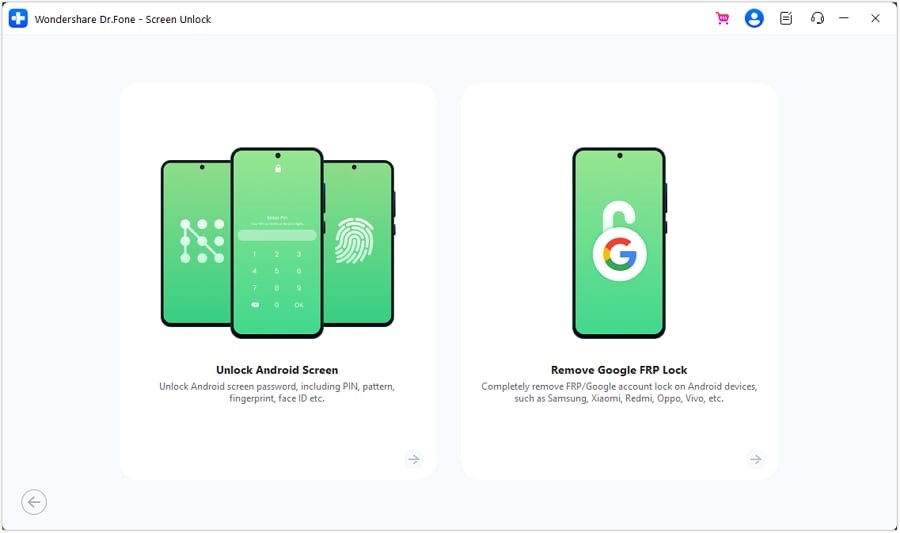
Step 1. Launch Dr.Fone, click “Screen Unlock,” then “Remove Google FRP Lock.”​

screen unlock

Step 2. USB-connect your Android device to the computer.​

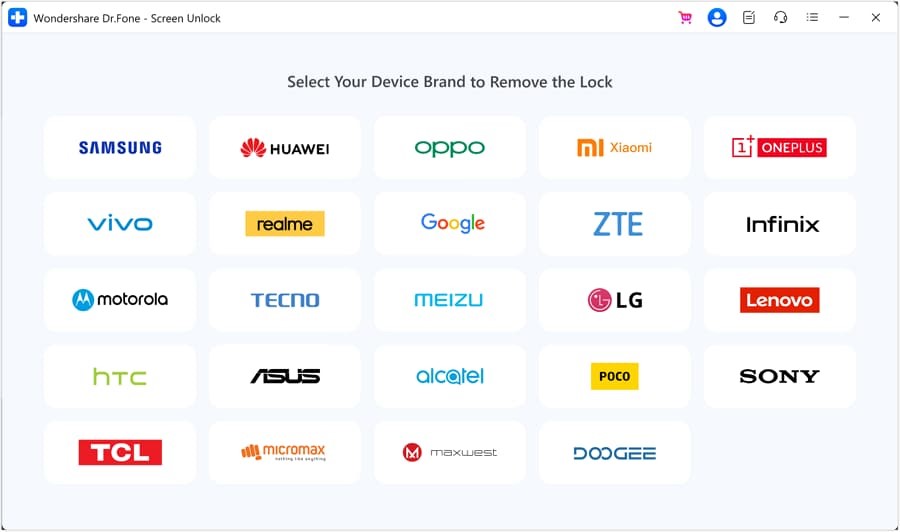
Step 3. Choose the right device (Samsung, Xiaomi).​

unlock any phone

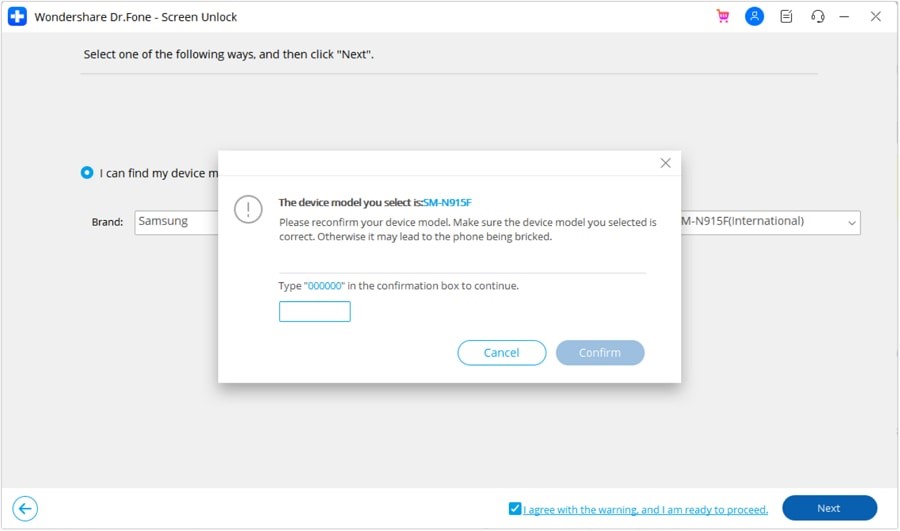
Step 4. Enter the Samsung emergency call menu if instructed on-screen.​

device model

Step 5. Complete the bypass procedure and let the device reboot.​

1.2. Google Account Recovery

If you forget your Google account credentials, Google’s account recovery process is easy:​

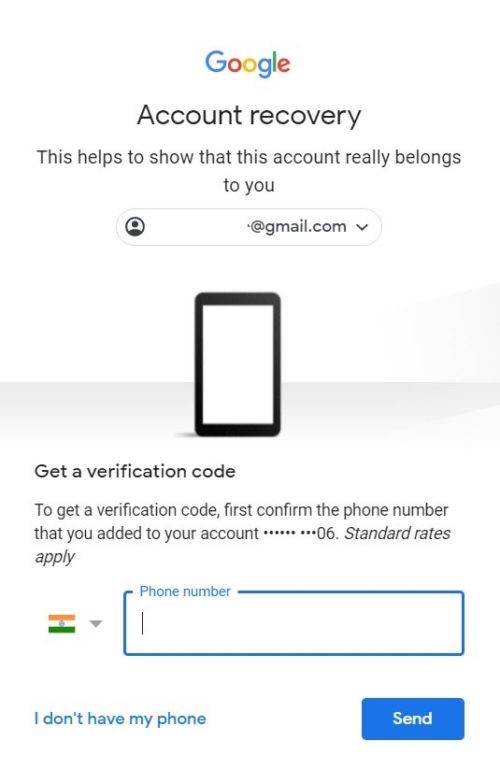
Step 1. Go to Google Account Recovery.​

Step 2. Enter your Google email or phone number.​

account recovery

Step 3. For password reset or account recovery, follow the on-screen instructions.​

Step 4. Sign in with the new credentials after account recovery.​

Step 5. This procedure works if you have Google account recovery options.​

1.3. Using Manufacturer-Specific Software

Some manufacturers offer proprietary remote device management methods to overcome FRP:​

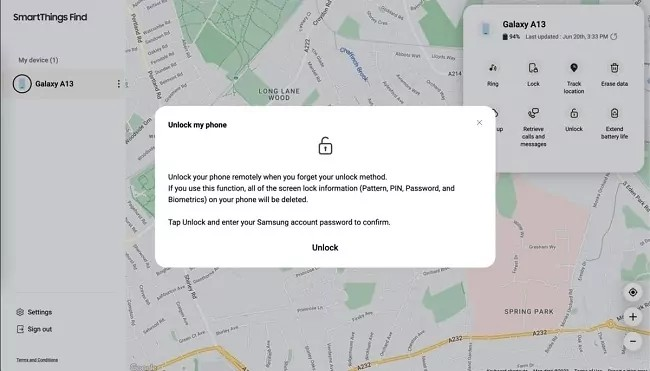
Samsung’s Find/SmarThings Find

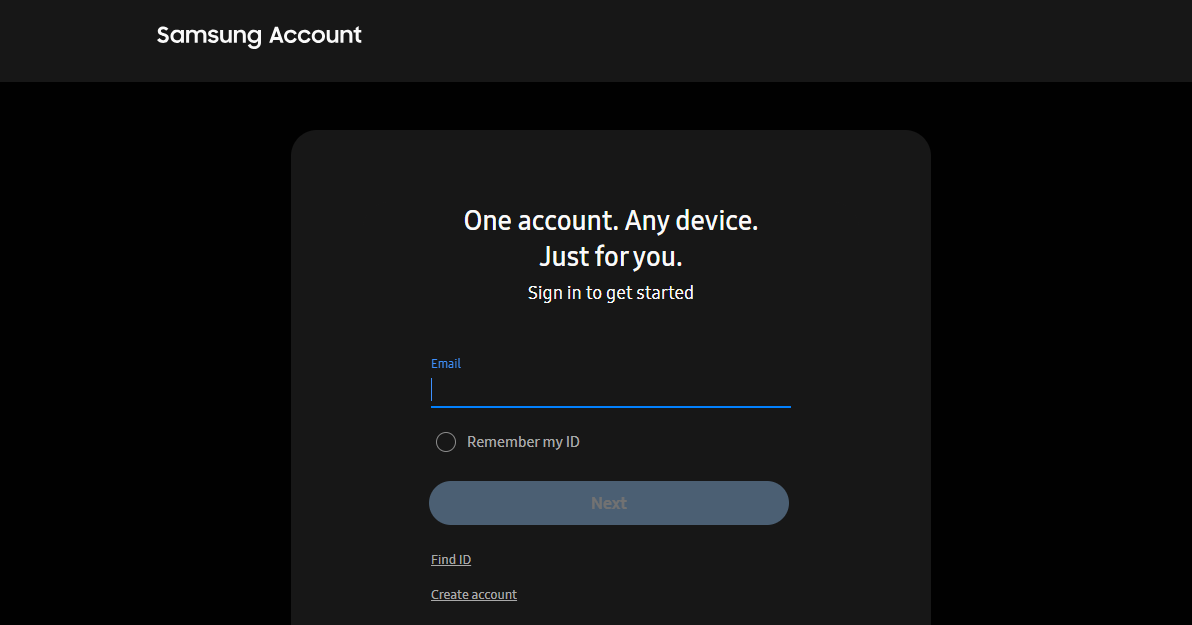
Step 1. Log into Samsung Find or SmartThings Find with your Samsung account if registered.​

samsung account

Step 2. Removing the screen lock remotely using “Unlock” may overcome FRP.​

unlock phone

Note: Device registration and service activation are required.

2. Manufacturer-Specific Guides

Manufacturers handle FRP differently, frequently using specific tools or procedures:​

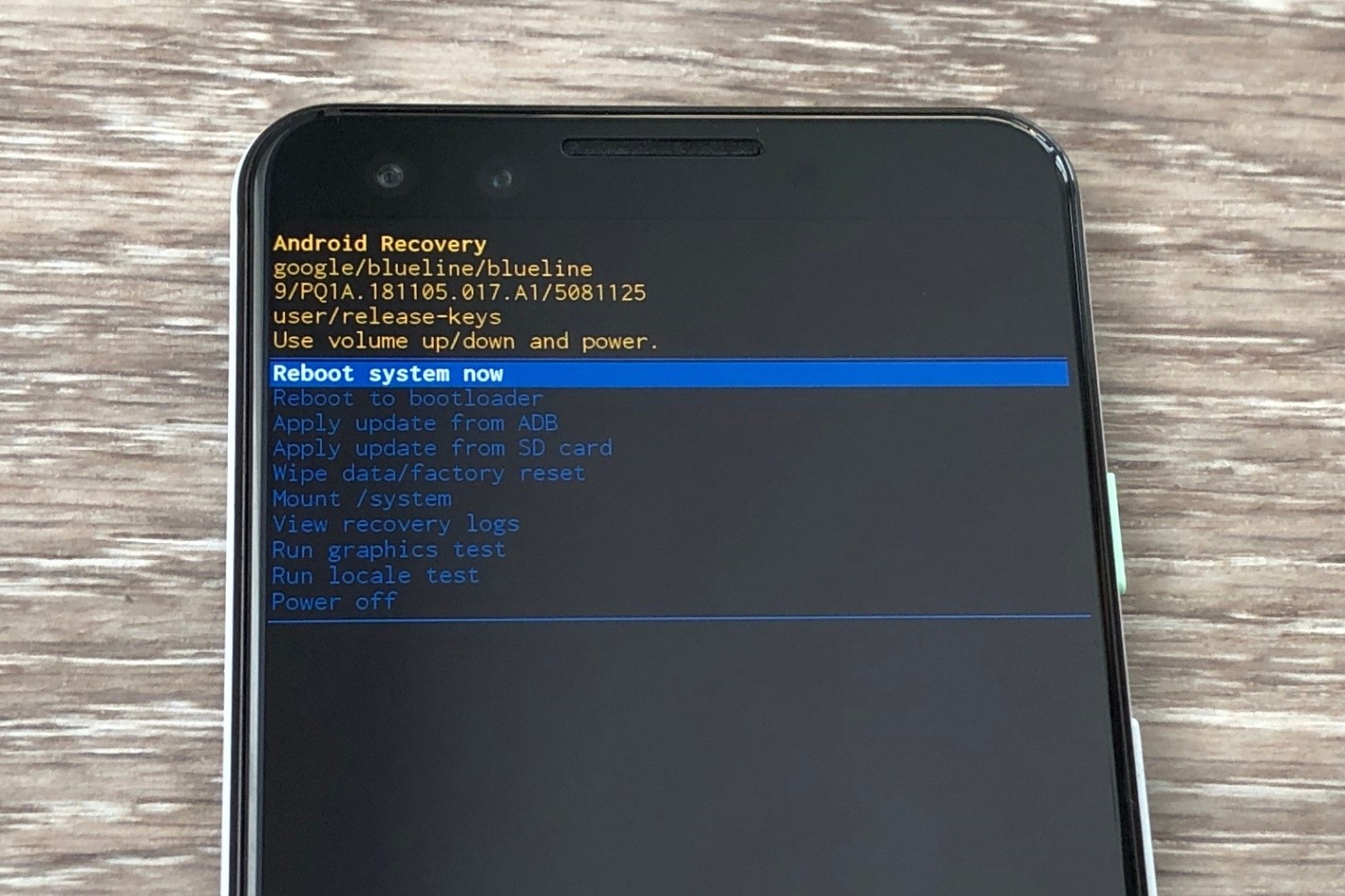
Samsung: Combination Files and Recovery Mode Tricks

Step 1. Enter recovery mode (usually by holding Volume Up + Power) to find the bootloader.
reboot system

Step 2. Get the bootloader-specific combination file.

Step 3. Flash the combo file in download mode with Odin (Volume Down + Power).

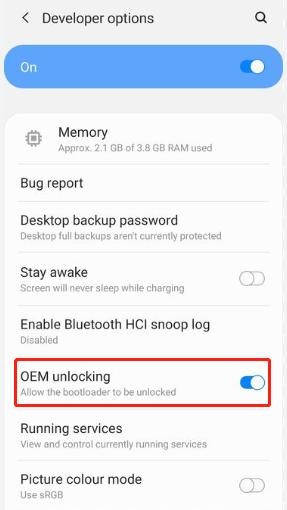
Step 4. Enable OEM unlocking in developer settings.
OEM unlock

Step 5. To complete the process, flash the stock firmware.

Warning: This procedure is complicated and must be done correctly to avoid device difficulties.

Xiaomi Mi Account Bypass:

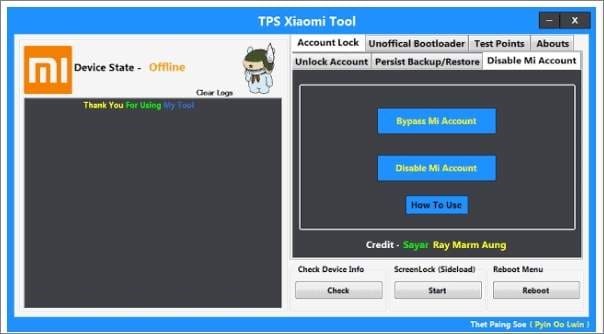
Step 1. Disable Mi Account using the TPS Xiaomi Tool.

Step 2. Connect the device, check the details, and select “Bypass Mi Account.”

Step 3. Restart the device after the process.
tps xiaomi tool

Step 4. This method may void warranties and not work on all Xiaomi models.

Huawei HiSuite Bypass:

Step 1. Connect the device to the HiSuite computer.

Step 2. Restore the system, which may eliminate FRP in some circumstances.

3. Pros and Cons of Each Method

MethodProsCons
Software-Based Methods– User-Friendly Interfaces: Designed for ease of use, often requiring minimal technical knowledge.- Wide Device Compatibility: Support for multiple brands and models.- Quick Process: Can remove FRP locks within minutes.– Potential Compatibility Issues: It may not support all devices or the latest Android versions.- Security Risks: Downloading from untrusted sources can introduce malware.- Cost: Many require a purchase for full functionality.
Manufacturer-Specific Solutions– Official Support: Endorsed by device manufacturers, ensuring reliability.- No Additional Cost: Typically free and integrated into the device’s ecosystem.- Higher Success Rates: Tailored for specific devices, leading to more consistent results.-Limited to Specific Brands: Only works for the brand’s devices (e.g., Samsung or Xiaomi).-Complex Setup: This may require navigating advanced settings or developer tools.-Requires Existing Access: Some tools need the original Google account or prior configuration (e.g., enabling Find My Mobile).

Troubleshooting Common Issues

Having trouble bypassing FRP? Here are some quick fixes:

  • Device Not Identified – Make sure to update PC USB drivers or change the USB cable or port.
  • Stuck at Firmware Download – Verify a solid internet connection. 
  • Restart and try again – Make sure your device and Android version are compatible.  For example, check Android 14 support for Samsung Galaxy S24.

Conclusion

FRP bypassing can be intimidating, but tools and assistance make it manageable. Dr.Fone’s step-by-step support for Android brands and models streamlines the process. Always observe safety and compatibility guidelines when utilizing software or manufacturer-specific solutions. Simple fixes like checking wires or upgrading drivers can save time. By carefully selecting the approach that fits your device and needs, you can restore access and smooth Android operation. Always back up data before continuing.


SendShare179Tweet112

Related Posts

China Kills Meta’s $2 Billion Manus Deal: How The Deal Unravelled

China Kills Meta’s $2 Billion Manus Deal: How The Deal Unravelled

June 15, 2026
UK Bans Social Media For Under-16s, Joining a Growing Global Push

UK Bans Social Media For Under-16s, Joining a Growing Global Push

June 15, 2026
Huduma Kenya call centre open till 9 Pm

New! Huduma Centre Services Halted After Data Centre Loses Power

June 15, 2026
Big Brother is Watching as Kenya Joins the CCTV Surveillance Club

Big Brother is Watching as Kenya Joins the CCTV Surveillance Club

June 15, 2026
How to Download and Verify Your NTSA eLogbook

How to Verify an NTSA eLogbook Is Not Fake

June 15, 2026
Outside Enterprise Allegedly Used Gemini to Build Massive Phishing Operation

Google Sues Scammers Using Gemini to Build Fake Government and Brand Sites

June 13, 2026

Latest

China Kills Meta’s $2 Billion Manus Deal: How The Deal Unravelled

China Kills Meta’s $2 Billion Manus Deal: How The Deal Unravelled

June 15, 2026
UK Bans Social Media For Under-16s, Joining a Growing Global Push

UK Bans Social Media For Under-16s, Joining a Growing Global Push

June 15, 2026
Huduma Kenya call centre open till 9 Pm

New! Huduma Centre Services Halted After Data Centre Loses Power

June 15, 2026
Big Brother is Watching as Kenya Joins the CCTV Surveillance Club

Big Brother is Watching as Kenya Joins the CCTV Surveillance Club

June 15, 2026
How to Download and Verify Your NTSA eLogbook

How to Verify an NTSA eLogbook Is Not Fake

June 15, 2026
Outside Enterprise Allegedly Used Gemini to Build Massive Phishing Operation

Google Sues Scammers Using Gemini to Build Fake Government and Brand Sites

June 13, 2026

Best devices

Best Infinix Phones of 2025

Best Infinix Phones of 2025: Budget Prices With Premium Features

December 31, 2025

The Best Infinix Accessories Worth Buying in 2025

November 26, 2025

Best Budget Wireless Earbuds To Buy in Kenya (2025)

October 8, 2025

Samsung Galaxy A36 5G vs Samsung Galaxy A56 5G: Comparison Review

August 29, 2025

Infinix Hot 60 Pro+ vs Infinix Hot 60i: Comparison Review

August 22, 2025

Best Budget Smartwatches To Buy in Kenya 2025

February 13, 2025

Techweez is where tomorrow’s tech stories break today, thanks to intelligent analysis, real-world insight, and visionary storytelling.

Follow Us

Editorials

Airbuds: The App That Turns Your Music Into a Social Feed

Kenya Might Need to Crack Down on Wealth Porn Like China

Techweez and Gearhaus Score BAKE Awards 2026 Nominations

Death by AI: Opportunities That Were Disrupted by Automation

CBK Approved 200+ Digital Lenders, But That’s Not the Real Story

Data Centers, Petrodollars and the Price of Building the AI Age

More News

SpaceX Debuts at $2.1 Trillion Valuation in Largest IPO Ever

Elon Musk Becomes World’s First Trillionaire

Who Will Win The World Cup According to Prediction Models

Airbuds: The App That Turns Your Music Into a Social Feed

Following London Success, Apple Deploys Global Killswitch Feature to Eliminate Stolen iPhones Market

Kenya’s June 30 Tax Deadline Remains, But Nil Returns Deadline May Move to Jan 31

  • Terms Of Use
  • Techweez Brand
  • Privacy & Policy
  • Contact Us

© 2024 Techweez - Palahala Media Group may earn a commission when you buy through links on our sites.
A Palahala Media Group Brand. All rights reserved.
.

Welcome Back!

Login to your account below

Forgotten Password?

Retrieve your password

Please enter your username or email address to reset your password.

Log In

Add New Playlist

Techweez | Tech News, Reviews, Deals, Tips and How To
Crunchy Cookies 🍪 Ahead!

Hey there! Just a heads-up: we're big fans of cookies - both the digital and edible kind! 🍪 We use our cookies and some from third parties to ensure your browsing experience on our site is smooth sailing and secure.


But wait, there's more! We also use cookies to gather stats and insights on how you navigate our site. It's like getting a behind-the-scenes peek at your digital adventures!


Don't worry, you're in control. You can adjust your cookie settings anytime to suit your preferences. Feeling curious? Dive into our Privacy Policy for all the juicy details. Happy browsing! 🚀

Functional Always active
Listen, this legal stuff is about as exciting as watching paint dry. But it basically says we only use your stuff for what you asked us to do, and nobody else gets to peek!
Preferences
The technical storage or access is necessary for the legitimate purpose of storing preferences that are not requested by the subscriber or user.
Statistics
It's those sneaky cookie crumbs websites leave behind to count visitors, like counting ants at a picnic! Totally harmless, just for fun facts. The technical storage or access that is used exclusively for anonymous statistical purposes. Without a subpoena, voluntary compliance on the part of your Internet Service Provider, or additional records from a third party, information stored or retrieved for this purpose alone cannot usually be used to identify you.
Marketing
Hey there! Just letting you know we use some fancy gizmos to remember your preferences. This way, we can show you ads that are, well, not completely bananas.
Manage options Manage services Manage {vendor_count} vendors Read more about these purposes
Make cookies
{title} {title} {title}
Techweez | Tech News, Reviews, Deals, Tips and How To
Crunchy Cookies 🍪 Ahead!
To provide the best experiences, we use technologies like cookies to store and/or access device information. Consenting to these technologies will allow us to process data such as browsing behavior or unique IDs on this site. Not consenting or withdrawing consent, may adversely affect certain features and functions.
Functional Always active
Listen, this legal stuff is about as exciting as watching paint dry. But it basically says we only use your stuff for what you asked us to do, and nobody else gets to peek!
Preferences
The technical storage or access is necessary for the legitimate purpose of storing preferences that are not requested by the subscriber or user.
Statistics
It's those sneaky cookie crumbs websites leave behind to count visitors, like counting ants at a picnic! Totally harmless, just for fun facts. The technical storage or access that is used exclusively for anonymous statistical purposes. Without a subpoena, voluntary compliance on the part of your Internet Service Provider, or additional records from a third party, information stored or retrieved for this purpose alone cannot usually be used to identify you.
Marketing
Hey there! Just letting you know we use some fancy gizmos to remember your preferences. This way, we can show you ads that are, well, not completely bananas.
Manage options Manage services Manage {vendor_count} vendors Read more about these purposes
Make cookies
{title} {title} {title}
No Result
View All Result
  • News
  • Reviews
  • Features
  • Editorial
  • Automotive
  • Entertainment

© 2024 Techweez - Palahala Media Group may earn a commission when you buy through links on our sites.
A Palahala Media Group Brand. All rights reserved.
.