





A new exploit called Relapse has given the PlayStation 5 jailbreak scene its busiest month in a while. It works on any PS5 running firmware 13.60 or earlier, and that firmware dates to July 2026.
If you stayed away from the v14.xx updates, your console is a candidate. If you updated already, you are out of luck for now, and Sony does not let you go back.
How the Jailbreak Works
First, check your firmware version in the settings menu. It has to be 13.60 or lower. Then turn off automatic system updates, because one careless update can close the door permanently.
Next, open the PS5’s built-in web browser and visit a page hosting the Relapse exploit. The exploit targets a weakness in WebKit, the engine that powers the browser.
Running it gets code executing on the console in what is called userland, the restricted space where normal apps live. From there it clears the restrictions that would otherwise stop you from running anything Sony has not approved.
The last step is loading a payload loader. This is the piece that lets the console install unsigned packages. You then put your homebrew PKG files on a USB drive, plug it in, and install and launch your software.
There’s a catch, though. The jailbreak does not survive a restart. Every time you power the console off and on, you have to run the browser exploit again. It is a nuisance, but it is quick.
The other cost is online play. Jailbreaking restricts access to PlayStation Network, so you are trading official online multiplayer for the freedom to run homebrew. Whether that is worth it depends on how much you use PSN.
What People Are Running on It
Homebrew on a jailbroken PS5 includes a Nintendo Switch emulator, but the current star is PS5SX2, a PlayStation 2 emulator built on the PCSX2 project.
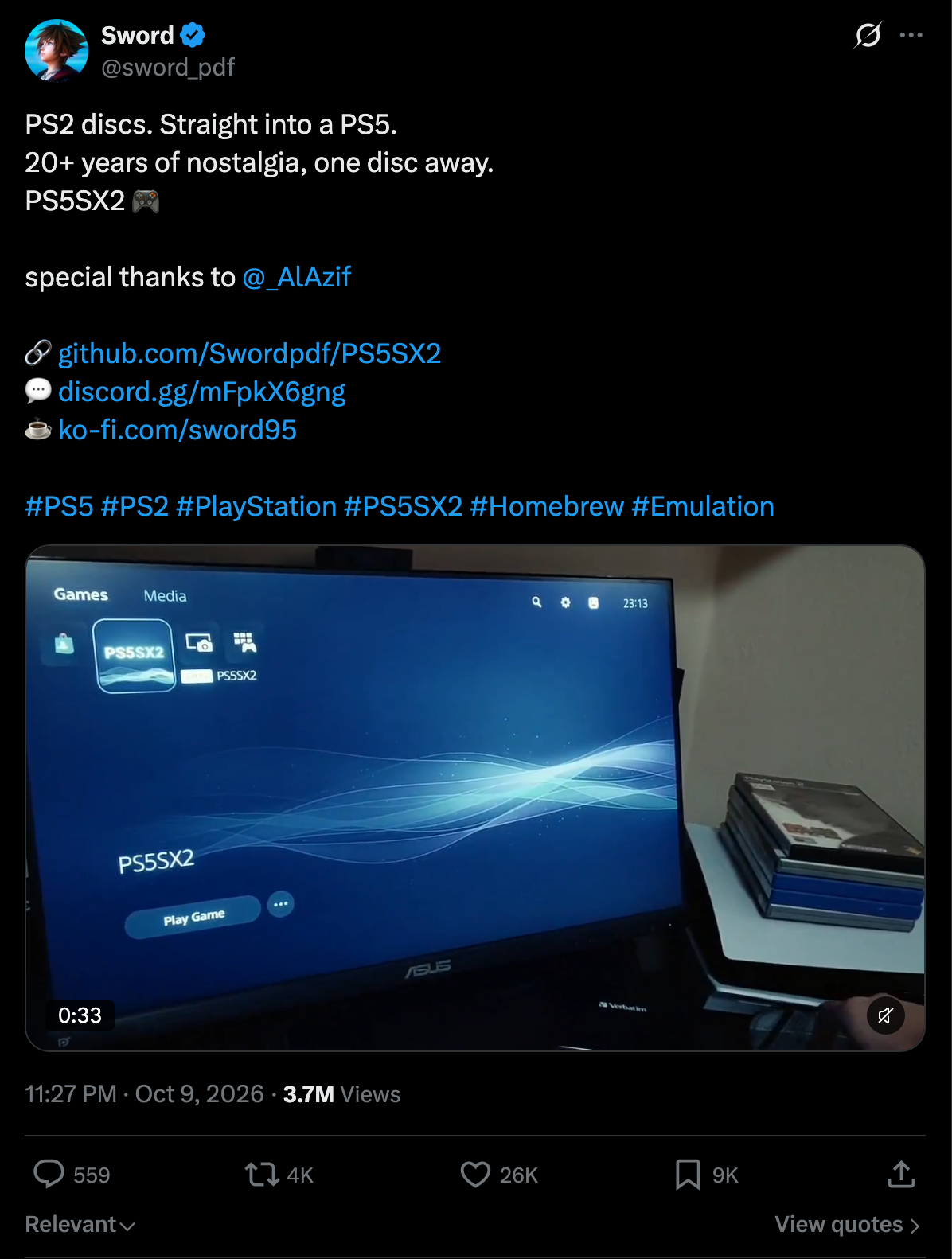
It is made by a developer who goes by sword_pdf, and it is openly described as AI-assisted, with Claude listed among the contributors on its GitHub repository. AI assistance does not by itself say anything about quality, so how well it runs across lots of games is the real test.
Version 2.00 was a big feature update. It added frame generation, which can take a 30 FPS game to 60 FPS or a 60 FPS game to 120 FPS.
On a PS5 Pro, it can render internally at up to 8x resolution, which sharpens the soft, blocky look of old games on a 4K TV. It also improved multi-disc game handling, added cheat disc support, per-game hardware fixes, and overlays in some games.
It also carried over features from v1.9: one-click HD texture packs, RetroAchievements integration that shows PS5-style trophy pop-ups, and online multiplayer for supported network games.
Version 2.01 and the Disc Dumping Feature
The newest release, 2.01, can read a physical PS2 disc in the PS5’s drive, copy its contents to storage if that has not been done already, and then launch the game through the emulator.
The practical upside is that people who already own PS2 games can use their own discs instead of hunting for game files on sketchy websites. Dumping is just the process of turning a disc into a digital image the emulator can read.
There is a hard limit, though. The PS5 drive reads Blu-ray and DVD but not CDs, according to Kotaku. Many PS2 games shipped on DVD and will work, but a number shipped on CD, and those cannot be dumped this way. The same goes for PS1 games, since their discs are all CDs.
The developer has shown interest in PS1 support, but no software update can make a drive read a format it was never built to read. Even for DVD-based games, working disc detection does not promise that a given game will run well, since compatibility varies by title.
The developer has also talked about a project called PS5SX3, aimed at dumping PS3 discs on the PS5. For now it is a plan, not a working release. PS3 hardware is far more complicated than the PS2, so reading the disc would be the easy part.
Running the games would be the hard part, and nothing shown so far proves it can be done well. For now, treat any release dates or performance claims as guesses until a working build exists.