





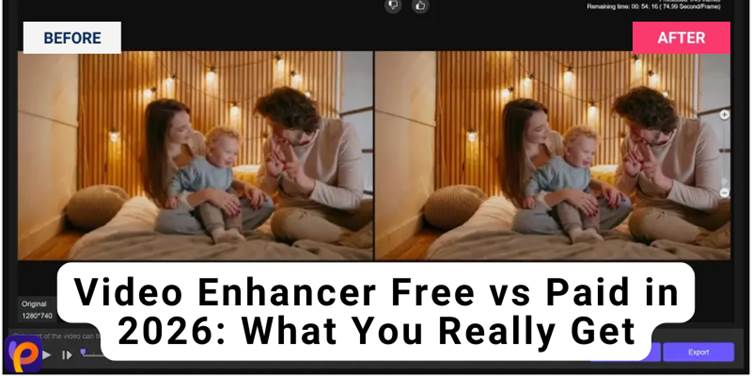
Video quality matters more than ever in 2026, as more people create content for social media, online courses, marketing, and streaming platforms. From blurry smartphone clips to low-resolution old footage, many videos need a serious upgrade.
That is why many creators are turning to an AI video enhancer to sharpen images, adjust lighting, and enhance clarity with just a few clicks.
With dozens of free and paid AI video enhancers available, users now want to know which option actually delivers better results. Let’s find out which ones those are.
Free vs Paid Video Enhancer Features Comparison
While a video enhancer for free can handle basic improvements for short clips, paid platforms are built to deliver much better results. This side-by-side view will help you clearly see which one fits your needs best.
| Capability | Free AI Video Enhancers | Paid AI Video Enhancers |
| Usage Method | Mostly browser-based or lightweight apps designed for quick edits and short clips | Desktop or cloud platforms built for large files, long videos, and professional workflows |
| AI Models | One or two general AI models that apply the same effect to all videos | Multiple specialized AI models for faces, animation, low-light video, noise removal, and upscaling |
| Video Enhancement | Improves brightness, color, and sharpness slightly | Rebuilds missing detail, increases resolution to 4K or 8K, and preserves fine textures |
| Video Repair | Can clean light noise and smooth, simple clips | Restores damaged footage, removes blur and grain, fixes flicker, and stabilizes motion |
| Editing Tools | Basic trimming, cropping, and light touch-ups | Background removal, color grading, subtitles, motion effects, and advanced adjustments |
| Export Options | Often limited to lower resolution, small file size, or watermarked output | Full HD, 4K, and 8K export with no watermarks and professional encoding |
Popular Free & Paid AI Video Enhancers You Can Choose From
If you’re feeling overwhelmed because of the multiple AI video enhancers now available, here are the only ones you need to look at. All these are hand-picked and tested for the best quality videos.
1. Best AI Video Upscaler for 8K Resolution Enhancement:HitPaw VikPea
HitPaw VikPea is a powerful, AI-powered tool designed to improve video quality and clarity with minimal effort. It was formerly known as HitPaw Video Enhancer and is built for creators, professionals, and anyone who wants higher resolution video without editing skills.
Unlike many free tools, it offers advanced upscaling, repair, and creative features that help you turn low-grade footage into something professional and crisp. With that said, here are the main features of this paid AI video enhancer.
AI Upscaling up to 8K
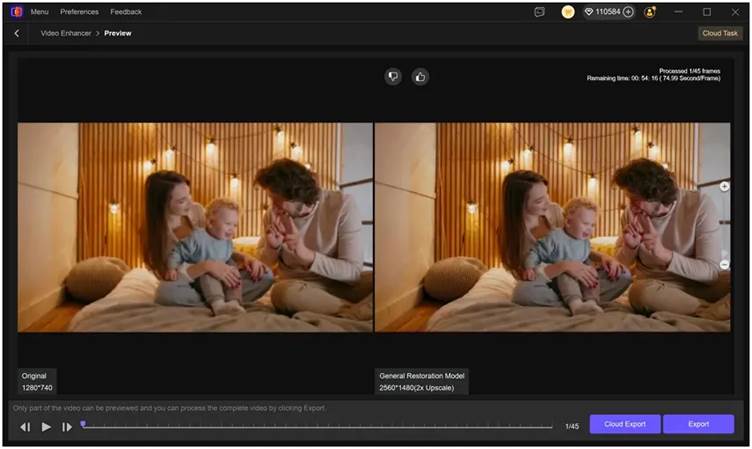
HitPaw video enhancer can take low-resolution or blurry videos and upscale them all the way to 8K quality. This means it adds more detail to faces, edges, and backgrounds instead of just stretching the video.
The AI analyzes each frame and rebuilds missing pixels, so the video looks sharper. This is especially useful for old videos, social clips, or footage recorded on phones.
Generate Video from Text or Photo
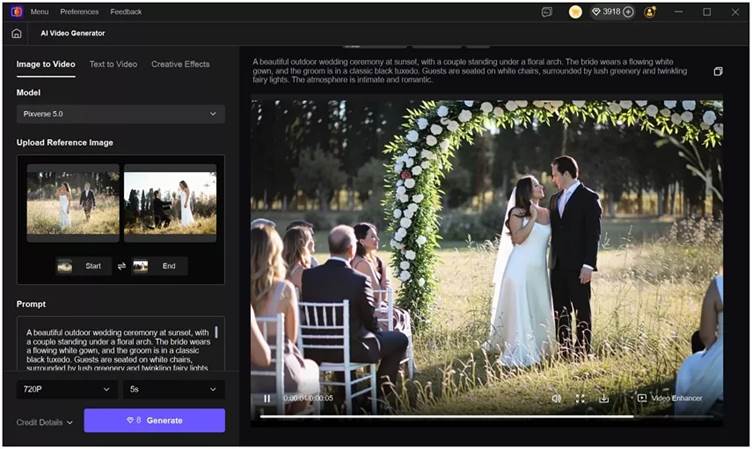
You can create videos using just text or images. If you type a short prompt or upload a photo, the AI turns it into a moving video.
This helps content creators, marketers, and educators make visual content without filming anything. It is a fast way to create videos for YouTube, TikTok, or ads.
Repair Damaged Video
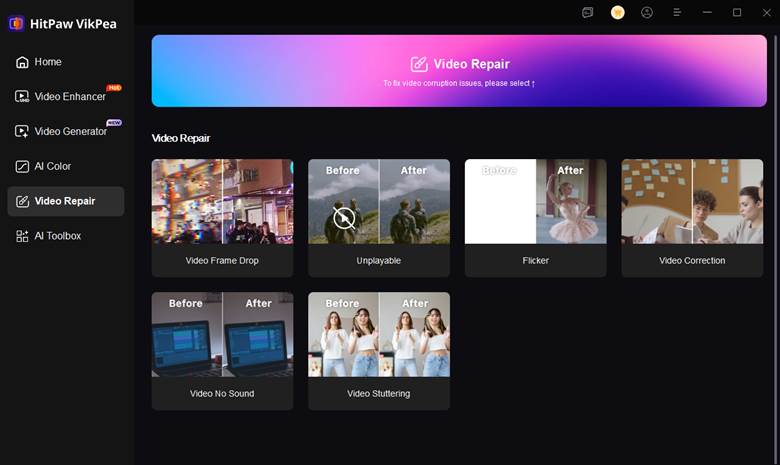
If your video looks noisy, blurry, shaky, or low-quality, HitPaw VikPea AI video enhancer can fix it automatically.
The AI removes grain, improves overall video lighting, sharpens faces, and smooths out rough footage. This is perfect for restoring old family videos or fixing poorly recorded clips.
Video Editing Features
HitPaw VikPea also includes tools to remove or replace the background in a video.
This lets you place people in new scenes, create clean product videos, or make professional-looking presentations. You can also adjust colors, lighting, and video stability, all in one place.
How It Works
Step 1: Download and install HitPaw VikPea on your Windows or macOS device and launch it to start enhancing your videos.
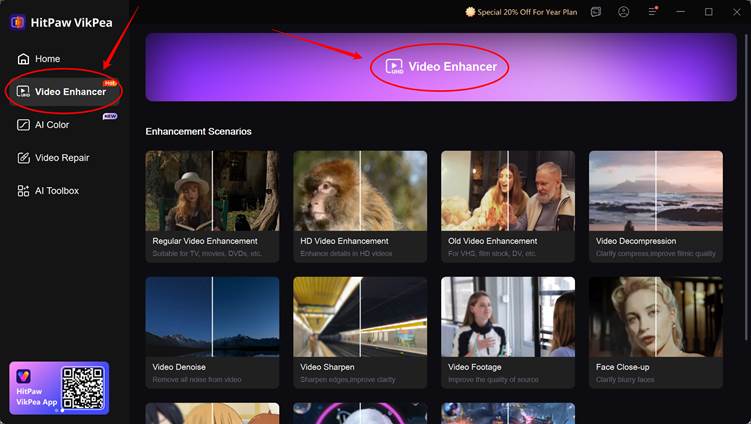
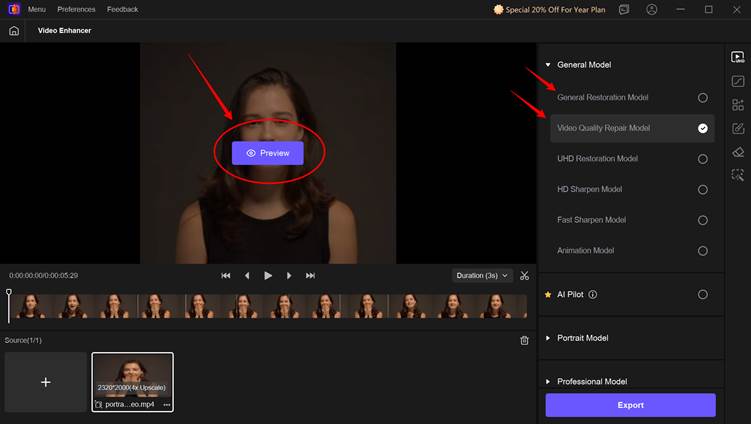
Step 2: Upload the video that you want to enhance to 8K, removing the background, repairing, or performing any other edits. Focus on increasing the overall resolution. For that, you can use the ”Video Quality Repair Model” and click on “Preview.”
The best part is HitPaw VikPea supports multiple input formats, including MP4, AVI, M4V, etc.
Step 3: Once the image is enhanced to your preferred resolution, click on “Export” and download it in any format you need. And you’re done. It’s that simple.
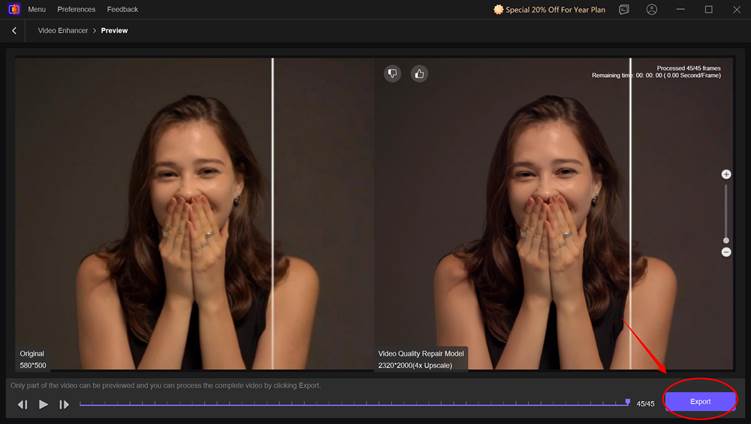
Compared to free video enhancers, HitPaw VikPea offers a much more powerful and reliable experience. Free tools usually limit resolution, add watermarks, or struggle with large files, while HitPaw VikPea lets you upscale videos to true 8K with no quality loss.
Its AI models rebuild details instead of just stretching the image, which makes faces, text, and motion far clearer. Overall, this tool saves time and gives creators more control over how their videos look.
2. Cutout Pro (Paid)
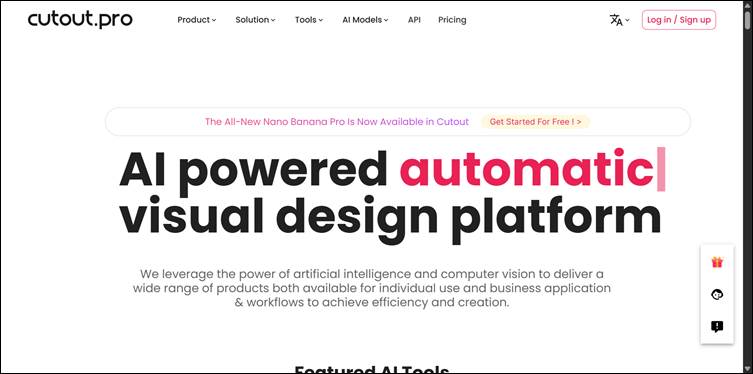
Cutout Pro is an AI-powered visual editing platform best known for background removal, object cleanup, and video enhancement. It is widely used by creators, e-commerce sellers, and marketers who want professional visuals without manual editing.
For video, it can remove backgrounds, improve clarity, sharpen edges, and clean up visual noise. It also supports portrait enhancement, photo animation, and object isolation, which makes it useful for product videos.
In comparison to free video enhancers, Cutout Pro delivers much cleaner results with fewer artifacts. Background removal is more accurate, especially around hair and fine edges, and videos are exported without watermarks.
However, the main limitation is the cost. While it saves time, you need to pay per export or be on a subscription.
3. Vidnoz (Paid)
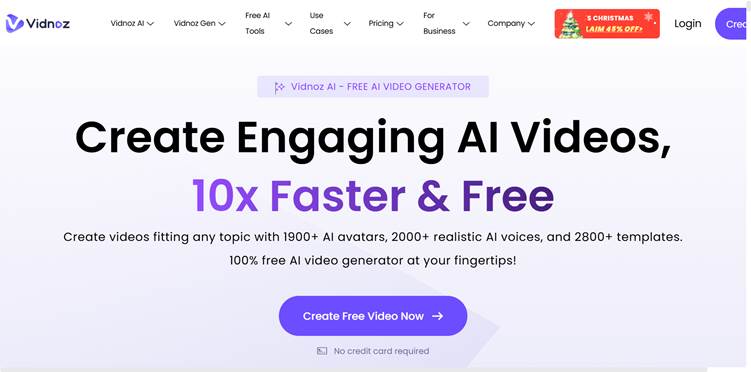
Vidnoz is an AI video creation and enhancement platform built mainly for business, training, and marketing videos. Its main focus is on AI avatars, voiceovers, and video generation from text, but it also includes video quality improvement tools.
You can create explainer videos, talking-head clips, and training videos without filming, using AI presenters and voice models. This also improves clarity and smoothness when exporting final videos.
Up against free tools, Vidnoz gives you much more than basic enhancement. You can generate full videos from scripts, add realistic AI presenters, and export in professional quality. But, if you need a tool for heavy video repair or restoring damaged footage, this isn’t the right choice.
4. AVCLabs (Paid)
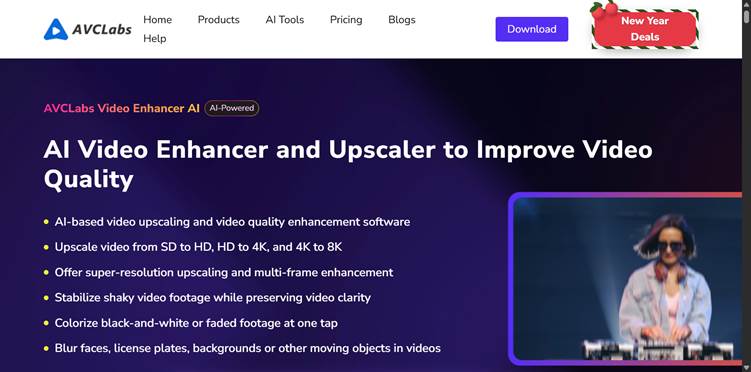
AVCLabs is a dedicated AI video enhancer that focuses on improving resolution, reducing noise, sharpening faces, and restoring old or low-quality footage. For people who want to upscale videos to HD, 4K, or higher, this tool does just that.
The software uses AI models trained for faces, animation, and real-world scenes. That makes it useful for home videos, YouTube, and archival footage.
AVCLabs produces much better visual detail than free enhancers. In fact, it’s also great for batch processing and high-resolution export. The downside, however, is that it requires a paid license and a decent computer to run smoothly.
5. Wink.ai (Free)
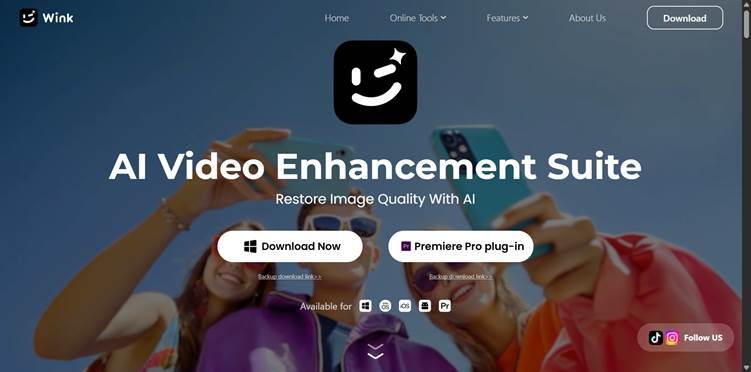
Wink.ai is a free AI video enhancer focused on face and beauty improvements. It is popular on social media because it smooths skin, sharpens faces, and improves lighting in selfies and talking-head videos.
As a video enhancer for free, Wink.ai supports simple upscaling and color enhancement, making short clips look more polished.
In comparison to paid tools, Wink.ai is a great, quick, social-media-friendly improvement at no cost. It is fast and easy to use. Nonetheless, it does not offer true high-resolution upscaling, advanced video repair, or batch processing. Moreover, an obvious disadvantage is that it’s limited in detail and export quality.
6. YouCam (Free)
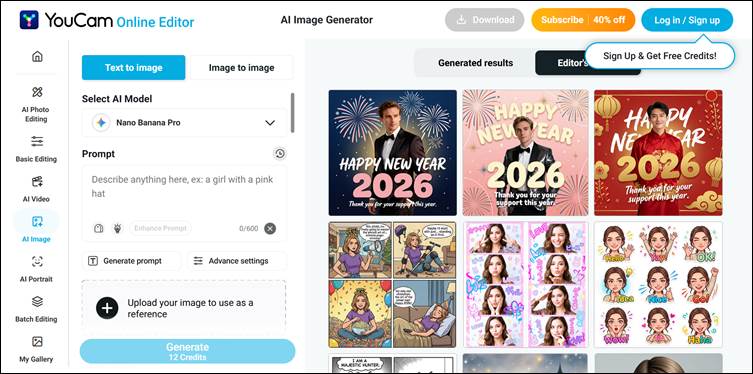
YouCam is best known for AI face enhancement and video beautification. It improves lighting, smooths skin, sharpens facial features, and adds subtle corrections that make people look better on camera.
So, if you’re looking for a free tool that you can use for webcam recordings, TikTok videos, and short clips, YouCam is an ideal choice. This free tool is excellent even for enhancing people in videos.
However, it does not restore damaged footage, remove heavy noise, or upscale to even 4K like many paid AI video enhancers. And it also has fewer export options and creative controls.
7. Media.io (Free)
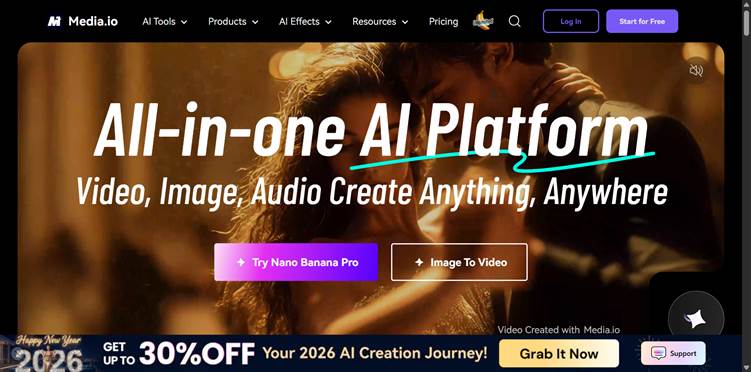
Media.io is an online AI tool that offers basic video upscaling, noise reduction, and compression improvement. You can use it directly in the browser, so you do not need to install anything.
That’s why it’s often used to clean up blurry clips or slightly improve video quality before sharing. In contrast to paid tools, Media.io is convenient and easy to access, which makes it great for quick fixes.
But remember, free exports usually have resolution limits, file size caps, and sometimes watermarks. Also, it is much weaker when handling large files, deep enhancement, or professional output.
8. Vmake (Free)
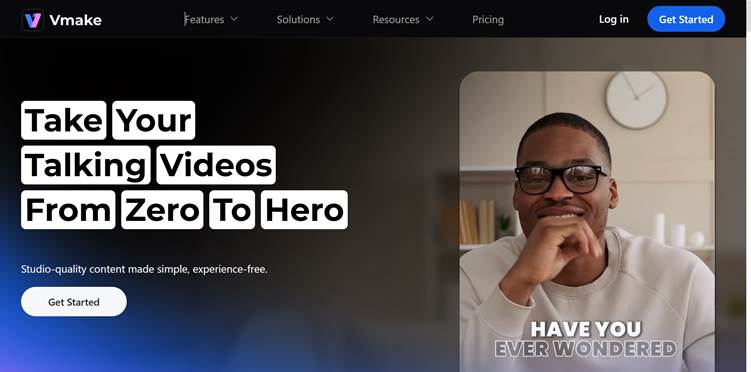
The last video enhancer for free is Vmake. It’s an AI video tool designed mainly for e-commerce and social content. This helps improve video clarity, remove backgrounds, and make product or talking-head videos look more professional.
Vmake is commonly used for short-form videos on platforms like TikTok and Instagram. Surprisingly, for a free tool, it can clean up videos and remove backgrounds fairly well. But it lacks true high-resolution upscaling, image restoration, and advanced AI models.
How to Choose Between Free and Paid AI Video Enhancers
Choosing between a free video enhancer and a paid AI tool depends on what you are trying to create, how important quality is to you, and whether your videos are fun or for business. Here’s where both tools work well:
When Free Tools Are Good Enough
Free AI video enhancers work well for casual or personal use. If you are editing short clips for social media, fixing a selfie video, or improving a quick TikTok or Instagram Reel, free tools can do the job well.
Such free tools are also good when speed matters more than perfection. You can upload a clip, get a fast result, and share it right away.
When Paid Tools Are Worth It
Paid AI video enhancers become worth the investment when quality and consistency matter. If you are creating a YouTube video, marketing content, online courses, ads, or client work, low-quality output can hurt your brand.
They also support higher resolutions like 4K and 8K, batch processing, no watermarks, and more export options. This is important when you are working with multiple videos or large files.
Conclusion
In 2026, the difference between free and paid AI video enhancers is clearer than ever. Free tools are great for quick edits and light improvements, but they often come with limits on resolution and overall control.
Paid tools, on the other hand, deliver sharper visuals, higher resolutions, and consistent results that businesses can rely on. If you are looking for a balance option that combines powerful AI upscaling and creative features, HitPaw VikPea stands out as a reliable choice. You can buy the HitPaw VikPea subscription to get your work done in the best way possible.








