On September 30th 2014 in an event in San Francisco, Microsoft revealed an early preview of the next version of the Windows Operating System, Windows 10. Yes, that is not a typo. Windows 10! You may ask what happened to happened to Windows 9, and I’ll answer that later on. First a little background on where the Windows operating system currently stands.
Windows 8: Dr Jekyll and Mr Hyde
Windows is currently being used by over 1 billion people on a range of devices that range from laptops, desktops to industrial machines, ATMS, POS and more. However, this pales in comparison to the number of connected devices in the world (hint there are more devices than people on the planet). The explosion of mobile devices means that Windows has found is quickly losing its dominance in a “Cloud-first, Mobile-first” world. To counter that trend, Microsoft released Windows 8 in August, 2012. A direct response to the iPad revolution, Windows offered what was essentially two environments in one operating system: The Metro (now called Modern design) that featured a UI designed for primarily for touch, and the legacy x86 desktop style that all of Windows users were familiar with.
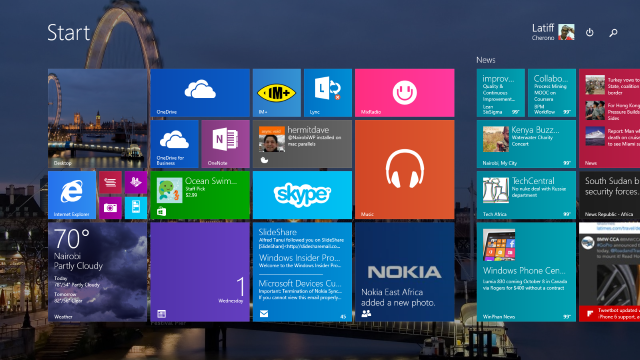
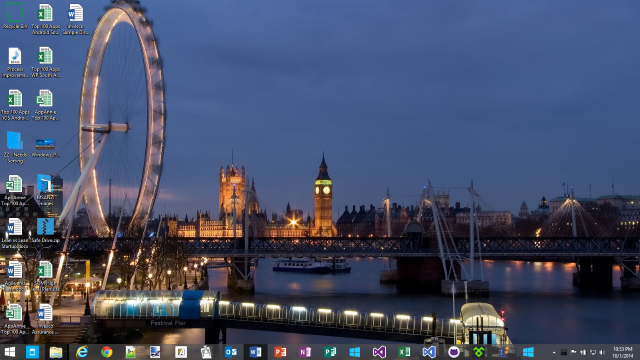
The Metro side of Windows 8 borrowed heavily from the Windows Phone operating system (interestingly, the Windows Phone design team and Windows 8 design team did not collaborate as close as one might think). The start screen which replaced the classic start menu, used Live Tiles to provide the user a dashboard of information and applications at a glance. Not only did the UI of the OS change, but the actual operating system was designed to be more efficient and have a smaller foot print. This meant Windows 8 ran better on old hardware. However, the learning curve to adapt to the new Windows 8 UI turned off many users and most importantly, Windows most important customer base, Enterprise users. Microsoft attempted to address many of these concerns with the release of Window 8.1 in October 2013.
The result of this misstep in direction is that 2 years after the release of Windows 8, Windows XP (released in October 2001) has close to twice its market share and Windows 7 (released of October 2009) is close to four times its size. Source Wikipedia.
Windows 10: Moving from a Prius to a Tesla
The release of Window 10 is designed specifically to persuade the users of Windows XP and Windows 7 to upgrade easily, or as Joe Belfiore (Senior VP Operating Systems Group) put it;
“We’re looking to find the balance, so that all the Windows 7 users get a familiar experience on the devices they already have. We want all these Windows 7 users to have the sentiment that yesterday they were driving a first-generation Prius… and now with Windows 10 it’s like a Tesla. They don’t have to learn any new way to drive”
Whereas the previous Windows 8 design team closed off their customer feedback loop, the new Windows Operating System group headed by terry Myerson (the former head of the Windows Phone group) focused on soliciting customer feedback on the areas that Windows 8 could be improved. One of the main revelations that they heard was that customers did not detest Live Tiles, but they abhorred the time it took to learn the metro environment. This feedback resulted in the most striking change in Windows 10, the return of the Windows 7 start menu.
“We don’t want that duality, we want users on PCs with mice and keyboards to have their familiar UI.” Joe Belfiore
Why Windows 10 and not Windows 9? The naming of the new operating system confused quite a few people. However, what many people don’t realize is that Windows 8.1 was such a major update to Windows 8 that it should have been called Windows 9. This incidentally also applies to Windows Phone which just received a similar major update. It is also worthy to note that Windows will move forward in a very different way after Windows 10. Rather than have drastic versions released every two years, Windows will move to a continual update cycle. Features will be push out to users faster in small developmental cycles. Windows will just be known as Windows.
New Start Menu
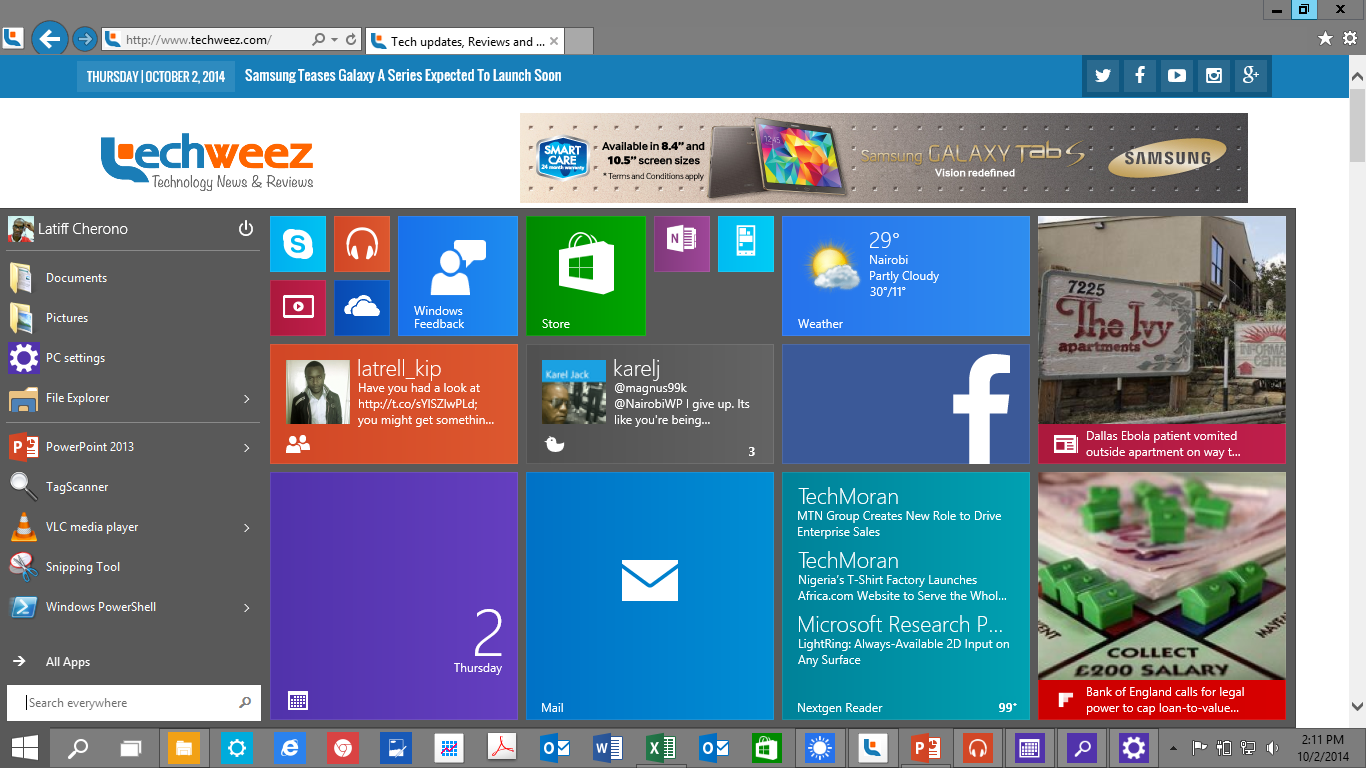
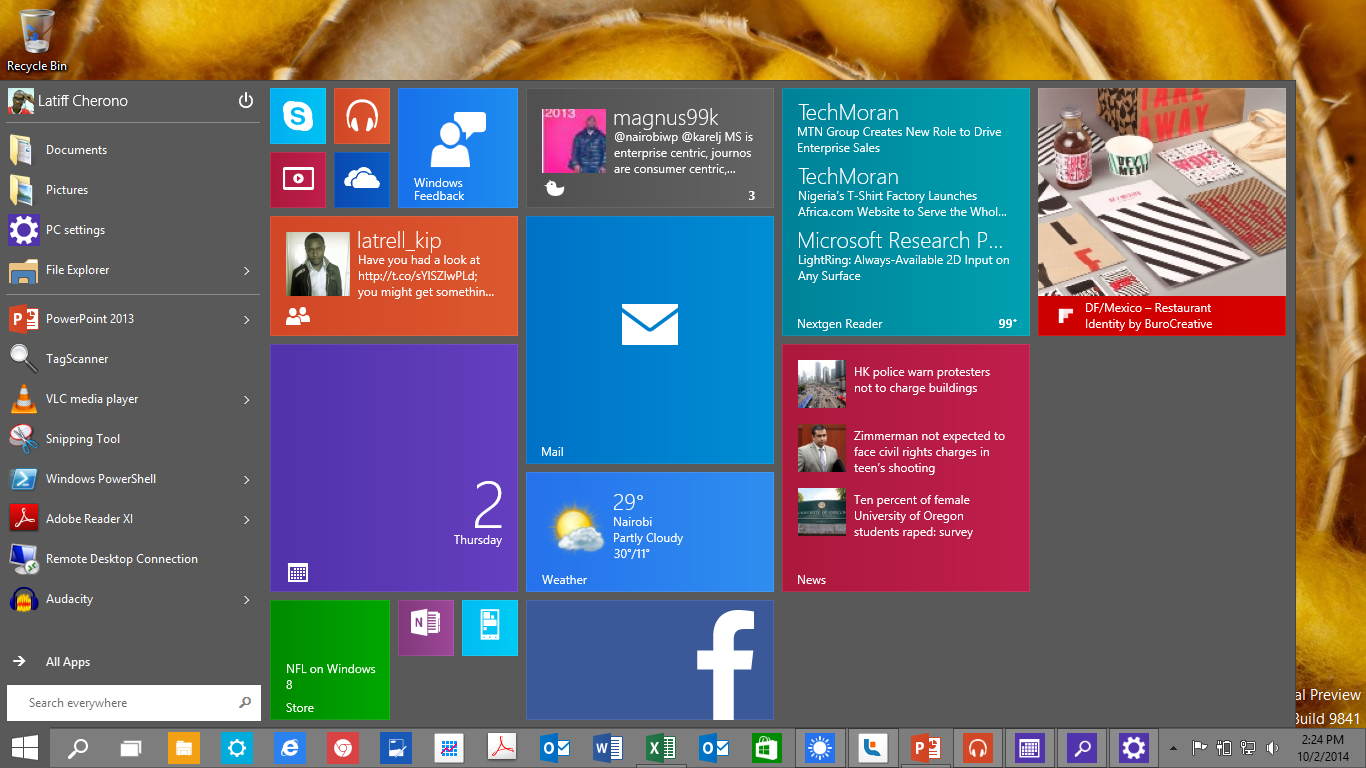
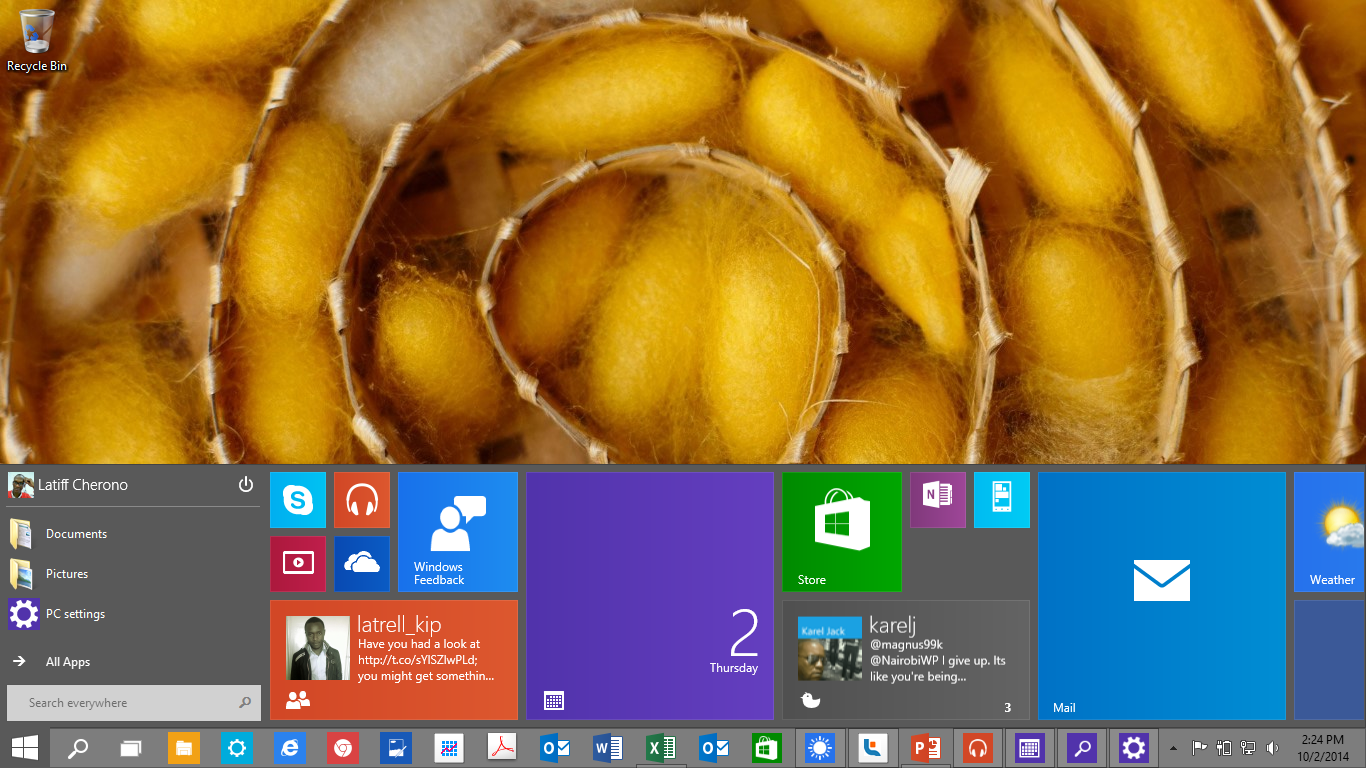
The start menu in Windows 10 brings back the familiar design that pre Windows 8 users will be happy to see. Its functionality has been extended with the ability to pin Live Tiles to the right of the start menu This design accommodates all users from those who don’t like Live Tiles, to those who believe Live Tiles add value to their productivity. The menu expands as needed to accommodate more tiles. It can also be configured to extend along the bottom of the screen or the left edge of the screen. The color of the start menu can also be configured to match the theme color.
For those users who loved the Windows 8 Start Screen, it is possible to revert back to this layout. (Search for “Navigation Properties” then go to “Start Menu” and uncheck “Use Start menu instead of Start Screen” option). With the current build of Windows 10 Technical Preview it is not possible to use both the Start Screen and the new Start Menu.
Search
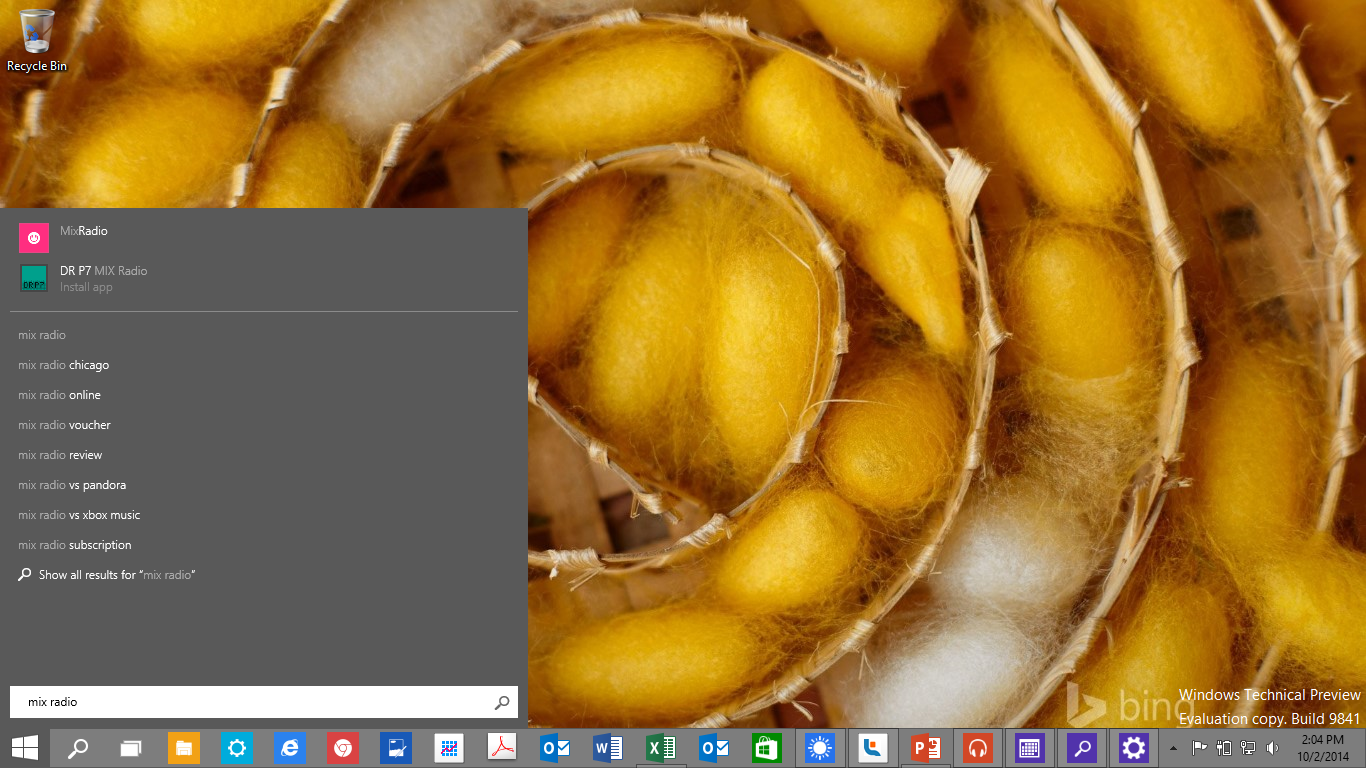
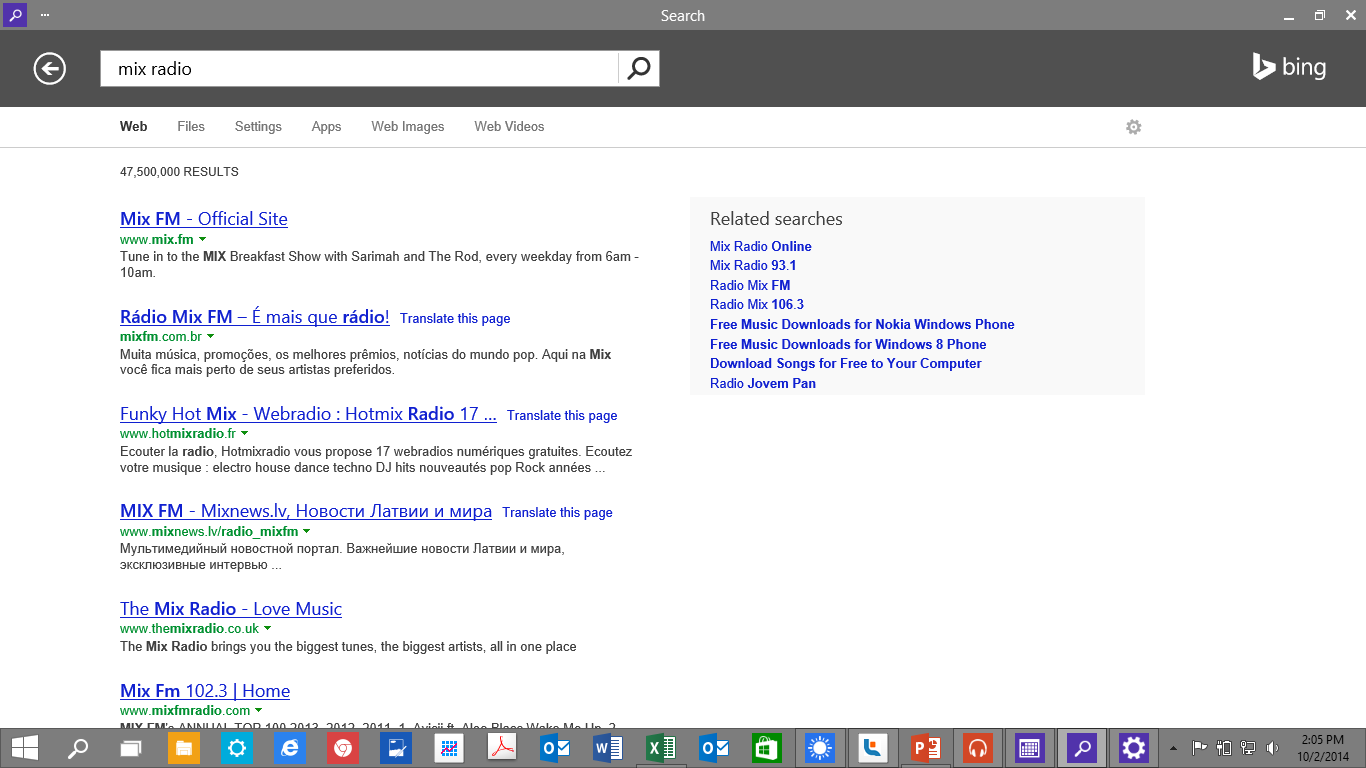
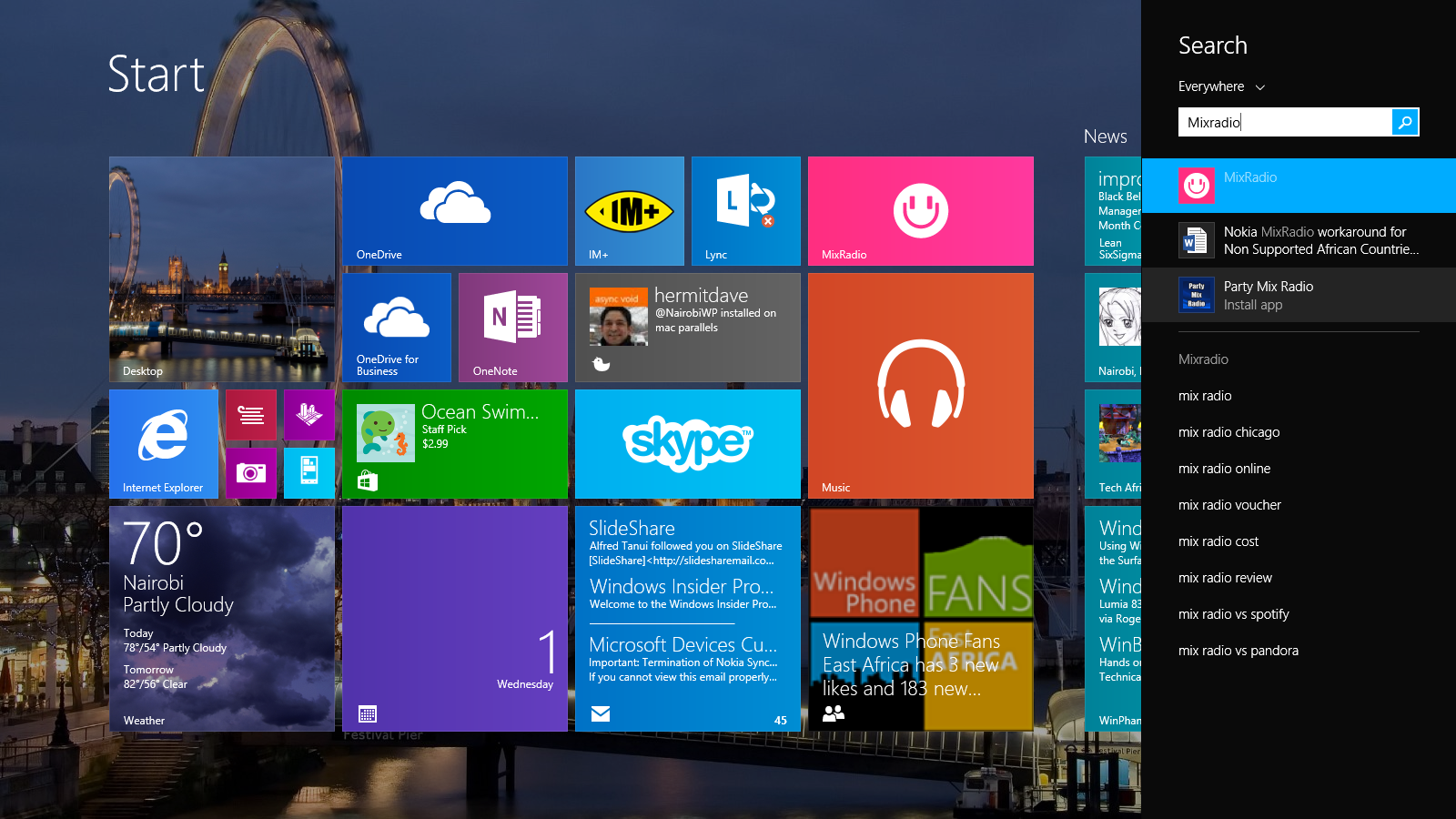
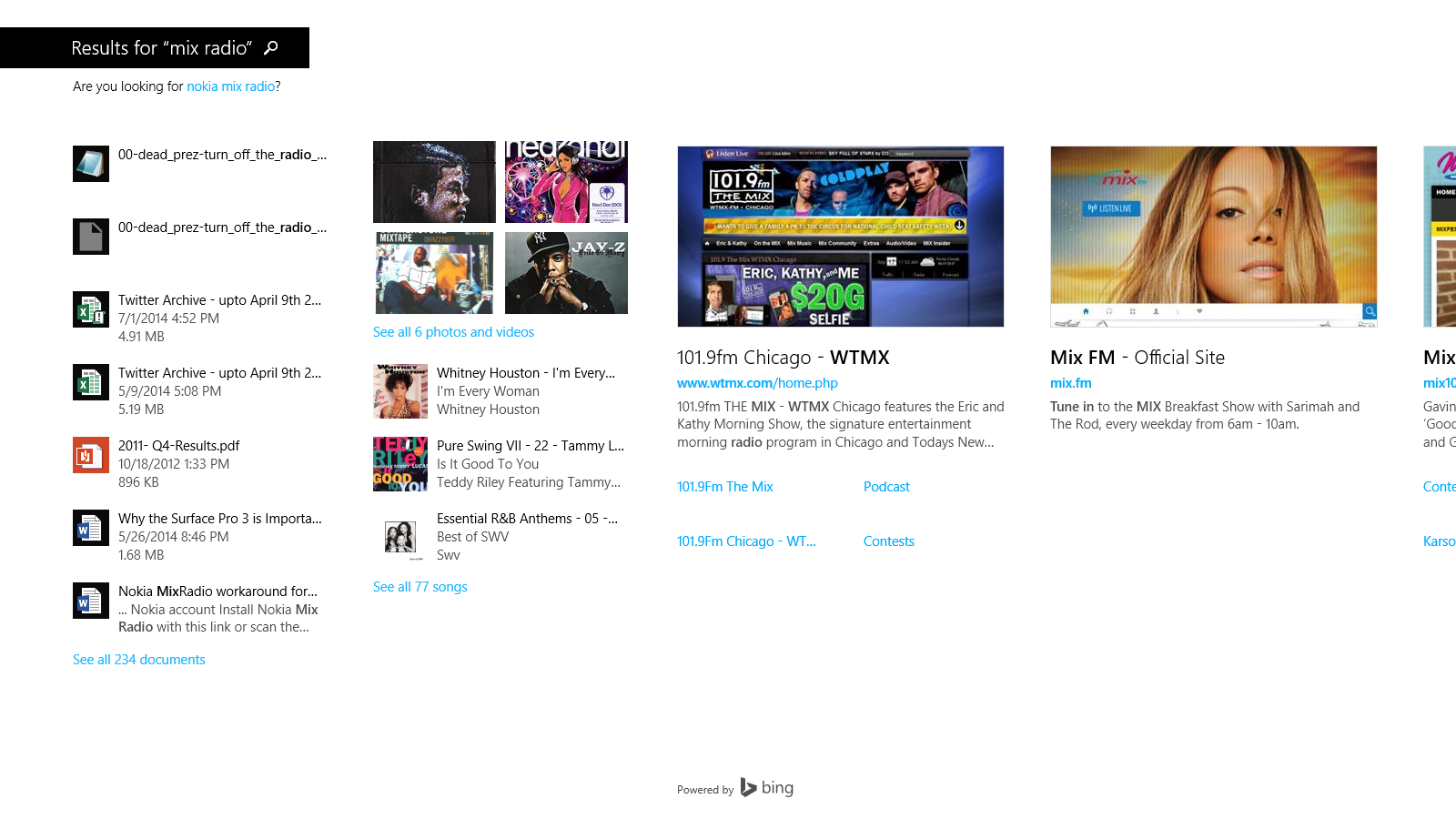
As with Windows 8.1, Windows 10 has Universal search. This means any search term you enter will the results of your search term will be pulled from your local machine as well as the internet. Whereas this happened on the charm bars in Windows 8.1, search now happens in the familiar search box in the start menu.
Windows Stores Apps now run on desktop
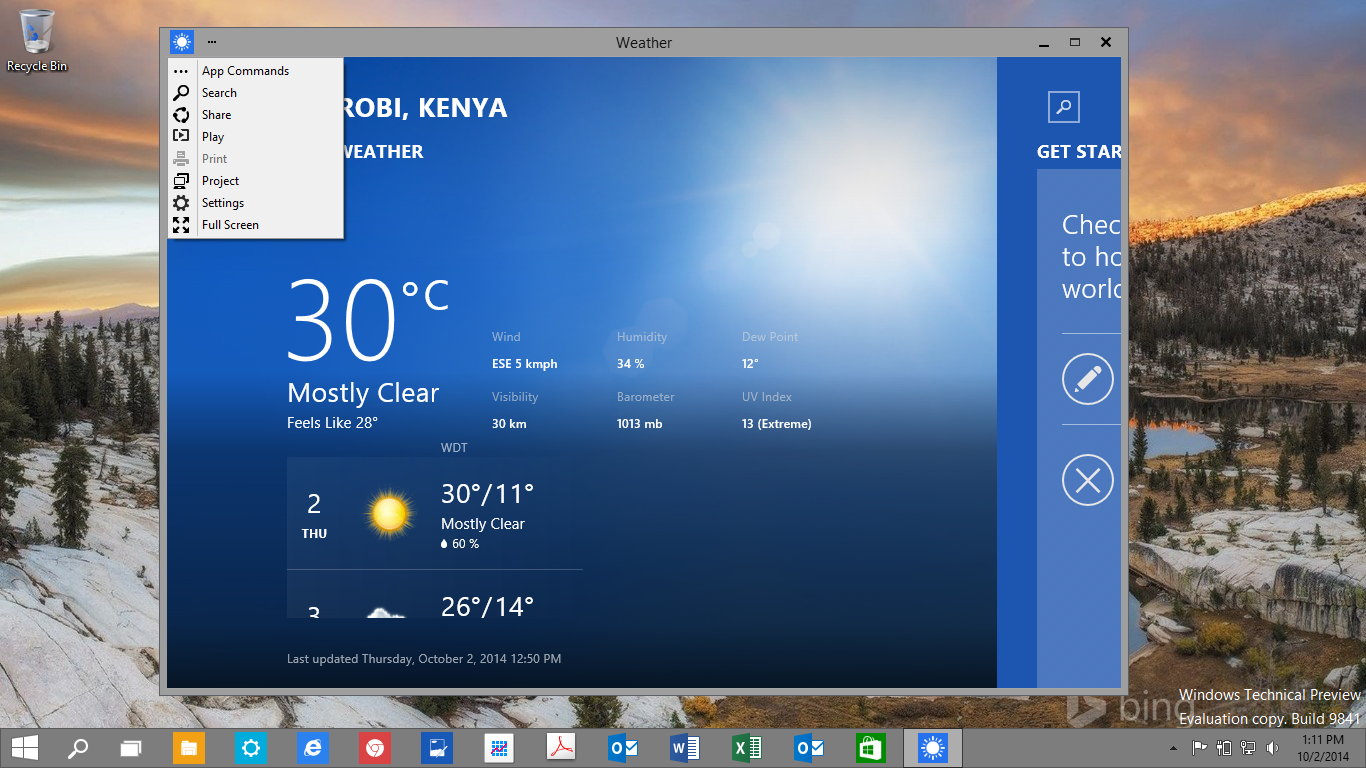
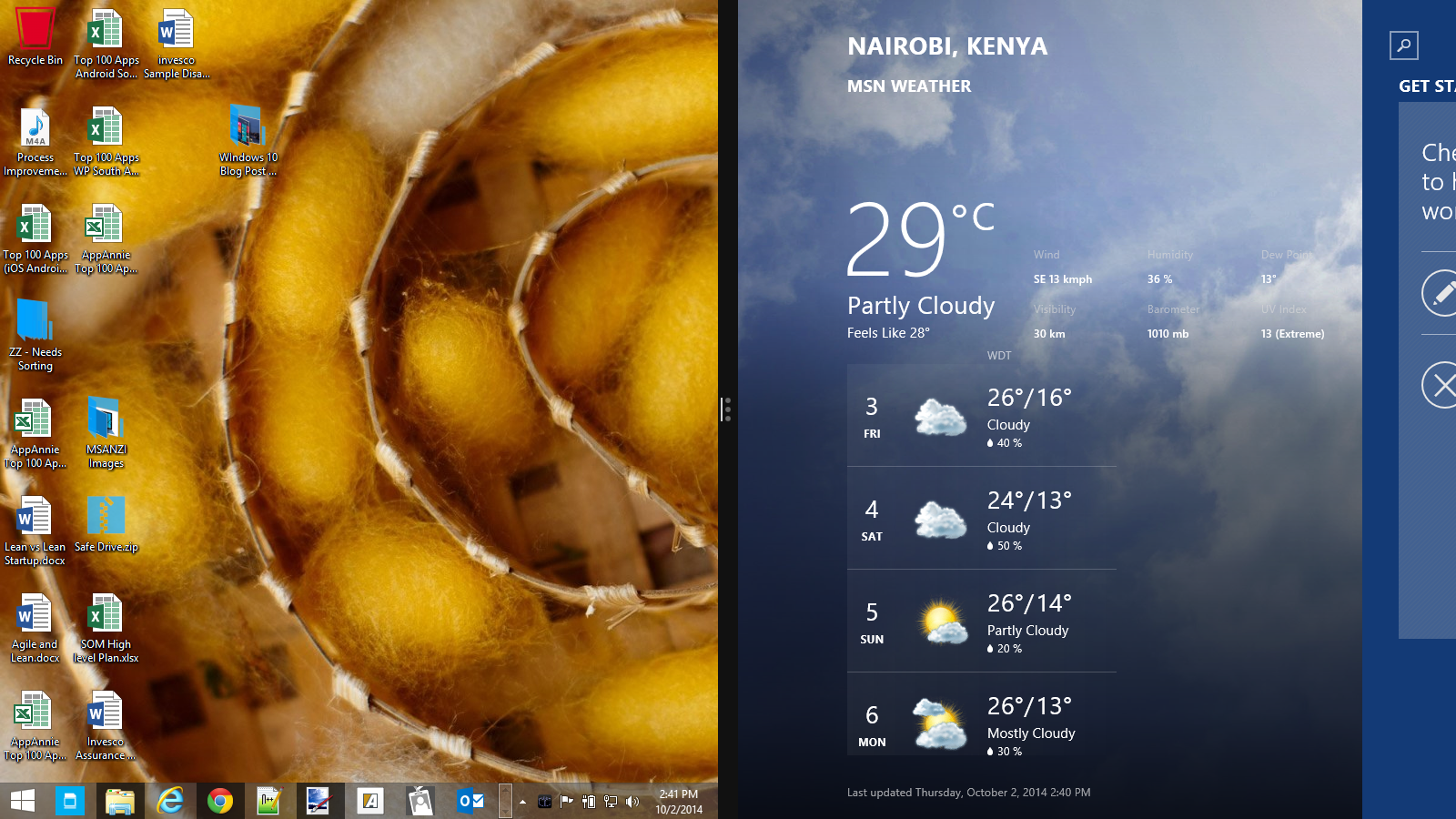
Rather than have the Windows Store apps run in their own environment (as they did in Windows 8.1), Windows Store apps can now run on the desktop as independent floating windows. These windows can be resized at will and even pinned to the taskbar. The functions that resized on the charms bar, are now in a pull down menu on each app.
To aid in productivity, Windows 10 improves multi-tasking with the following new features.
Multiple Desktops & Task View
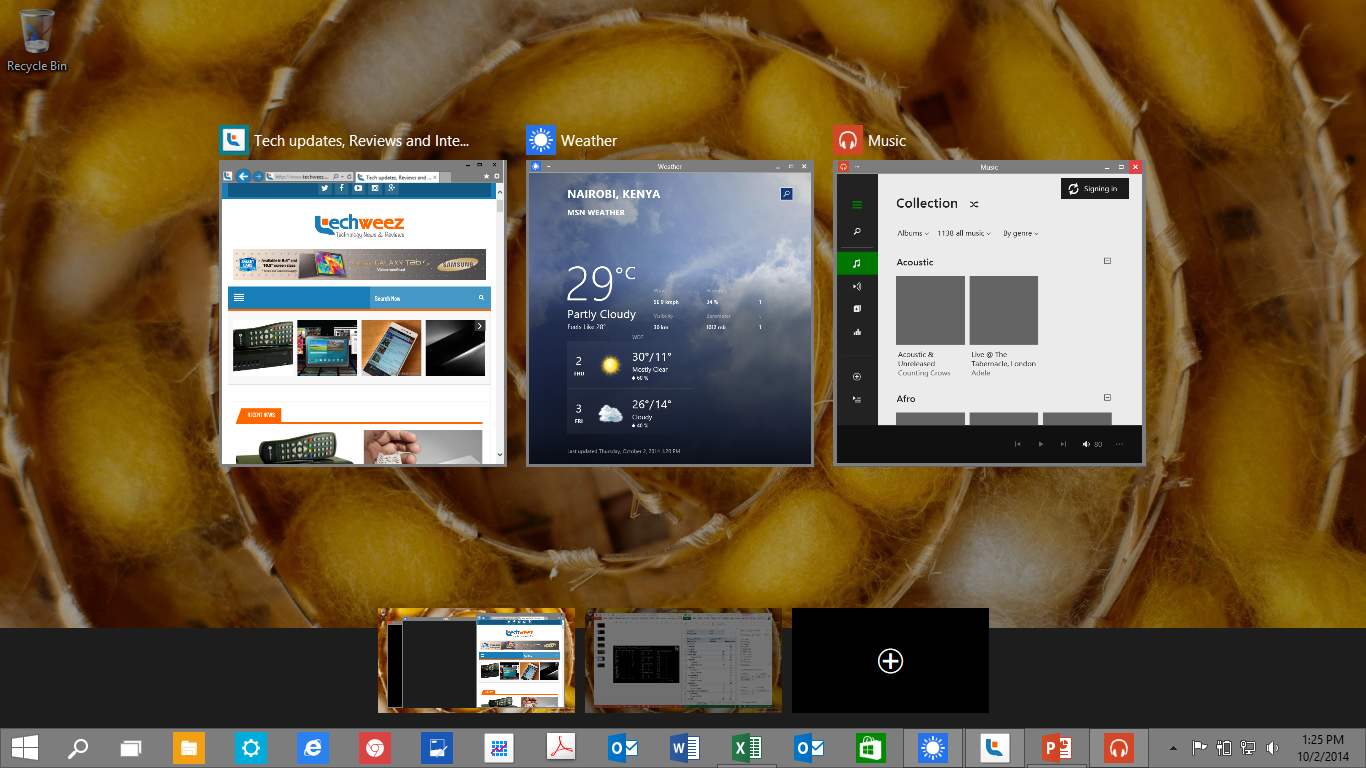
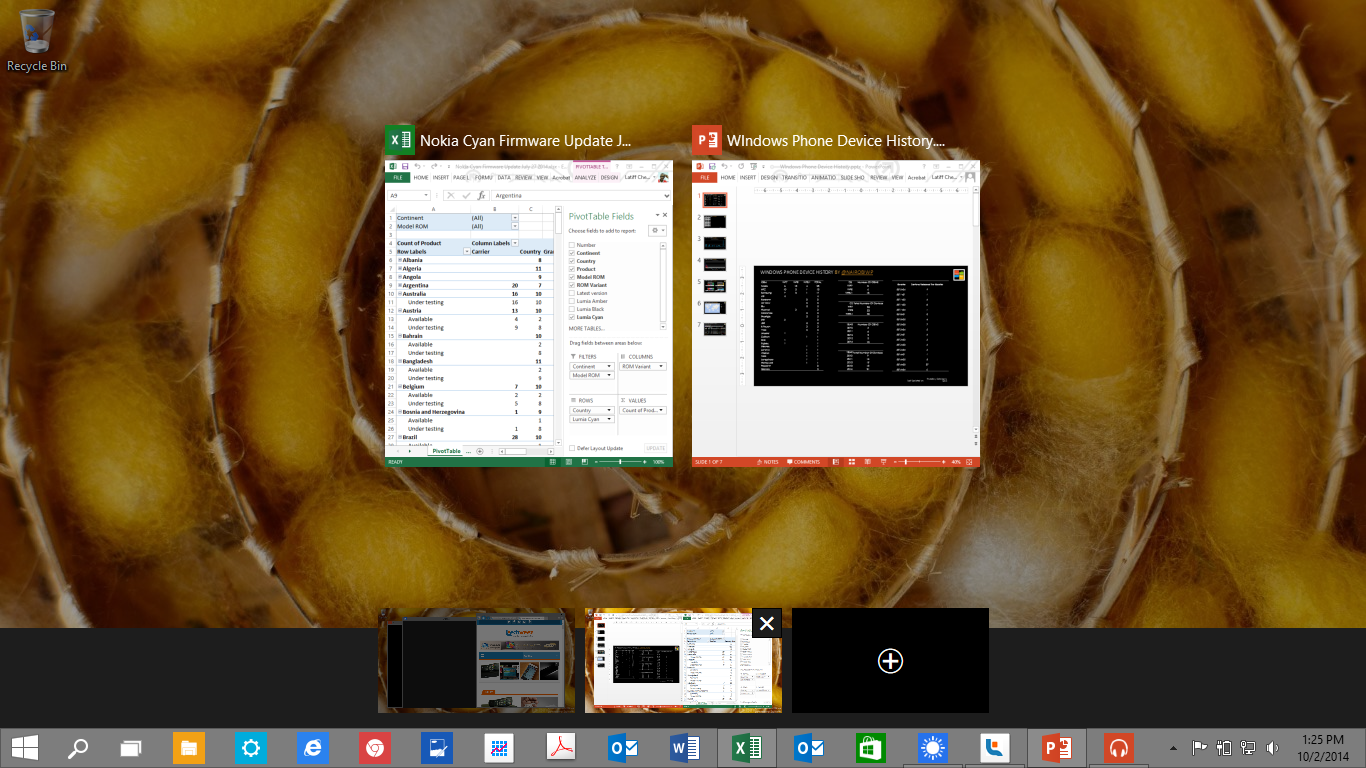
Many Windows users know that trying managing numerous open windows can be end up being confusing. Windows 10 now includes the ability to create multiple desktops. This means you could group open windows by tasks, programs or whatever way you see fit. Switching between these multiple desktops is easy using the new “Task View” function, or with WINDOWS KEY+D.
The WINDOWS KEY+TAB on Windows 8 provides an overview of all the open apps (tasks) that are currently running on the system. This function now called Task View, adds functionality by also showing open desktops as well as open apps. There’s also a dedicated Task View button added on the task bar.
Snap Assist and Snap Fill
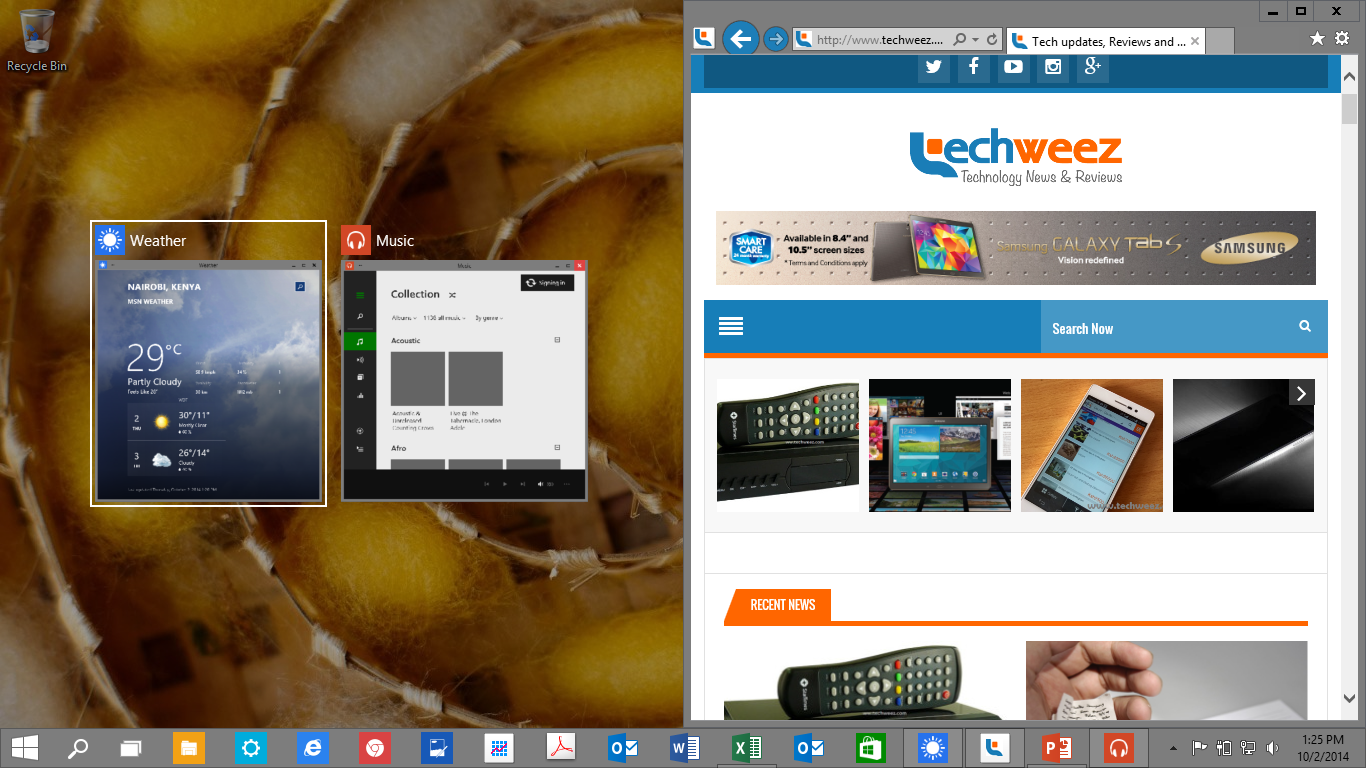
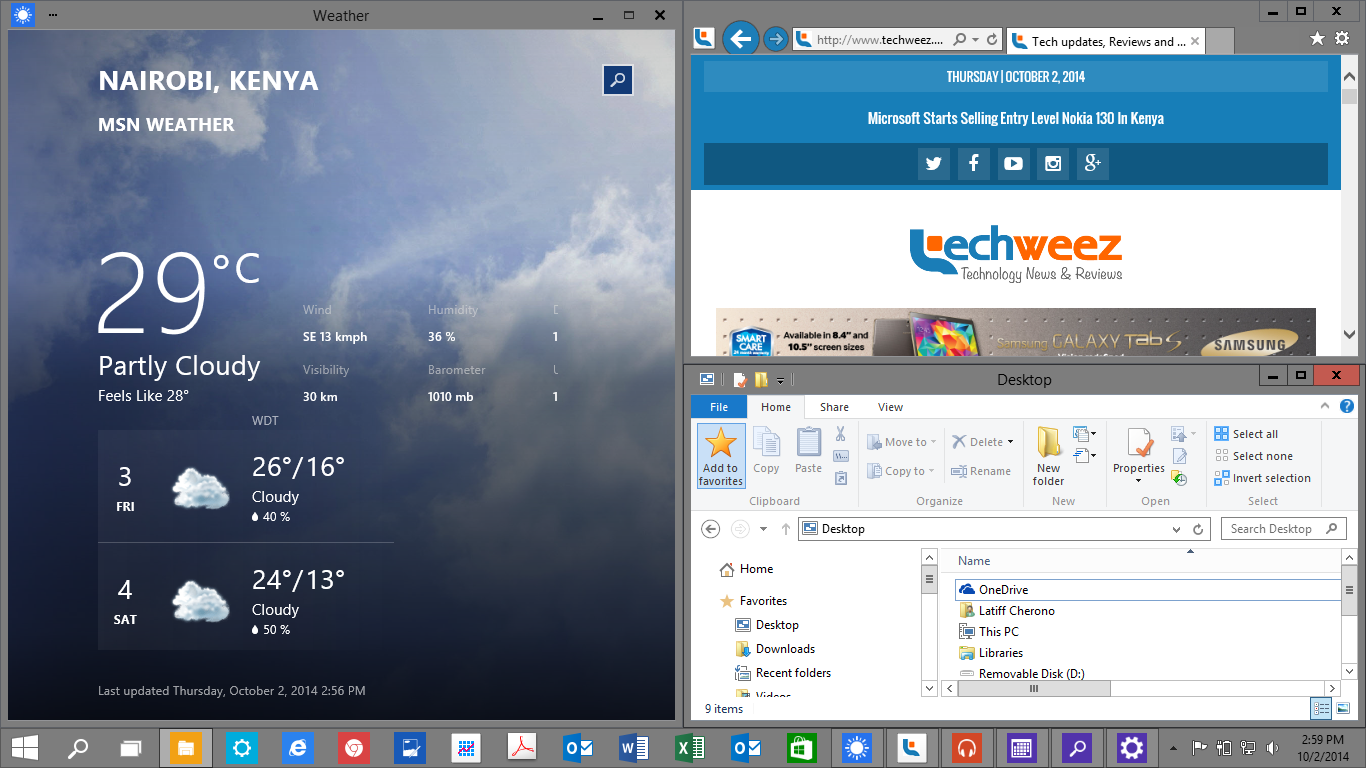
The snap feature introduced in Windows 7 has been taken to new heights in Windows 10. Snap is now intelligent as the system can automatically suggest the best snap configuration for the apps you are using. This combined with multiple desktops and Task view, makes multitasking very fluid. Snap Assist suggest an open app that you are most likely to use next, while Snap Fill automatically fills any open space with your selected app. These two options make snapping apps much easier and increase productivity
File Explorer

File explorer adds a Home section that collates your favourites, frequent folders and frequent files in one location. A “Share” section has also been added to the tool bar taht provides options for sharing content.
Touch “Continuum”
In a response to the fact the majority of Windows devices are still non touch, Windows 10 changes significantly from its predecessor. Whereas Windows 8 was touch first with the desktop being relegated to second class citizen, with Windows 10 changes the priority of environment based on the device you are using. This means on a traditional laptop, where the keyboard and mouse are the main interface elements, the desktop environment is prioritized. With 2-in-1 devices like the Lenovo Yoga or hybrid tablets like the Surface, Windows 10 will be able to automatically detect which mode the device is in and automatically adapt the environment to suit the interface. This feature, named Continuum, is still in development and will be released at a later date.
[youtube http://www.youtube.com/watch?v=F_O-LrGL-YQ?list=UUVGOyzms_XJNk_DHqrffXCw]
Devices that don’t need the desktop, for example Windows Phone, will run in full touch mode (also known as modern/metro mode). Microsoft hasn’t stated whether the small 9 inch and below windows tablets will ship with the desktop enabled.
App Store
Windows 10 will run on the broadest range of devices from Phone, tablets, laptops, desktops, servers, Xbox, and IOT devices. This opens up a market of over 1 billion users to Windows applications.
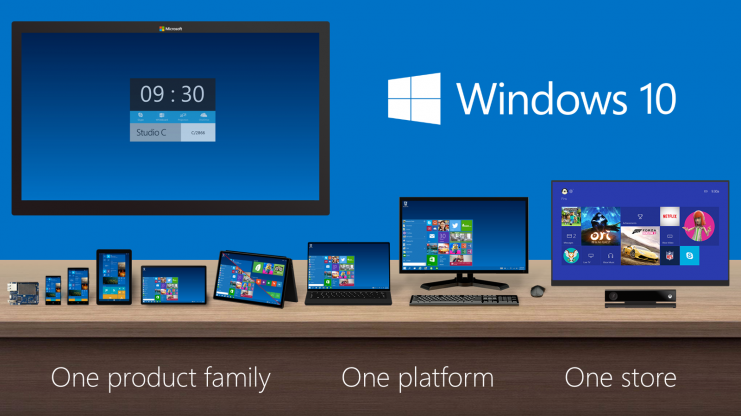
Windows 10 run Universal Apps. These are apps that built on a common set of API and code that run across all Windows Devices. Meaning that as developer, your application only needs to written once to work on. Universal apps will be available in one app store, simplifying app purchases e.g. developers can opt to have their priced once for all form factors (phone, PC, XboX etc.). More details on the developer API’s will be released at Microsoft’s “Build” developer conference in April 2015.
Pricing and Availability
Windows 10 will under several iterations before its final release to the public in mid-late 2015. More consumer features will be announced at Microsoft’s Build conference in April 2015. As with Windows 8, I suspect the Consumer preview of Windows 10 will also be released then.
Microsoft has not announced any details on pricing. Industry analysts speculate that Windows 10 will be a free upgrade to licensed Windows 8 users and a small upgrade fee to Windows 7 users ($30-$50).
How to get Windows 10 Technical Preview
To get Windows 10 Technical Preview, you will have to sign up for Windows 10 at the Windows Insider Program. The download size is 3.16 GB for the X86 version and 4.01GB for the X64 version. The aim of the Windows Insider program is to make easier for Microsoft to collect usage data and feedback that will aid in the refinement of the operating system. If you feel adventurous to try Windows 10, you will need to know a few things.
- Windows 10 Technical Preview is an early build of Windows 10, meaning that many features of the operating system maybe broken or missing. To minimize the impact that this may have on your productivity, I suggest you install Windows 10 TP on a secondary machine or run it VM.
- Microsoft will push a large number of updates over the coming months as they continue to polish the operating system. You will not be able to turn off the updates. As part of the Windows Insider Program, you will be expected to provide feedback about your usage through an integrated feedback app.
- Once installed, you may find it hard to revert back to your prior operating system. As such install it on a separate partition, to keep your data safe.
- Some older processors will not support Windows 10 Technical Preview. Unfortunately, Microsoft has not provided details on the specifics of these processors. (I installed Windows 10 Technical Preview on a Core Duo HP Laptop). If you have a Samsung laptop, I’d also advise that you hold off as Samsung specific drivers will not be available.
- Windows 10 TP is only available for x86. If you own a Windows RT device, you will have to wait until the developer preview is released in early 2015.
- If you have a touch device (tablet), I’d advise that you wait until the Microsoft improves the touch integration.
Be sure to follow TechWeez to stay updated on new features of Windows 10. If you have any questions about Windows 10, please comment in the section below.