




YouTube terminations sit at the harsh end of the account termination spectrum, since a channel that’s been pulled down loses its videos, comments, playlists, and subscriber count all at once, and the owning Google account gets locked out of creating a new one too.
The appeal process reflects that severity, running through a single, deliberate review rather than a quick in-app button, and it treats copyright terminations and policy terminations as genuinely separate problems with different fixes.
Recovering a Terminated YouTube Channel
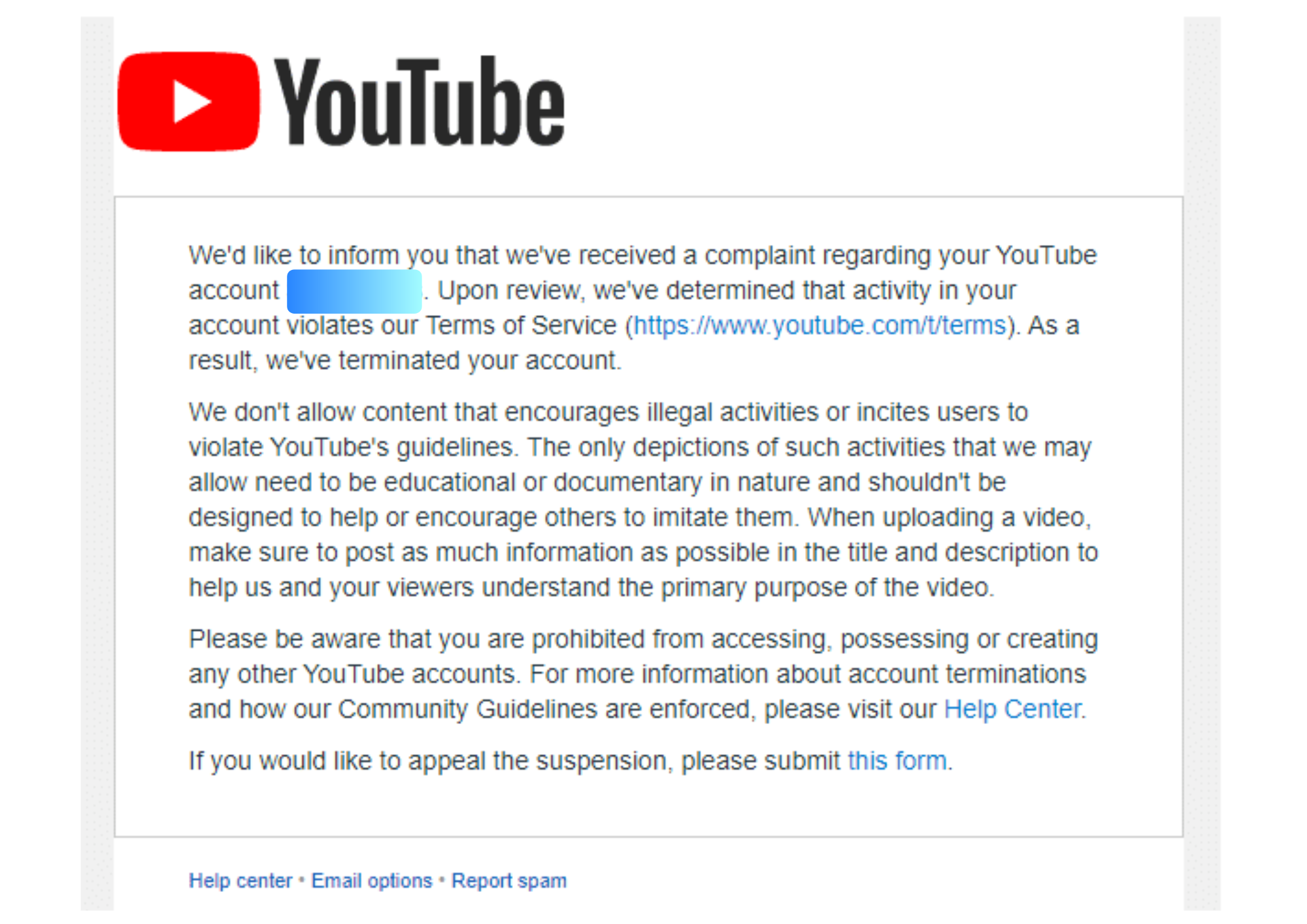
Step 1: Read the termination email carefully. YouTube sends an email explaining exactly why the channel was terminated, whether it was three accumulated strikes, a single case of severe abuse, or a copyright issue, and that reason shapes everything that follows.
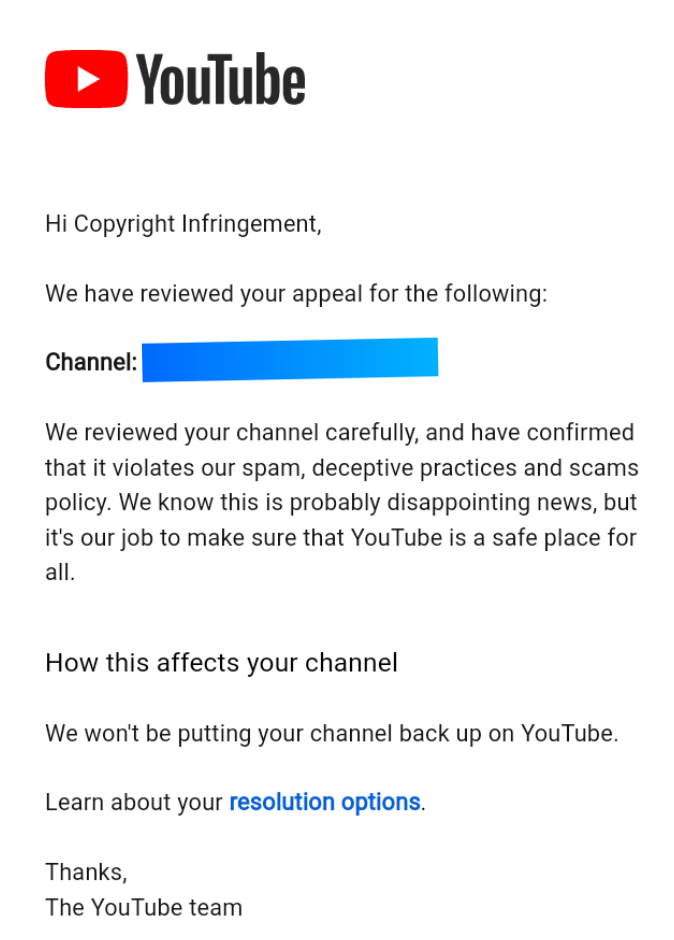
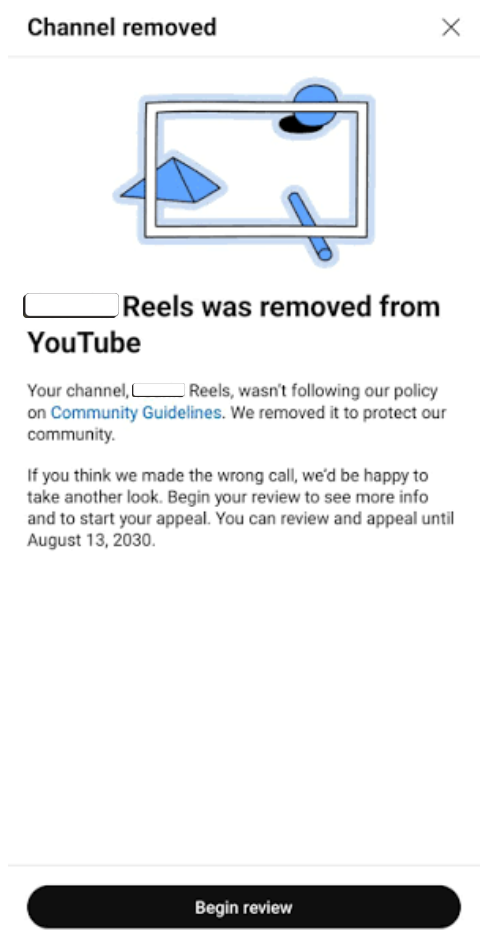
Step 2: Open YouTube Studio on a computer. Log in to the Google account connected to the channel. Once you’re in, find the termination message and look for Begin Review.
Step 3: Appeal the decision. Select Start Appeal and explain why you think YouTube got it wrong. Tell them what happened and provide any details that support your case. Avoid keeping it too general. The more clearly you explain the issue, the easier it is for YouTube to understand your side.
Step 4: Wait for the email decision. Reviews on straightforward, clearly automated errors move faster, while anything involving copyright, monetization, or a history of prior strikes routes through more specialized review and takes longer. Filing a second appeal on top of the first doesn’t speed things up; it tends to stall the queue instead.
Step 5: If it’s a copyright issue, use a counter notification. If your channel was terminated because of copyright strikes that you believe are wrong, a regular appeal will not work. You’ll need to file a counter-notification, which starts a legal process rather than a normal review. Before doing that, it may be quicker to contact the copyright claimant and ask them to withdraw the claim.
READ: How to Recover a Banned TikTok Account
You have up to a year from the termination date to file an appeal, but acting quickly increases your chances of success, as reconstructing evidence for a channel that has been inactive for months is more challenging.
If It’s a Monetization or Partner Program Suspension
Losing access to the YouTube Partner Program is a different problem from losing the channel entirely, and YouTube treats it that way, with its notice period, appeal window, and timeline.
Step 1: Check whether you got advance warning. For some violations, YouTube now flags monetization for scheduled suspension seven days before it actually happens, giving creators a chance to appeal before ad revenue stops rather than after.
Step 2: Appeal within the window you’re given. If you catch the warning in time, you get seven days to appeal before the suspension takes effect. If you miss that window and the suspension goes ahead anyway, you still get 21 days afterward to file an appeal.
Step 3: Fix what you can before appealing. Deleting videos after a suspension notice won’t help, since YouTube reviews the channel in its current state, and a copyright or Community Guidelines issue that’s still open going into the appeal usually keeps it stuck.
Step 4: Expect a two-week wait for a decision. YouTube typically responds to a Partner Program appeal within 14 days.
Step 5: Have a fallback if the appeal fails. A rejected appeal means the suspension stands, but you can reapply to the Partner Program 90 days after the suspension date. If the underlying copyright or Community Guidelines issue can’t be resolved directly, YouTube may also consider reinstating monetization after three clean months with no new violations.
What Moves the Needle
Context wins over a bare denial, same as the other platforms in this series. If a video was flagged for reused or repetitive content but represents genuine creative work, YouTube’s video appeal option lets you record yourself walking through your actual process rather than just typing a written explanation.
Reaching a human sometimes beats the form. Tagging @TeamYouTube on X with the channel ID and the specific reason for the appeal is a well-documented way creators have gotten a manual review after an automated rejection, though it works best as a follow-up rather than a replacement for the formal appeal.
Don’t reupload removed content while an appeal is pending. It doesn’t fix anything, and it can add a fresh strike on top of the one you’re already trying to resolve.
A locked Google account complicates everything. If the Google account itself is compromised or locked, sort that out first through Google’s own account recovery process, since a YouTube appeal filed from a locked account goes nowhere.
READ: YouTube Ads Are Out of Control and That Is Exactly What Google Wants
Before You Submit
- Screenshot every notice, every email, and every step of the process as you go, since you may need that record if the case drags on or needs escalating.
- Be specific about which policy you believe was misapplied, rather than arguing the termination feels unfair in general terms.
- File one appeal and wait for the decision, since duplicate submissions can reset or stall the review.
- Move quickly. The one-year appeal window is generous, but evidence and context get harder to reconstruct the longer a channel sits terminated.