







Saving a video on Instagram, bookmarking a recipe on TikTok or sending yourself a link to a place you want to visit is easy. Finding that same post weeks later, however, is another story.
Most people have a growing collection of saved posts scattered across social media apps, browser bookmarks, screenshots, and chat messages. The problem is not a shortage of interesting things to discover online. It’s keeping track of them long enough to do something with them.
Albo offers to solve that problem by bringing your saved content into one place. The app works as a digital notebook for the recipes, places, books, films, products, and other ideas you come across online.
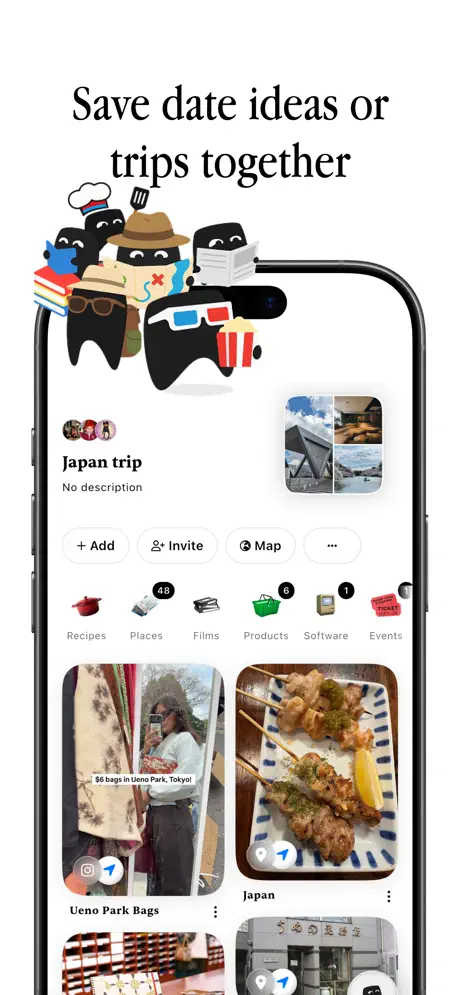
Rather than leaving your saved posts scattered across different apps, Albo gives them a central home where you can search, organize, and revisit them.
How Albo Works
The easiest way to save something to Albo is through your phone’s sharing menu. When you come across an interesting post on Instagram or TikTok or find a useful page in your browser, you can share it directly with Albo.
The app then attempts to identify the content and extract relevant information.
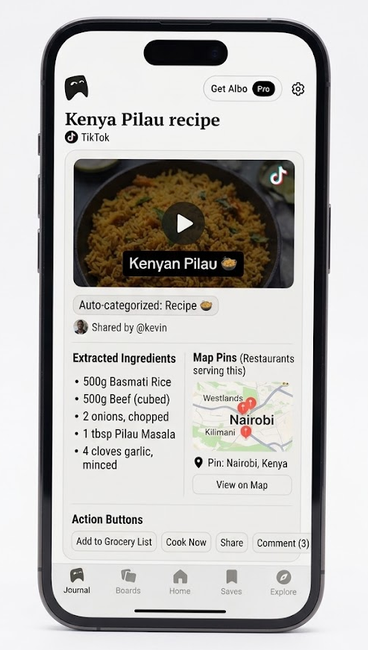
For example, saving a recipe for Kenyan pilau can give you access to its ingredients and preparation instructions without having to dig through the original TikTok or Instagram post.
A video recommending coffee shops in Nairobi, from cafes in Kilimani to spots in Westlands, can be turned into a list of places pinned to a map.
If you come across a book recommendation at a Nairobi bookshop or a list of places to visit in Diani, you can save them alongside other books you want to read or destinations you hope to explore.
The same approach applies to products, workouts, films, and television shows. Depending on the content, Albo can pull out the information you are likely to need when you return to it.
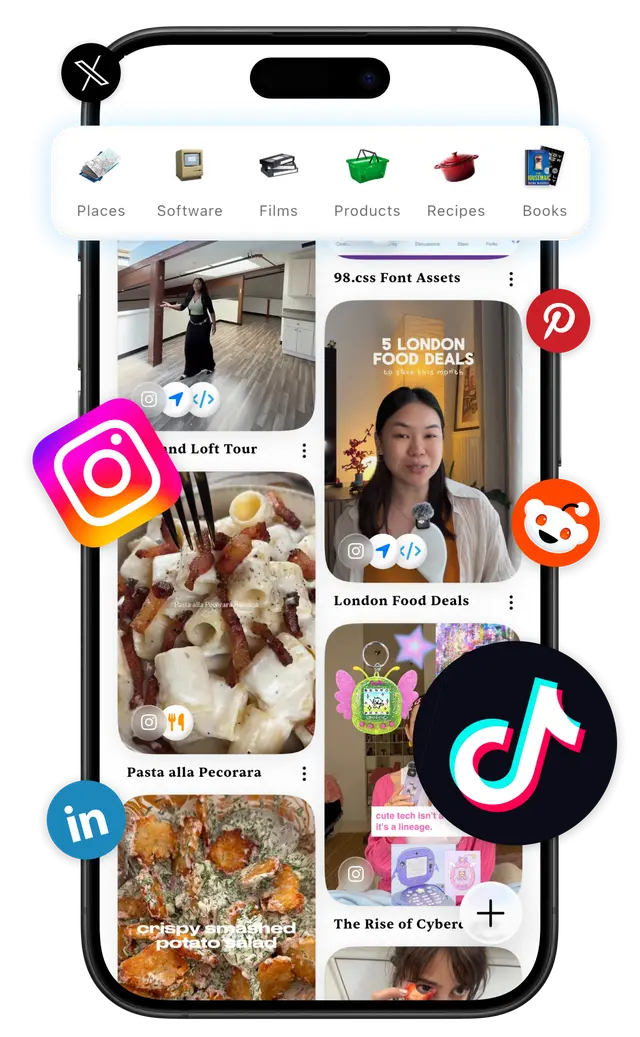
This is more useful than a conventional bookmark, which usually just preserves a link and leaves you to remember why you saved it in the first place.
Albo also lets new users import existing saves from Instagram. Instead of rebuilding a library from scratch, you can connect your account, review the content the app identifies, and choose which posts or collections to bring across.
That feature could be particularly useful for anyone who has spent years saving Instagram posts but rarely returns to them.
Collections Make Everything Easier to Find
Albo automatically sorts saved items into categories while allowing users to create custom collections for things like Nairobi restaurants, recipes, or books they want to read.
Its Smart Collections feature can automatically add matching items based on criteria you set, and you can share collections with friends to exchange recommendations or plan activities.
The app also displays saved places on a map and can turn travel recommendations into day-by-day itineraries, making it easier to put saved ideas into practice.
More Than a Mobile App
Albo also has a web version and a browser extension, allowing users to save content while browsing on a computer with the items saved accessed from the mobile app.
The app can also help users decide what to cook or watch, while its recipe tools support meal planning and grocery shopping. Users can also keep records of things they have tried and maintain personal reviews.
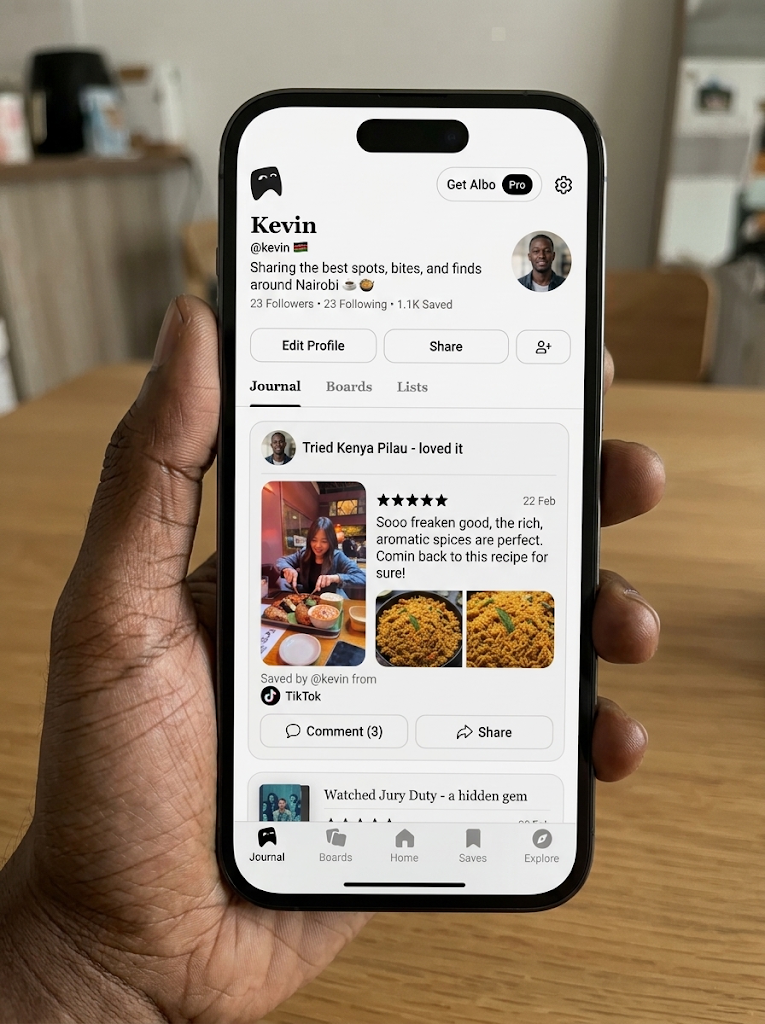
Albo has a social element as well, where you can share recommendations publicly or with friends, see what other people have saved, and use the app as a space for publishing curated lists.
That makes it a cross between a personal library, a planning tool, and a recommendation platform. You can use it privately to organize your interests or share your discoveries with other people.
What It Costs
Albo is free to download, although its free tier comes with a weekly usage limit.
Albo Pro typically costs between $14.99 and $29.99, with some annual subscription options listed at up to $49.99, depending on the app store region. The plan offers unlimited imports and access to additional features.
Albo Max costs around $59.99 and provides top-tier access, including unlimited use of the app’s features and bulk imports.
For someone who saves only a handful of posts each week, the free tier may be enough. Users with large backlogs of saved content are more likely to benefit from a paid plan, particularly if they want to import and organize material in bulk.
Prices may vary by region and subscription option, so check the Google Play Store or Apple App Store for the latest pricing.
Where Albo Falls Short
The app needs to identify and categorize content correctly for its automated organization to be useful.
Albo’s main challenges include incorrect categorization of saved items, difficulty processing or identifying some videos, and occasional glitches and loading problems. These issues can make organizing and retrieving saved content less seamless than intended.
There is also a limit to what organizing content can achieve. Albo can make recommendations easier to find, but it cannot guarantee that the original post will remain available or that every detail extracted from a video will be correct.
Users should also consider the access required when connecting social media accounts to import existing saves and review the app’s privacy policy before doing so.
Who It Is For
Albo is best suited to people who regularly save content online but struggle to find it later.
Whether collecting Nairobi restaurants to visit, recipes to try, or books to read, users can bring recommendations from different platforms into one searchable library. Features such as Smart Collections and the trip planner make it easier to organize these discoveries and put them to use.
The app may be less useful for people who rarely bookmark content or are comfortable with existing tools.
However, for frequent savers, Albo offers a practical way to manage the growing pile of links, videos, and screenshots that often get forgotten after being saved.