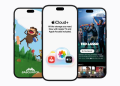






Switching music services has always been a hassle. Thankfully, Apple is changing that with its new Apple Music Transfer Tool, a feature designed to make migrating from Spotify, YouTube Music, Tidal, Deezer, and Amazon Music simple and stress-free.
Once you connect to your old music service, it scans your library and user-created playlists, then matches songs with Apple Music’s massive catalog.
If an exact match isn’t found, you’ll be prompted to review alternatives, but more importantly, your old playlists remain intact on the original platform. Nothing gets deleted.
This feature is powered in partnership with SongShift, a well-known third-party app that many users previously relied on for the same purpose. By integrating it directly, Apple eliminates the need for extra downloads or complicated steps.
How to Transfer Your Music to Apple Music
The standout feature here is how easy the transfer process is. Apple has built the tool directly into Apple Music, so you don’t need third-party apps or complicated steps.
Here’s a simple guide:
- Open Apple Music Settings
- On iPhone/iPad: Go to Settings > Apps > Music, then tap Transfer Music from Other Music Services.
- On Android: Open the Apple Music app, go to Settings, and choose Transfer Music.
- On the Web: Log in, click your profile picture, and select Transfer Music.
- Select Your Old Streaming Service
Choose the platform you’re leaving: Spotify, YouTube Music, Tidal, Deezer, or Amazon Music. - Sign In and Confirm Access
Log in with your old account so Apple Music can read your playlists and library. - Pick What You Want to transfer
You can bring over songs, albums, and playlists you created. Editorial or service-generated playlists won’t transfer. - Review and Match Your Music
Apple Music will automatically match your tracks with its catalog. If a song isn’t available, it’ll be flagged under Needs Review, and you can choose an alternative version or skip it. - Complete the Transfer
Once confirmed, your music appears in your Apple Music library, ready to play. Your old library remains untouched.
Previously, moving to Apple Music meant hours of manual work or relying on clunky third-party apps. Now, everything is integrated, seamless, and cross-platform, whether you’re on iOS, Android, or a web browser.
While the new tool is a big step forward, there are a few limitations, such as:
- Only user-created playlists are transferable. Editorial or automatically generated playlists won’t carry over.
- Not every song will be available in Apple Music’s catalog.
The Apple Music Transfer Tool is now live in almost every country where Apple Music operates, except for a few regions like Mainland China, Myanmar, and Russia.