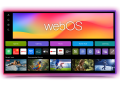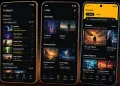





If you have logged in to your YouTube app today, you might have noticed some changes. Well, the video-hosting platform has introduced a refreshed design across web, mobile, and smart TV platforms, giving its interface a cleaner and more engaging appearance.
The redesigned video player is the centerpiece of this update. It now features clearer controls and a layout that minimizes visual clutter, keeping the focus on the video itself. Buttons have been rearranged for better access, and playback gestures are now smoother and more responsive.
A highlight of the redesign is the introduction of playful animations for the like button. Depending on the type of content, pressing like may trigger small themed effects that celebrate the interaction. This feature adds a touch of personality to the experience and makes engagement feel more dynamic.
YouTube has also made subtle but noticeable improvements to the seek function. The double-tap gesture to skip forward or backwards feels faster and more natural, especially on mobile devices.
Navigation between sections such as Home, Shorts, and Subscriptions is now more fluid, thanks to refined transitions and motion effects.
Another area receiving attention is the comments section. Replies are now threaded, allowing conversations to flow more clearly without getting buried in long comment chains. This makes discussions easier to follow and keeps the community aspect of YouTube more organized.
The save and playlist interfaces have also been redesigned. Adding a video to Watch Later or a custom playlist now comes with smoother animations and an improved layout that makes organizing content more enjoyable.