


• Latest
  • All
  • How To
Scam Links

How to Identify Phishing and Scam Links on Social Media

August 13, 2025
My OneApp

Safaricom Makes My OneApp Data-Free With Latest Update

June 22, 2026
Safaricom

Safaricom Nears 60 Million Subscribers as Kenya Hits 84.1 Million Mobile Lines

June 22, 2026
FIFA World Cup 2026

Trionda Ball and Referee Cams Deliver First Major Tech Moments at World Cup 2026

June 19, 2026
Couple Joy: A Long-Distance Dating App That Builds Intimacy in Small Daily Acts

Couple Joy: A Long-Distance Dating App That Builds Intimacy in Small Daily Acts

June 19, 2026
DHgate Tablet Cases deals
KRA Extends Working Hours for Tax Return Filing as Deadline Nears

KRA Extends Working Hours for Tax Return Filing as Deadline Nears

June 18, 2026
viewers Desert DSTV, GOtv, StarTimes as Kenyan Pay TV Market Loses 73.2% of Subscribers

Kenyans’ Exodus From DSTV Continues, as Pay TV Sector Loses Over 85K Subscribers

June 19, 2026
Anthropic Claude

Claude Users Face Service Disruptions as Anthropic Suspends Fable 5

June 18, 2026
How mobile money agents grew into kenya's financial spine but the bank doesnt die

M-Pesa, Airtel Money Hit Over 600K Mobile Money Agents in Kenya

June 18, 2026
Kenya Internet Bandwidth Jumps to 28,130 Gbps: SEACOM Leads with 53% Quarter Growth

SEACOM 53.3% Bandwidth Growth Pushes Kenya’s Total Internet Capacity to 28,130 Gbps

June 18, 2026
The AI Gold Rush Goes Public

The AI Gold Rush Goes Public

June 17, 2026
NTSA Pilots Smart Driving License Enrollment at Huduma Center in Kimilili

NTSA Pilots Smart Driving License Enrollment at Huduma Center in Kimilili

June 17, 2026
bZ4X

Toyota Enters Kenya’s EV Market With New bZ4X Electric Crossover

June 17, 2026
Techweez | Tech News, Reviews, Deals, Tips and How To
  • News
  • Entertainment
  • Reviews
  • Features
  • Editorial
No Result
View All Result
Techweez | Tech News, Reviews, Deals, Tips and How To
  • News
  • Entertainment
  • Reviews
  • Features
  • Editorial
No Result
View All Result
Techweez | Tech News, Reviews, Deals, Tips and How To
No Result
View All Result

How to Identify Phishing and Scam Links on Social Media

Naftary Thitu by Naftary Thitu
August 13, 2025
in How To
Reading Time: 5 mins read
326
0
Scam Links

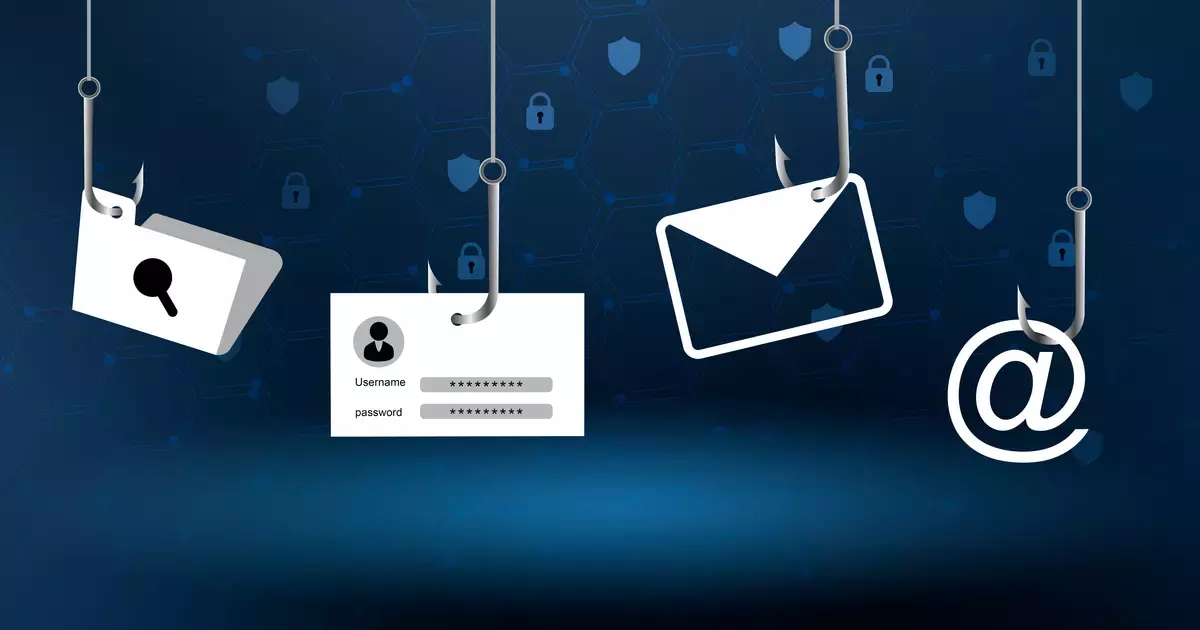
It usually starts innocently. A friend sends you a link saying, “You have to see this!” or a message pops up on Instagram about a giveaway. You click without thinking, and within seconds, your account is locked, your details are stolen, or your bank balance starts shrinking.

In 2025, phishing and scam links are no longer just the domain of shady spam emails; they’re woven into the daily fabric of social media. Scammers are now smart, patient, and highly creative. They exploit your curiosity, your fear, and sometimes even your friends’ hacked accounts.

The good news is that with a bit of awareness and a few quick checks, you can protect yourself from becoming their next target.

Hotspots for Scam Links on Social Platforms

Phishing links can pop up almost anywhere online, but some places are more common than others:

  • Direct Messages (DMs): Fake alerts, videos, or “opportunities” sent via WhatsApp, Instagram, Telegram, or Facebook Messenger.
  • Post Comments: Links promoting investment schemes or prize giveaways under trending posts.
  • Fake Ads: Unverified pages selling goods at unrealistically low prices.
  • Profile Bios: New accounts with suspicious URLs in their bio.
  • Shortened Links: Using services like Bitly or TinyURL to hide the true web address.

How to Recognize a Phishing or Scam Link

1. Preview the Link Before Clicking

  • On desktop: Hover your mouse over the link and check the bottom of your browser for the full URL.
  • On mobile: Long-press (but don’t open) to see where it actually leads.

2. Scrutinize the Domain Name

Scammers often register domains that look almost right. They add extra words, use different endings, or replace letters with numbers.

.
  • Legit: instagram.com
  • Scam: instagram-help-center-login.net

3. Don’t Be Fooled by HTTPS

Yes, you should always use secure (HTTPS) websites, but the padlock icon alone is no longer a guarantee of safety; scammers also use it to appear trustworthy.

4. Watch Out for Shortened Links

Short links are convenient but can hide dangerous destinations. Use free tools like CheckShortURL.com or Unshorten.It to reveal the real web address first.

5. Assess the Context

Legitimate companies don’t pressure you into clicking immediately. If the message is urgent, emotional, or oddly personal, stop and think.

Typical Social Media Scam Tactics

  1. The Fake Security Warning
    “We’ve noticed suspicious activity. Your account will be disabled in 24 hours unless you verify it here.”
  • A classic fear-based trick that sends you to a counterfeit login page built to steal your credentials.
  1. The “You’re in This Video” Hook
  • Preys on your curiosity and anxiety by claiming you appear in an embarrassing clip. Clicking leads to a fake sign-in page that captures your details.
  1. The Too-Good-to-Be-True Bargain
  • “Grab the latest iPhone for just a fraction of the price!” The link takes you to a fraudulent store designed to collect payment information.
  1. The Imposter Celebrity Giveaway
  • Uses stolen images or AI-generated deepfakes of famous figures, promising cash, crypto, or luxury prizes in exchange for filling out a “registration” form as a cover for harvesting personal data.

How to Protect Yourself

  • Verify before you click: Even if it’s from a friend, confirm through a voice call or video chat.
  • Type the URL manually: Go directly to the official site instead of clicking on links.
  • Enable Two-Factor Authentication (2FA): Adds a layer of security even if your password is stolen.
  • Keep devices updated: Patches fix known vulnerabilities.
  • Report suspicious links: Platforms like Instagram, Facebook, and WhatsApp have built-in reporting tools.

What to Do If You’ve Already Clicked

  1. Disconnect from the internet to stop any active data theft.
  2. Change your passwords immediately, starting with the compromised account.
  3. Run a full security scan using antivirus software.
  4. Notify your bank or mobile money provider if payment details were entered.
  5. Alert your contacts; your account might be sending out more scam links.

The most powerful weapon against phishing scams is hesitation. That extra second you take to double-check a link could save you from losing your money, your data, or your digital identity.


Tags: CybersecurityFacebookPhishingTelegramWhatsApp
SendShare182Tweet114
Naftary Thitu

Naftary Thitu

Tech enthusiast and ICT guru by trade, I simplify digital trends and gadgets into articles everyone can enjoy. Email: [email protected]

Related Posts

KRA Extends Working Hours for Tax Return Filing as Deadline Nears

KRA Extends Working Hours for Tax Return Filing as Deadline Nears

June 18, 2026
Outside Enterprise Allegedly Used Gemini to Build Massive Phishing Operation

Google Sues Scammers Using Gemini to Build Fake Government and Brand Sites

June 13, 2026
Budget Day: The Other Tech Items Worth Watching

Budget Day: The Other Tech Items Worth Watching

June 16, 2026
Meta One Account

Meta to Merge Facebook, Instagram and Threads Logins Into One Account

June 2, 2026
Meta Just Put Your WhatsApp, Instagram, and Facebook Behind a Paywall

Meta Just Put Your WhatsApp, Instagram, and Facebook Behind a Paywall

May 29, 2026
KRA Customs

KRA Built One of Africa’s Most Advanced Customs Systems, but Cracks Are Starting to Show

May 26, 2026

Latest

My OneApp

Safaricom Makes My OneApp Data-Free With Latest Update

June 22, 2026
Safaricom

Safaricom Nears 60 Million Subscribers as Kenya Hits 84.1 Million Mobile Lines

June 22, 2026
FIFA World Cup 2026

Trionda Ball and Referee Cams Deliver First Major Tech Moments at World Cup 2026

June 19, 2026
Couple Joy: A Long-Distance Dating App That Builds Intimacy in Small Daily Acts

Couple Joy: A Long-Distance Dating App That Builds Intimacy in Small Daily Acts

June 19, 2026
KRA Extends Working Hours for Tax Return Filing as Deadline Nears

KRA Extends Working Hours for Tax Return Filing as Deadline Nears

June 18, 2026
viewers Desert DSTV, GOtv, StarTimes as Kenyan Pay TV Market Loses 73.2% of Subscribers

Kenyans’ Exodus From DSTV Continues, as Pay TV Sector Loses Over 85K Subscribers

June 19, 2026

Best devices

Best Infinix Phones of 2025

Best Infinix Phones of 2025: Budget Prices With Premium Features

December 31, 2025

The Best Infinix Accessories Worth Buying in 2025

November 26, 2025

Best Budget Wireless Earbuds To Buy in Kenya (2025)

October 8, 2025

Samsung Galaxy A36 5G vs Samsung Galaxy A56 5G: Comparison Review

August 29, 2025

Infinix Hot 60 Pro+ vs Infinix Hot 60i: Comparison Review

August 22, 2025

Best Budget Smartwatches To Buy in Kenya 2025

February 13, 2025

Techweez is where tomorrow’s tech stories break today, thanks to intelligent analysis, real-world insight, and visionary storytelling.

Follow Us

Editorials

Couple Joy: A Long-Distance Dating App That Builds Intimacy in Small Daily Acts

Airbuds: The App That Turns Your Music Into a Social Feed

Kenya Might Need to Crack Down on Wealth Porn Like China

Techweez and Gearhaus Score BAKE Awards 2026 Nominations

Death by AI: Opportunities That Were Disrupted by Automation

CBK Approved 200+ Digital Lenders, But That’s Not the Real Story

More News

Claude Users Face Service Disruptions as Anthropic Suspends Fable 5

M-Pesa, Airtel Money Hit Over 600K Mobile Money Agents in Kenya

SEACOM 53.3% Bandwidth Growth Pushes Kenya’s Total Internet Capacity to 28,130 Gbps

The AI Gold Rush Goes Public

NTSA Pilots Smart Driving License Enrollment at Huduma Center in Kimilili

Toyota Enters Kenya’s EV Market With New bZ4X Electric Crossover

  • Terms Of Use
  • Techweez Brand
  • Privacy & Policy
  • Contact Us

© 2024 Techweez - Palahala Media Group may earn a commission when you buy through links on our sites.
A Palahala Media Group Brand. All rights reserved.
.

Welcome Back!

Login to your account below

Forgotten Password?

Retrieve your password

Please enter your username or email address to reset your password.

Log In

Add New Playlist

Techweez | Tech News, Reviews, Deals, Tips and How To
Crunchy Cookies 🍪 Ahead!

Hey there! Just a heads-up: we're big fans of cookies - both the digital and edible kind! 🍪 We use our cookies and some from third parties to ensure your browsing experience on our site is smooth sailing and secure.


But wait, there's more! We also use cookies to gather stats and insights on how you navigate our site. It's like getting a behind-the-scenes peek at your digital adventures!


Don't worry, you're in control. You can adjust your cookie settings anytime to suit your preferences. Feeling curious? Dive into our Privacy Policy for all the juicy details. Happy browsing! 🚀

Functional Always active
Listen, this legal stuff is about as exciting as watching paint dry. But it basically says we only use your stuff for what you asked us to do, and nobody else gets to peek!
Preferences
The technical storage or access is necessary for the legitimate purpose of storing preferences that are not requested by the subscriber or user.
Statistics
It's those sneaky cookie crumbs websites leave behind to count visitors, like counting ants at a picnic! Totally harmless, just for fun facts. The technical storage or access that is used exclusively for anonymous statistical purposes. Without a subpoena, voluntary compliance on the part of your Internet Service Provider, or additional records from a third party, information stored or retrieved for this purpose alone cannot usually be used to identify you.
Marketing
Hey there! Just letting you know we use some fancy gizmos to remember your preferences. This way, we can show you ads that are, well, not completely bananas.
Manage options Manage services Manage {vendor_count} vendors Read more about these purposes
Make cookies
{title} {title} {title}
Techweez | Tech News, Reviews, Deals, Tips and How To
Crunchy Cookies 🍪 Ahead!
To provide the best experiences, we use technologies like cookies to store and/or access device information. Consenting to these technologies will allow us to process data such as browsing behavior or unique IDs on this site. Not consenting or withdrawing consent, may adversely affect certain features and functions.
Functional Always active
Listen, this legal stuff is about as exciting as watching paint dry. But it basically says we only use your stuff for what you asked us to do, and nobody else gets to peek!
Preferences
The technical storage or access is necessary for the legitimate purpose of storing preferences that are not requested by the subscriber or user.
Statistics
It's those sneaky cookie crumbs websites leave behind to count visitors, like counting ants at a picnic! Totally harmless, just for fun facts. The technical storage or access that is used exclusively for anonymous statistical purposes. Without a subpoena, voluntary compliance on the part of your Internet Service Provider, or additional records from a third party, information stored or retrieved for this purpose alone cannot usually be used to identify you.
Marketing
Hey there! Just letting you know we use some fancy gizmos to remember your preferences. This way, we can show you ads that are, well, not completely bananas.
Manage options Manage services Manage {vendor_count} vendors Read more about these purposes
Make cookies
{title} {title} {title}
No Result
View All Result
  • News
  • Reviews
  • Features
  • Editorial
  • Automotive
  • Entertainment

© 2024 Techweez - Palahala Media Group may earn a commission when you buy through links on our sites.
A Palahala Media Group Brand. All rights reserved.
.