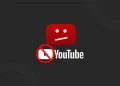





YouTube has once again stepped up its efforts against ad blockers, leaving many desktop users frustrated.
Thousands of users have reported that the platform either shows a blank homepage, stalls while loading videos, or fails to respond altogether, but the culprit isn’t a global outage. Instead, it appears to be YouTube’s latest crackdown on ad blockers.
Over the past few days, reports have increased on Reddit, X (formerly Twitter), and tech forums, with users describing strange behavior when using YouTube alongside ad-blocking extensions.
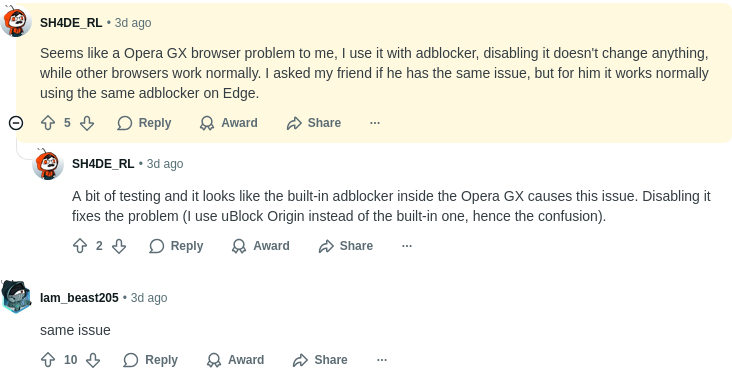
Many assumed the service was down, but the issue seems to be caused by ad blockers interfering with YouTube’s ad delivery and playback verification system.
As a result, users with ad blockers turned on are finding that YouTube’s website either won’t load or becomes so slow that it’s almost impossible to use. People who turned off their ad blockers or tried a different browser said the site started working normally right away.
YouTube’s Ongoing War on Ad Blockers
YouTube has always been vocal about its stance against ad blockers, insisting that ads support the creators who make content free to watch. Last year, the platform began showing warning pop-ups asking users to disable ad blockers or subscribe to YouTube Premium.
This latest issue appears to be an extension of that policy, a more aggressive technical measure aimed at deterring ad-blocker use entirely.
These problems aren’t limited to desktop users. Mobile viewers, especially those watching YouTube Shorts, have also run into major glitches over the past few days. Important buttons like Like, Comment, Share, and Subscribe have reportedly gone missing from the Shorts player.
This makes it nearly impossible for users to engage with creators’ content, and some fear it could impact engagement metrics and visibility for short-form videos.
While YouTube has yet to comment, it’s likely that this bug is unrelated to the ad-blocker crackdown and could be a temporary glitch introduced in a recent app update.
What Can You Do?
If you’re experiencing a YouTube outage or interface issues, try these quick fixes that have worked for other users:
- Disable your ad blocker and refresh the page.
- Try a different browser such as Firefox, Edge, or Safari.
- Update or reinstall your ad-blocker extension to ensure it’s compatible with the latest YouTube changes.
- For mobile users: restart the YouTube app or clear its cache to restore missing buttons.