






Security researchers at MTI have discovered Sturnus, a nasty piece of Android malware that’s currently being tested in Central and Southern Europe. What makes it so dangerous is how it defeats one of our most trusted security features: encrypted messaging apps.
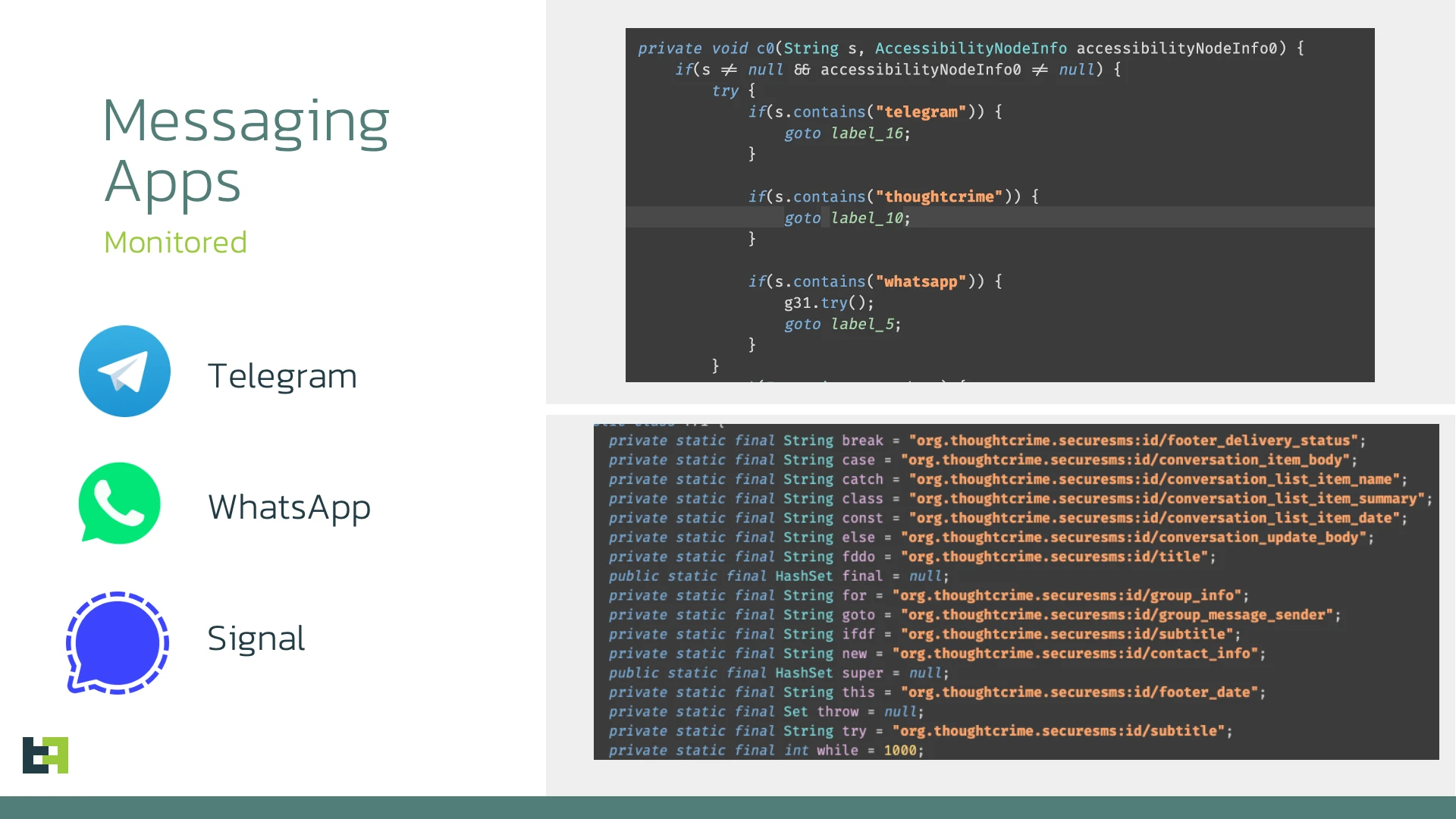
The Trojan doesn’t try to break encryption – that would be nearly impossible. Instead, it simply waits until your phone decrypts messages for you to read, then captures them straight from your screen.
WhatsApp, Telegram, Signal – none of them can protect you once Sturnus is installed, because the malware is essentially reading over your shoulder after the legitimate app has already done the decryption work.
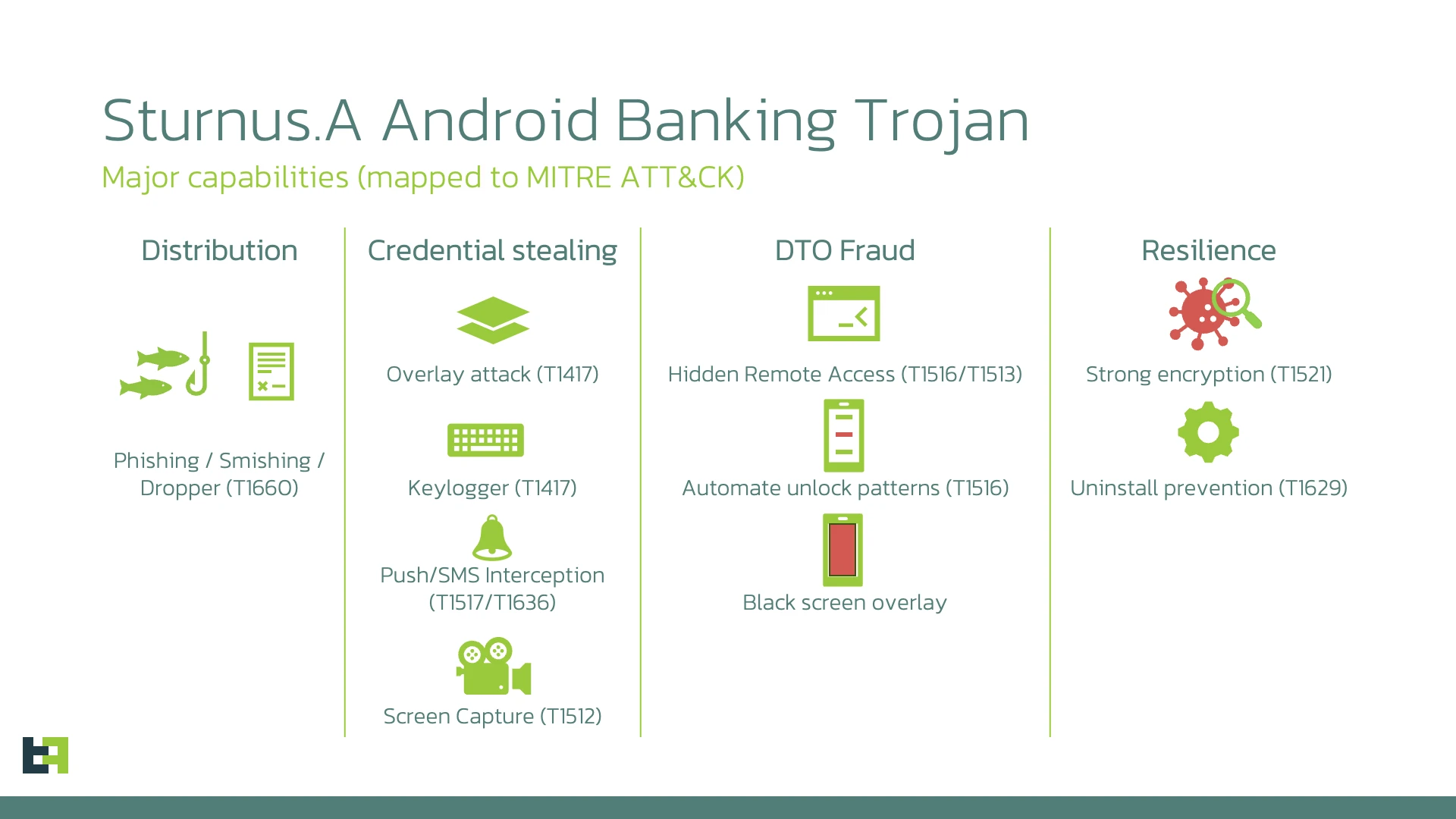
Sturnus is a full-featured banking trojan built for large-scale fraud. It creates fake login screens that mimic legitimate banking apps to steal credentials, and it can take complete remote control of infected devices.
The really sinister part is its ability to black out your screen while conducting fraudulent transactions in the background, leaving victims completely unaware that anything is happening.
The malware operates through a sophisticated command-and-control system using both WebSocket and HTTP channels. After initial registration, it establishes encrypted communication using a combination of RSA and AES encryption.
ThreatFabric researchers named it Sturnus after the European starling (Sturnus vulgaris), whose rapid, chaotic chatter reminded them of the malware’s unpredictable switching between simple and complex message patterns.
Sturnus uses Android’s Accessibility Service, a feature designed to help users with disabilities, as its primary weapon. By monitoring accessibility events, it can log everything typed on the device, track which apps are open, and reconstruct complete user activity even when traditional screen capture is blocked.
When victims open messaging apps, the malware automatically activates detailed UI monitoring, capturing contacts, conversation threads, and message content as it appears on screen.
The remote control capabilities are remarkably advanced. Attackers can view the victim’s screen in real time through two different capture methods that work across various Android versions.
Beyond just watching, they can click anywhere, inject text, scroll through apps, and grant permissions, all without physically touching the device.
A parallel control system transmits structured descriptions of every interface element, allowing attackers to operate efficiently even on slow connections without triggering the visual indicators that normally appear during screen recording.
Sturnus also makes itself extremely difficult to remove by obtaining Android Device Administrator privileges. Once granted, the malware monitors for any attempts to access the settings page where these privileges can be revoked, then automatically navigates away to interrupt the user. Standard uninstallation is blocked until these administrator rights are manually disabled.
The malware maintains awareness of its environment through extensive monitoring of system states, connectivity changes, battery levels, installed apps, and security settings. It checks for signs of forensic analysis or emulator environments, adjusting its behavior to avoid detection.
This information helps attackers assess risk and adapt their tactics based on the specific device and situation.
Current evidence suggests Sturnus is still in development or limited testing, with intermittent campaigns rather than widespread deployment. However, it’s already fully functional and configured with overlay templates targeting financial institutions across its focus regions.
The fact that researchers found it in this early stage is fortunate, as it provides an opportunity for detection mechanisms to be developed before a major campaign launches.
End-to-end encryption only protects your messages in transit. Once malware controls your device, it can access anything you can see on your screen. The weakest link isn’t the encryption algorithm but rather the endpoint itself.
For now, the best protection remains the basics: only install apps from trusted sources, never grant Accessibility Service permissions to apps that don’t actually need them, and be immediately suspicious if any app requests Device Administrator access.