







If you earn a salary in Kenya, the law requires you to file an annual tax return with the Kenya Revenue Authority (KRA).
For many people, this was something they dreaded, a confusing process spread across eight separate steps that could eat up half an hour if you were lucky, and far longer if something went wrong.
That is set to change after KRA overhauled the system and brought it down to three steps. For most salaried employees, the entire process now takes under five minutes.
Here is what you need to know.
Why You Have to File Your Tax Returns in the First Place
Every month, your employer deducts income tax from your salary before it reaches you, i.e., the Pay As You Earn (PAYE). That money goes straight to KRA on your behalf, but the amount deducted across twelve months does not always land exactly on what you actually owe for the year.
READ: KRA Reinstates Nil Returns With Automated Verification System to Catch Tax Cheats
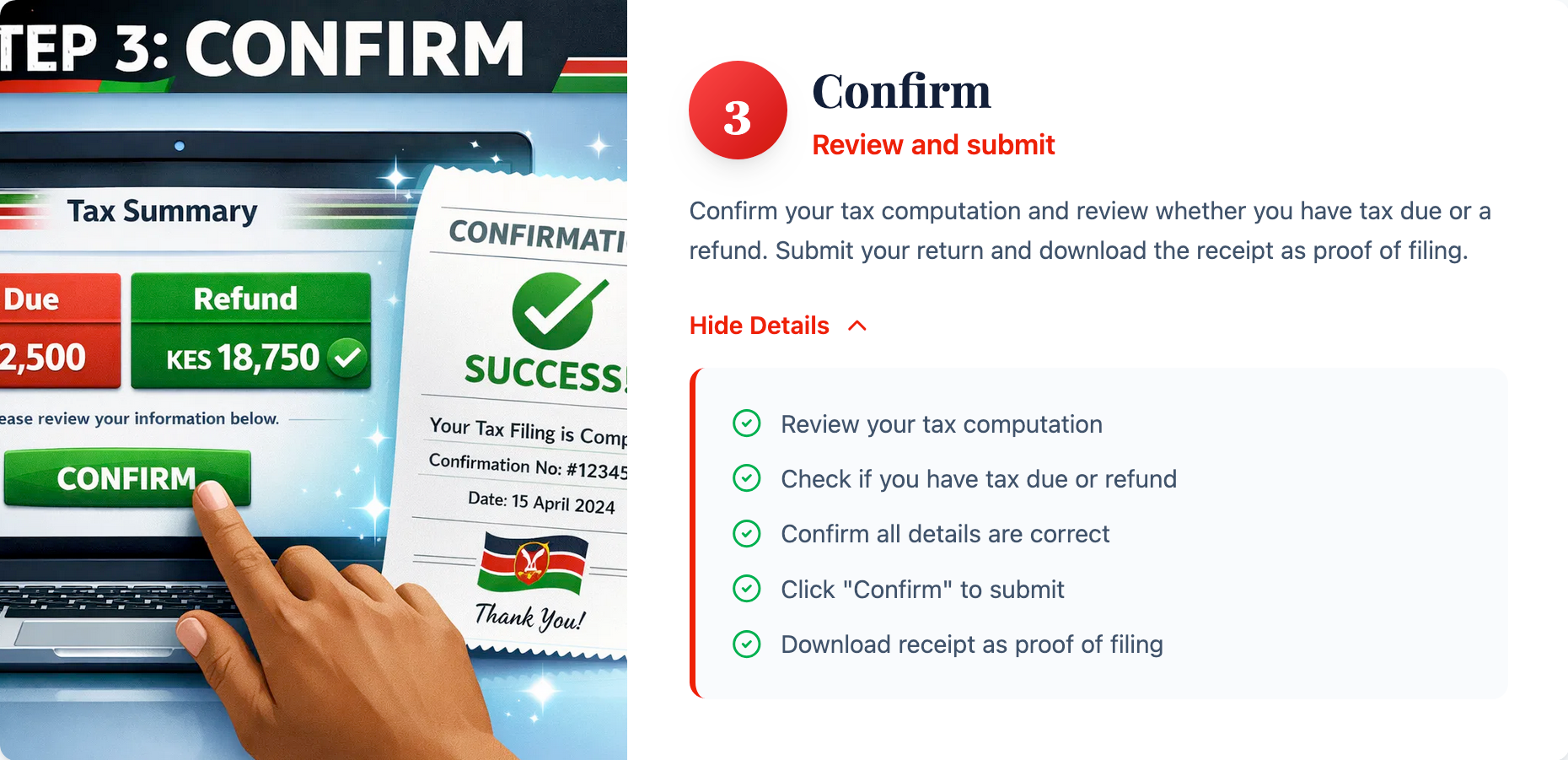
Filing your annual return lets KRA do the math and settle the difference. If too much was deducted, you get a refund, and if too little was deducted, you pay the gap. Either way, filing keeps your tax record clean and keeps penalties off your plate.
What KRA Has Changed and Why It Matters
Under the old system, you had to manually confirm your gross income, your PAYE deductions, and several other details across multiple screens. Each screen was a fresh opportunity to get confused or make an error.
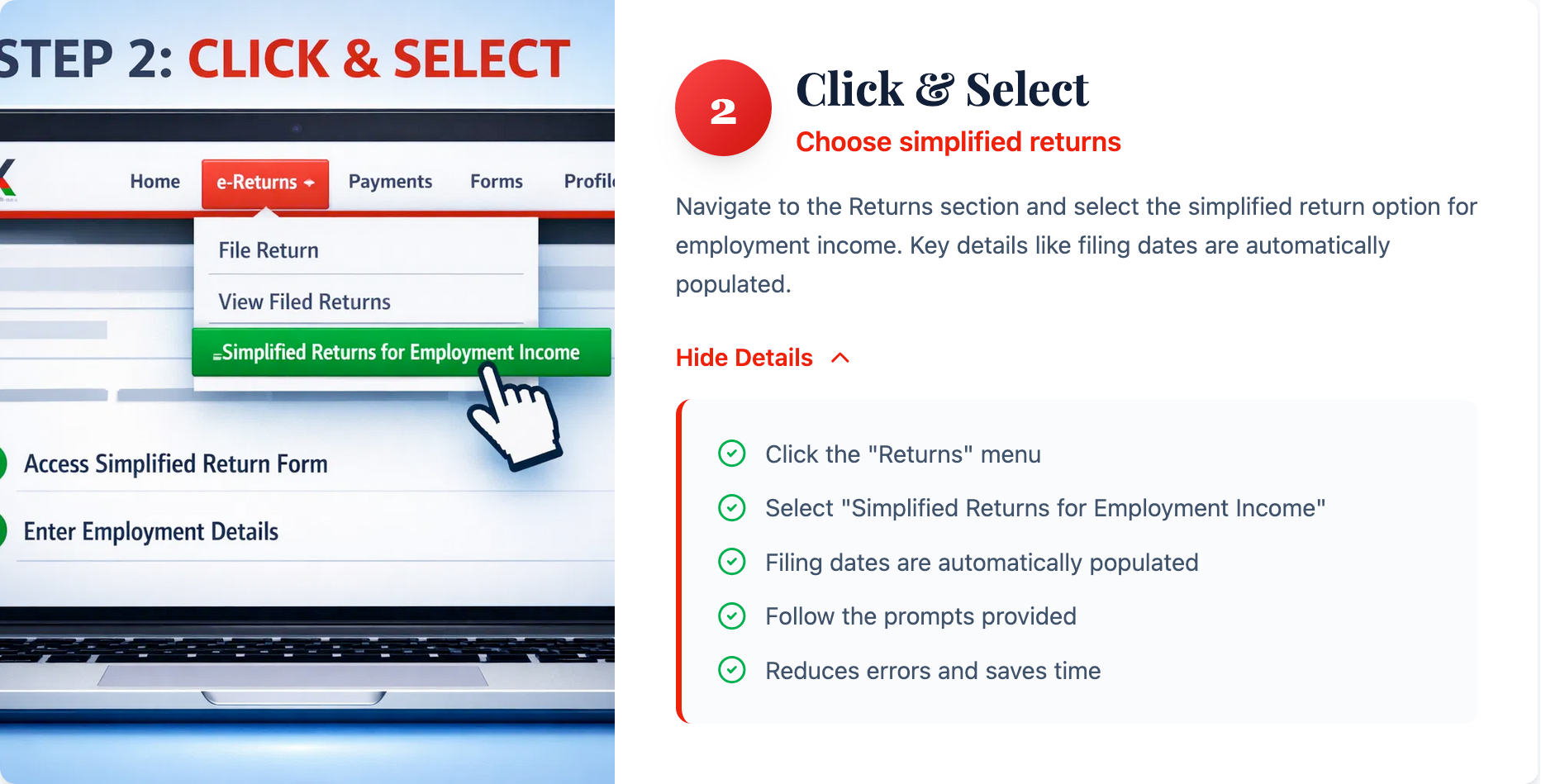
The new system removes that friction because your employer already reports your salary and PAYE figures to KRA throughout the year; the portal now pulls that information automatically. By the time you arrive at your return, most of the work will already be done.
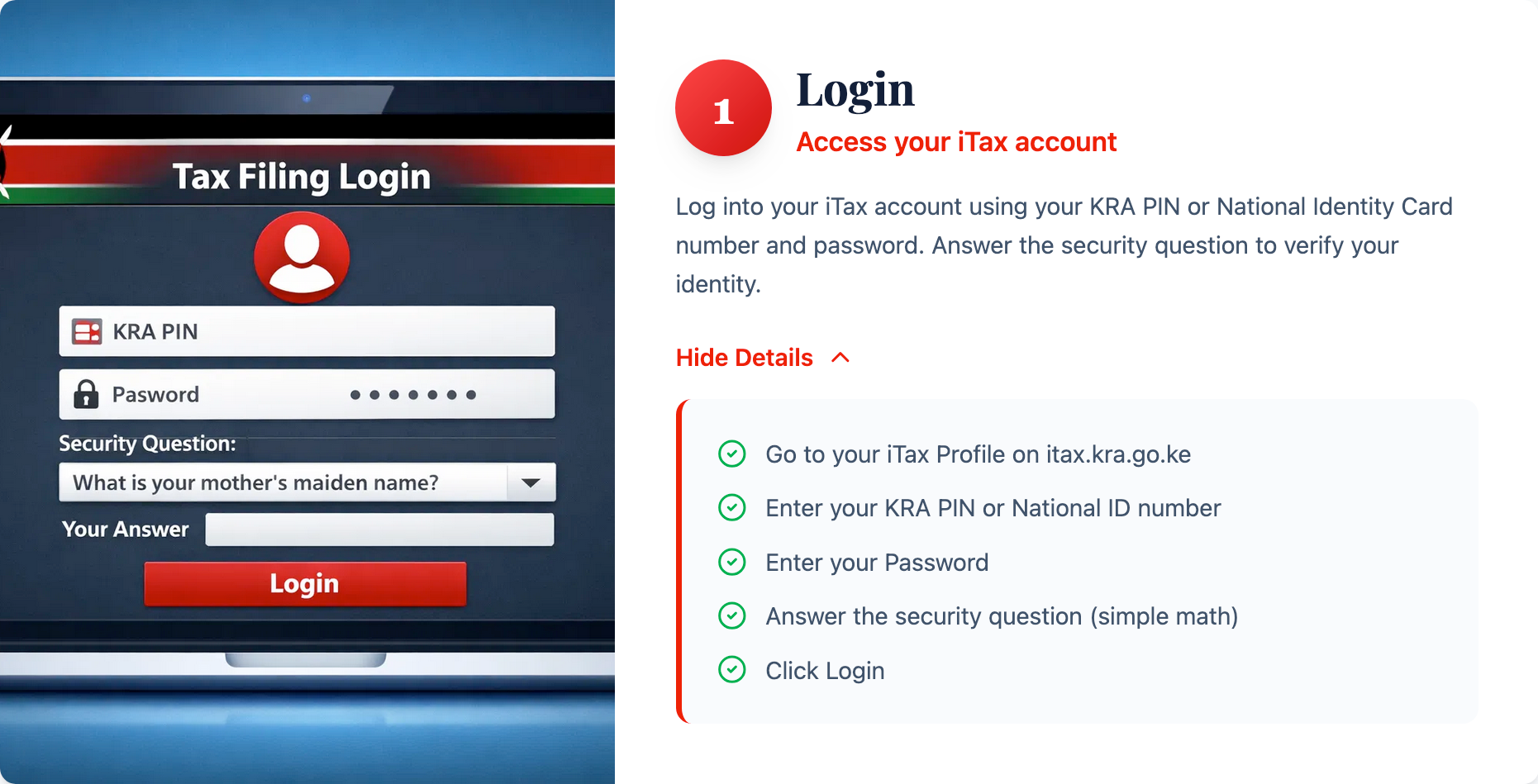
Here is how the process works, from login to receipt.
A Few Things To Keep in Mind
The simplified three-step process is designed specifically for salaried employees filing employment income returns. If you have other income from property rent, a business, or investments, you may need to file a more detailed return.
READ: How to Use KRA’s WhatsApp eTIMS to Generate Invoices and File Returns
When in doubt, check with KRA directly.
If anything in the pre-filled information looks wrong, do not just click through. Contact your employer first. They are the ones who submitted those figures to KRA, and they are the ones who can correct a mistake at the source.